Kategorie: Nintendo

  • SNES CIC switchless Mod at a USA/japanese SNES

    Thanks to Maximilian Rehkopf alias ikari_01 we can proudly present a new switchless Mod for the SNES.

    Today I am using a japanese SNES. It works with a USA SNES too. It has the same layout.

    Here you can find more information:

    http://www.circuit-board.de/forum/viewtopic.php?f=21&t=1896&start=63 (german)

    http://nesdev.parodius.com/bbs/viewtopic.php?p=61236#61236 (english)

    The mod is using a PIC 16F630 with the following code: supercic

    There are two ways to get the new CIC working.

    a) with original CIC still onboard

    To get the supercic working you have to lift the following pins of the original CIC.

    Pin 1,2,10 and 11

    b) removing the original CIC and add a 10k from Pin 8 to GND.

    I will make use of way b) here:

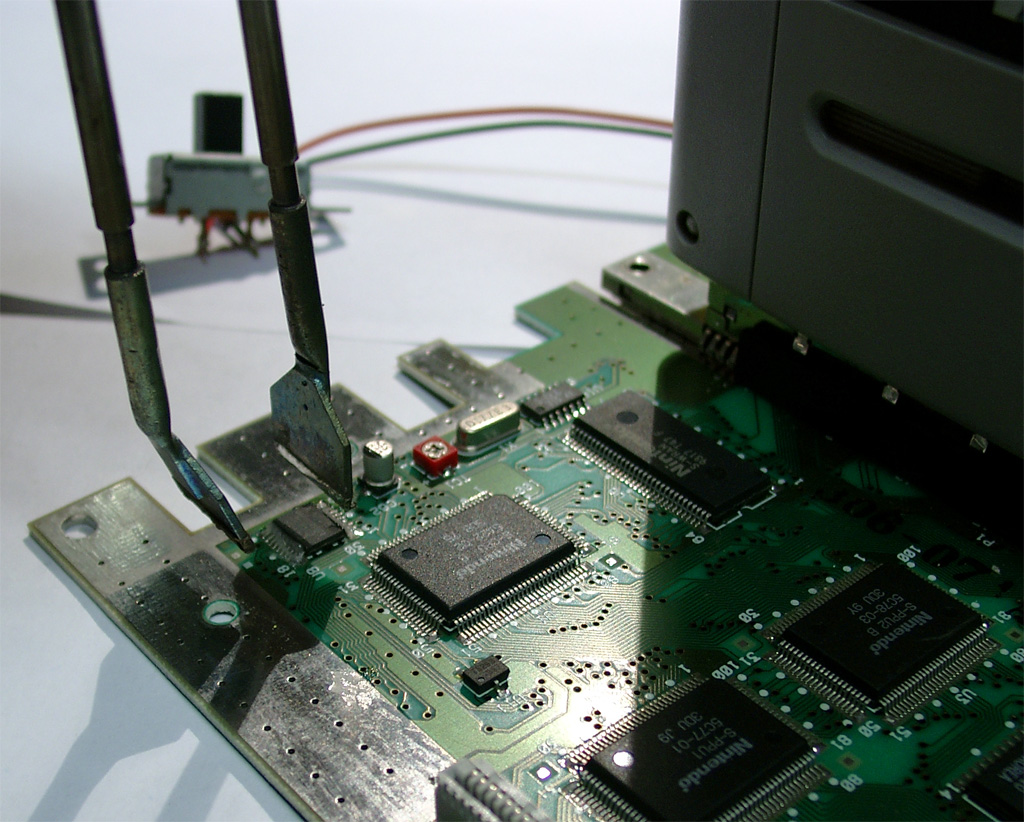
    Remove the original CIC (here you can see some pictures of a PAL SNES.
    Its the same at the japanese/USA SNES.
    supercic_2

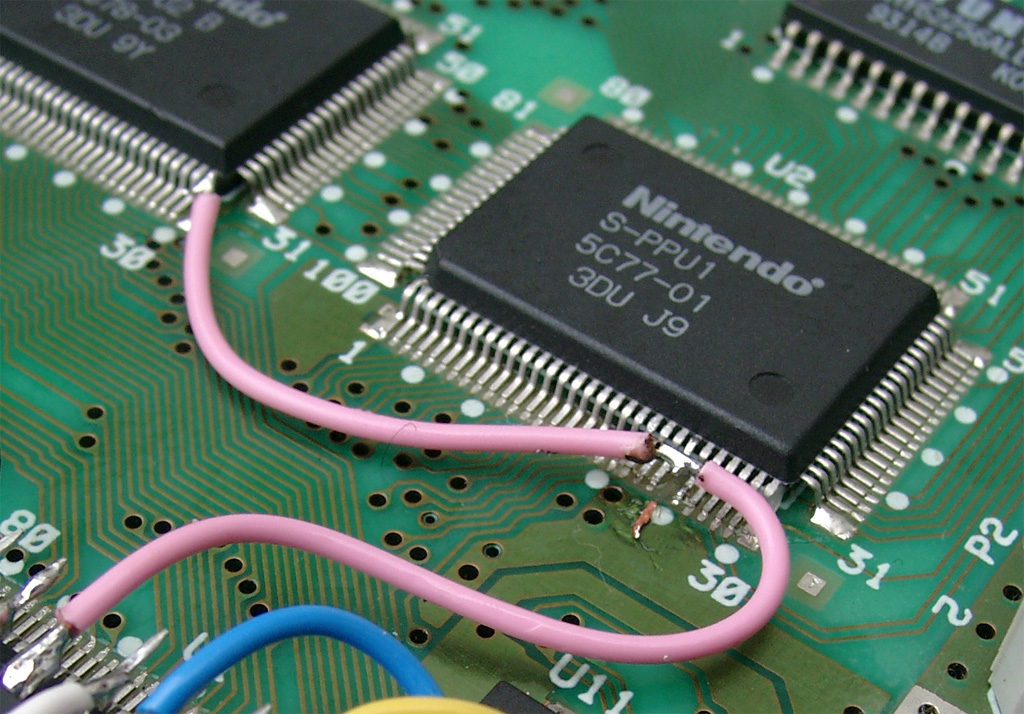
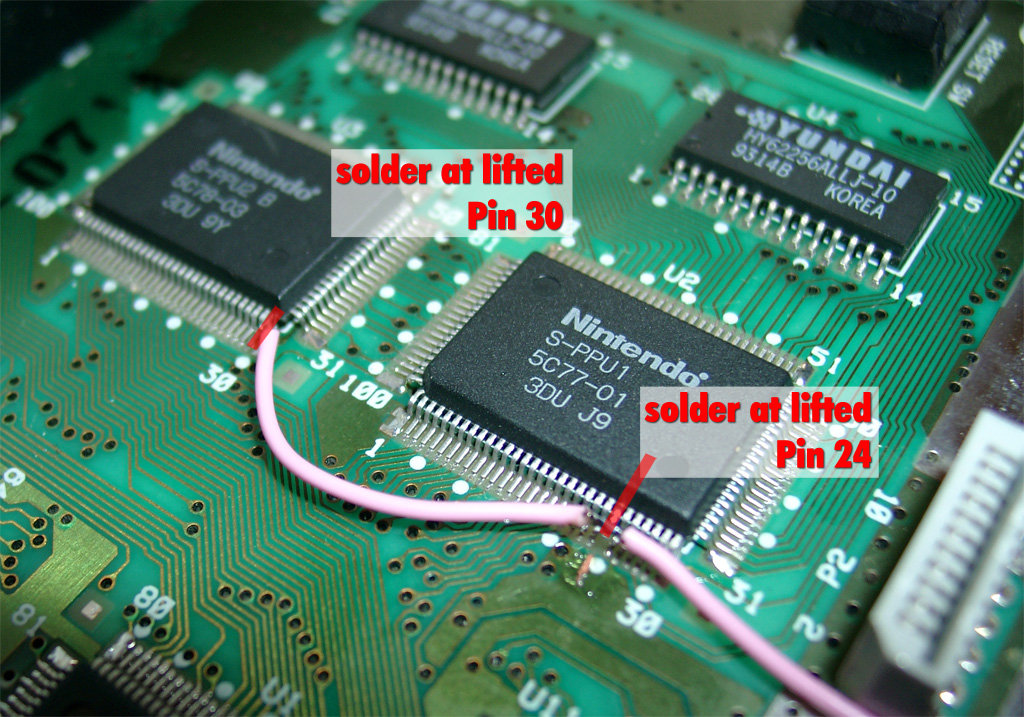
    The usual 50/60Hz Pins:

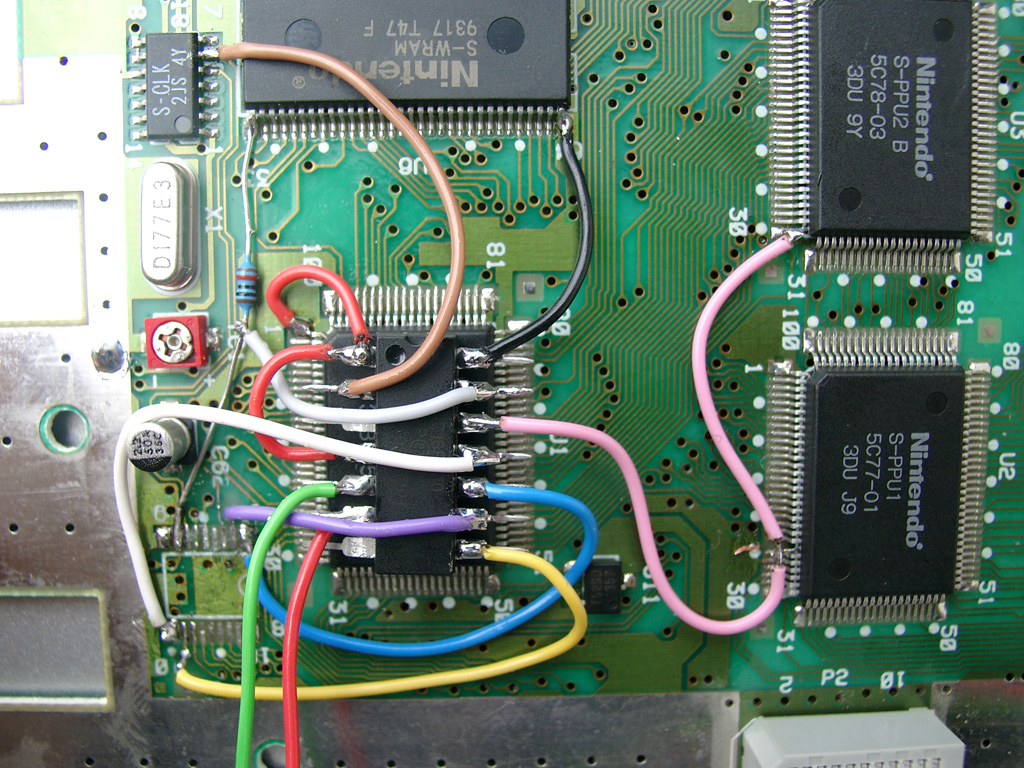
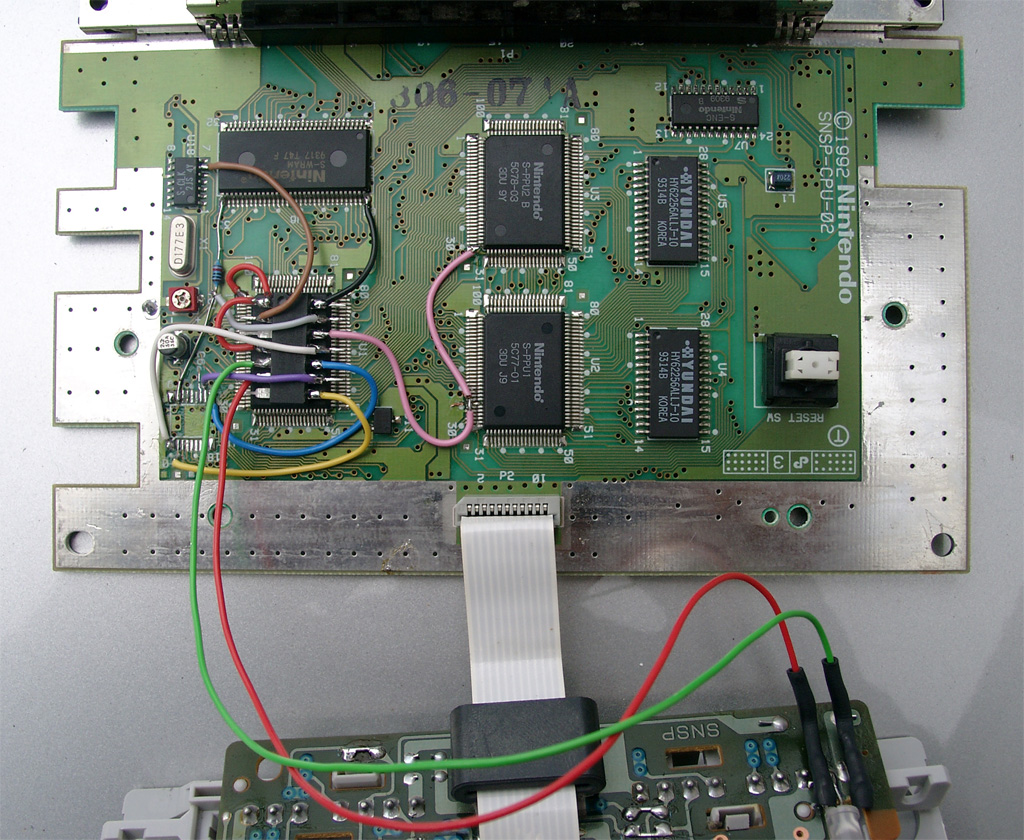
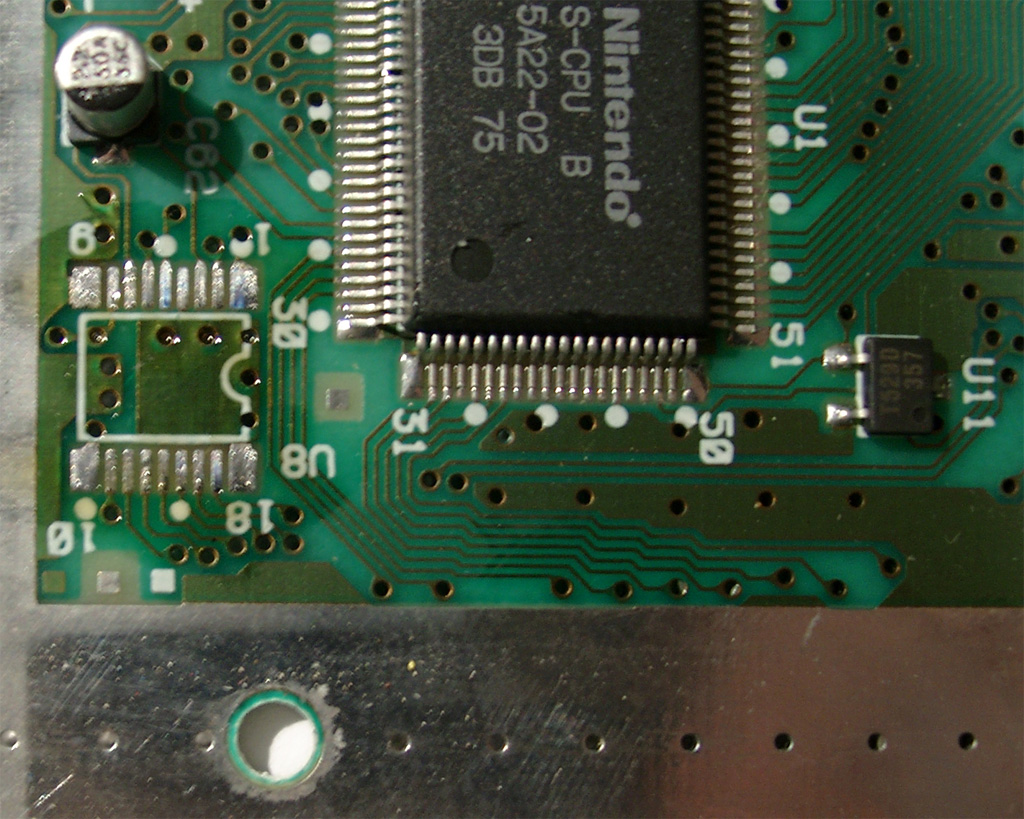
    You have to lift PPU2 Pin 30 and lift PPU1 Pin 24 and wire it together to Pin 12 @Pic12f630.

    The Console is set to 60Hz if you set both Pins to GND
    The Console is set to 50Hz if you set both Pins to 5V
    supercic_4

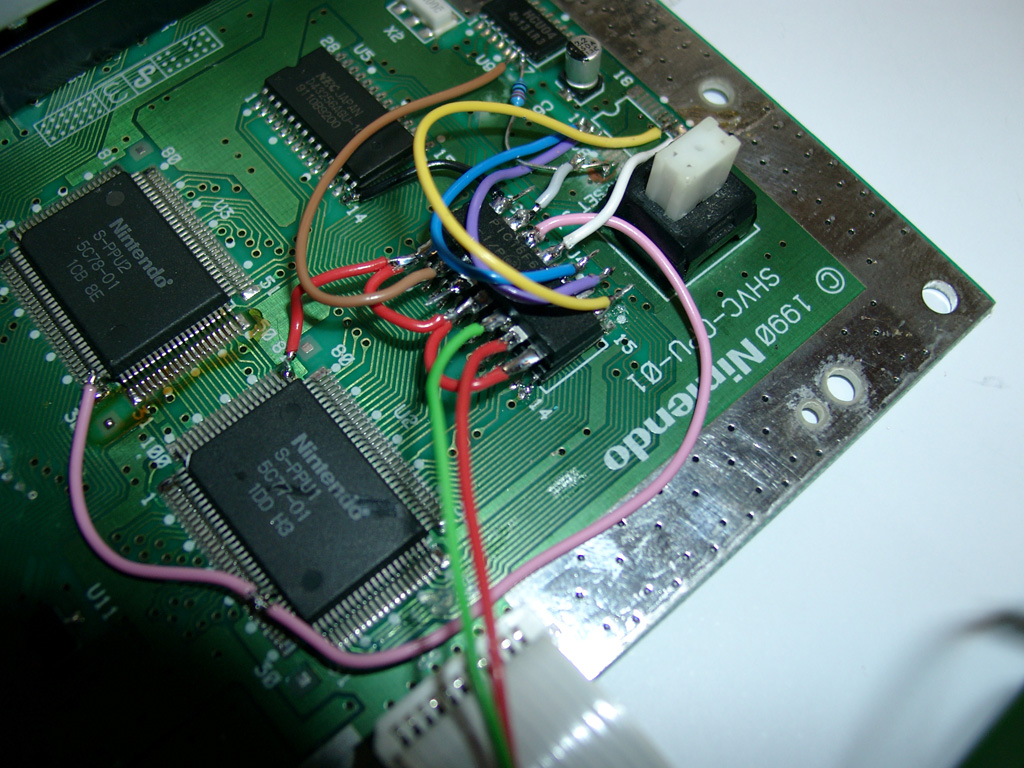
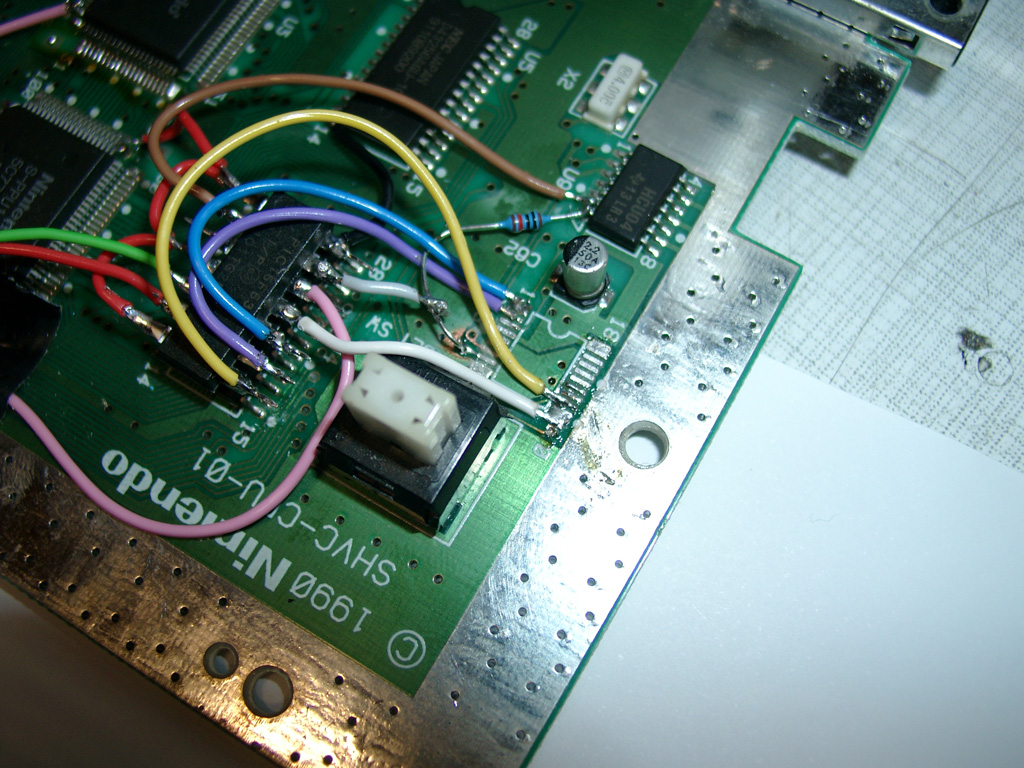
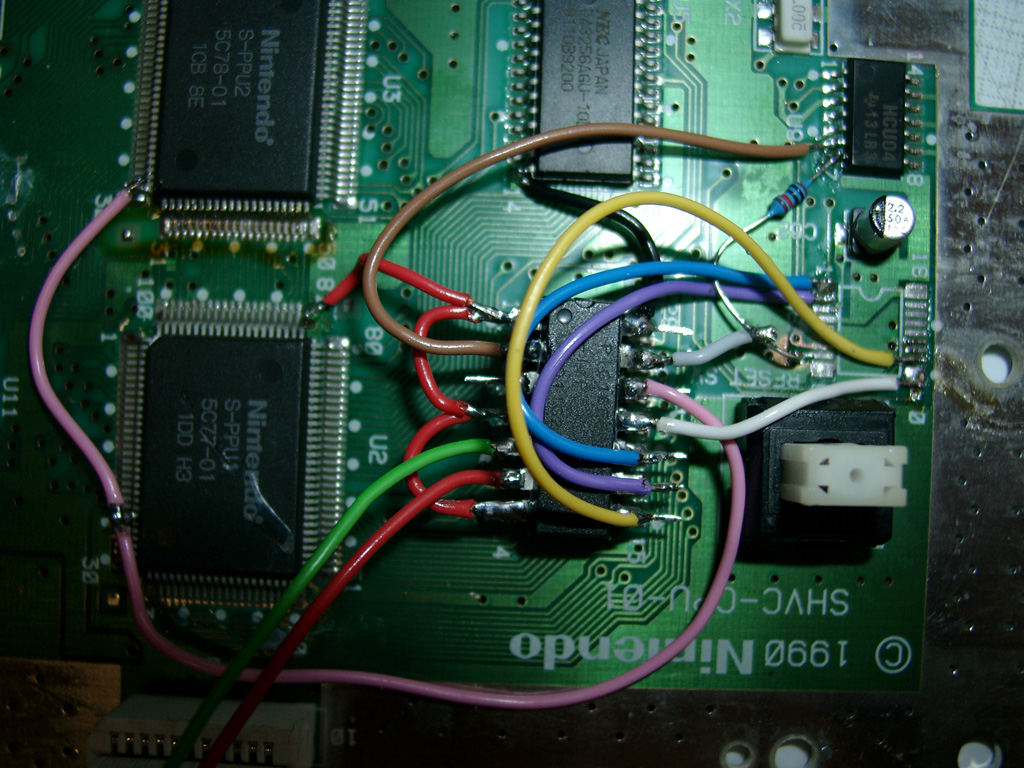
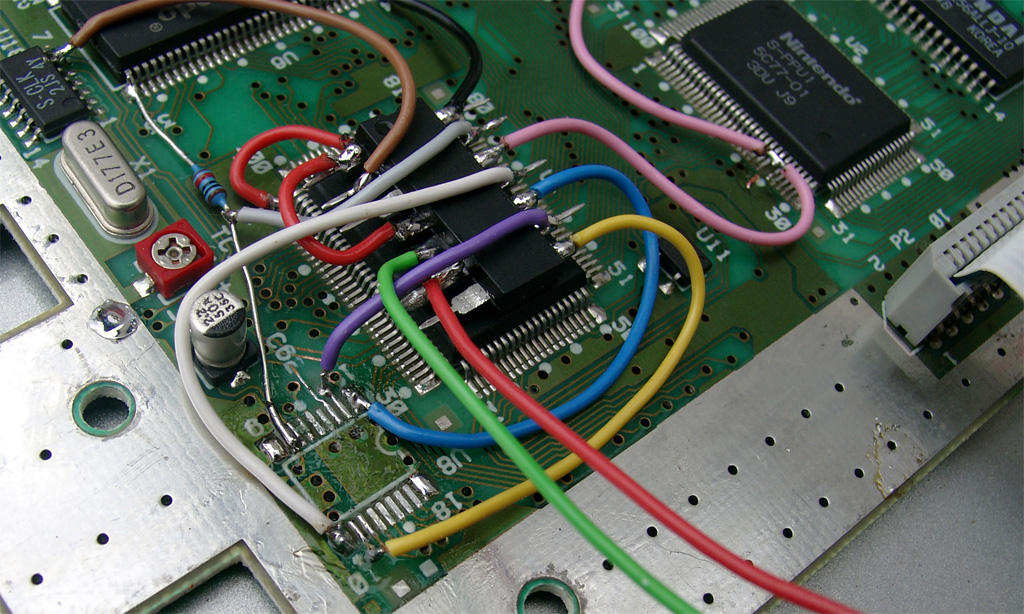
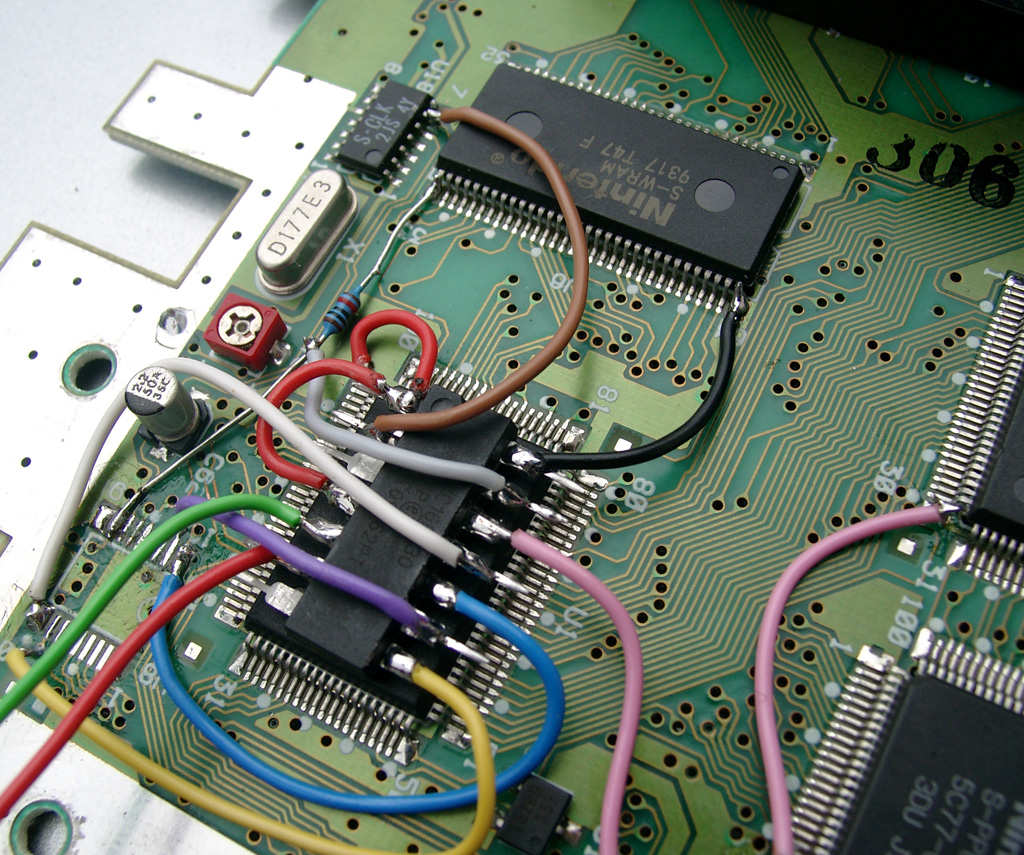
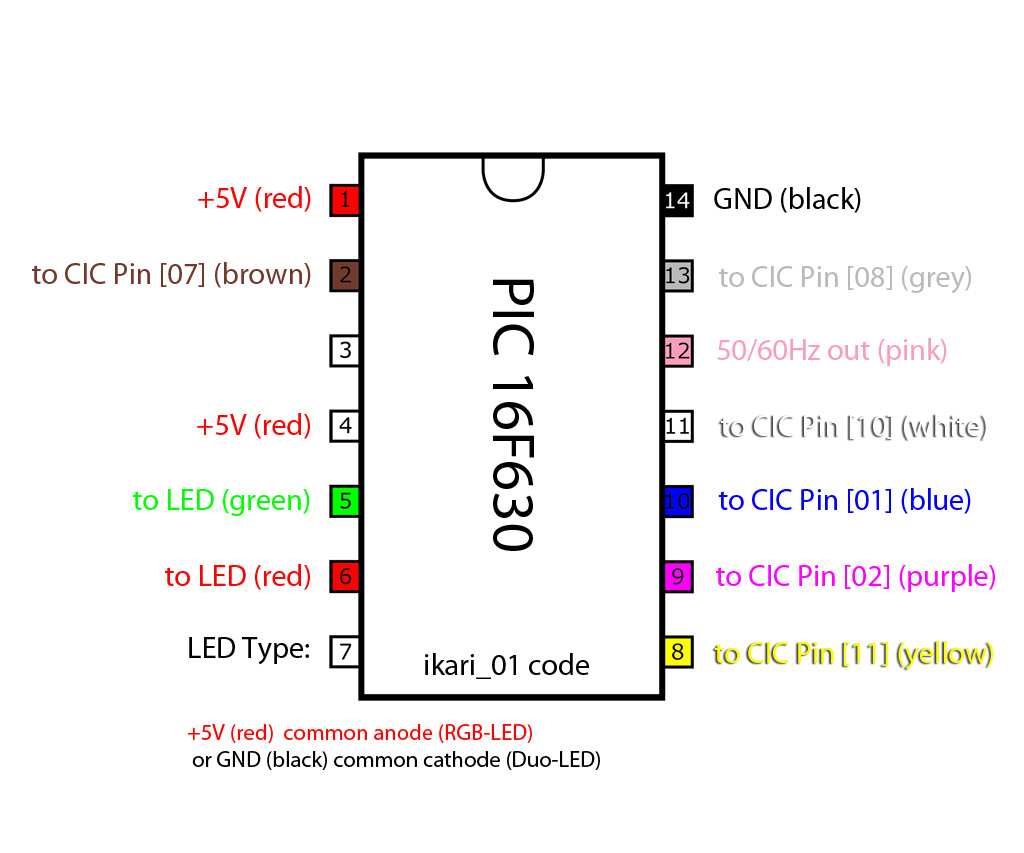
    Here you can see the wiring of the pic with ikari_01 Code:
    PIC_cic_pinout

    First we have to put some 5V at the PIC.

    You can set the PIC into 2 Modes

    a) Pin 4 to 5V (I used this Mode, see the red wire)
    b) Pin 4 to GND

    And please set Pin 7 To 5V (PIC is set to RGB-LED Mode (common anode).
    Take 5V From the Pin 81 of the nearby IC
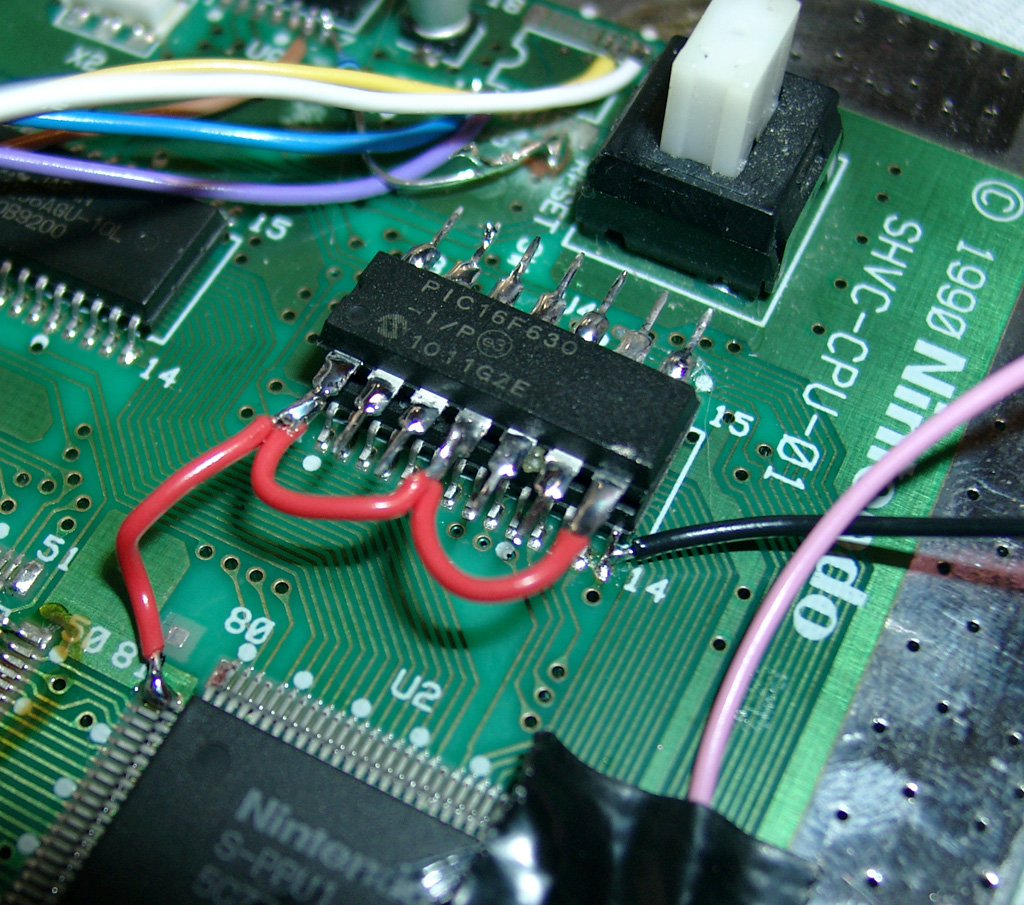
    cic_jap_1

    some pictures of more wiring

    cic_jap_3

    cic_jap_4

    cic_jap_5

    To do the LED Mod you have to remove the original LED at the controller port.
    You can shortcut the original Resistor of the LED, if you want the full power of the RGB-LED 😉
    With a RGB Led you can choose 2 of the 3 colors you wish. I am using the normal colors red and green.
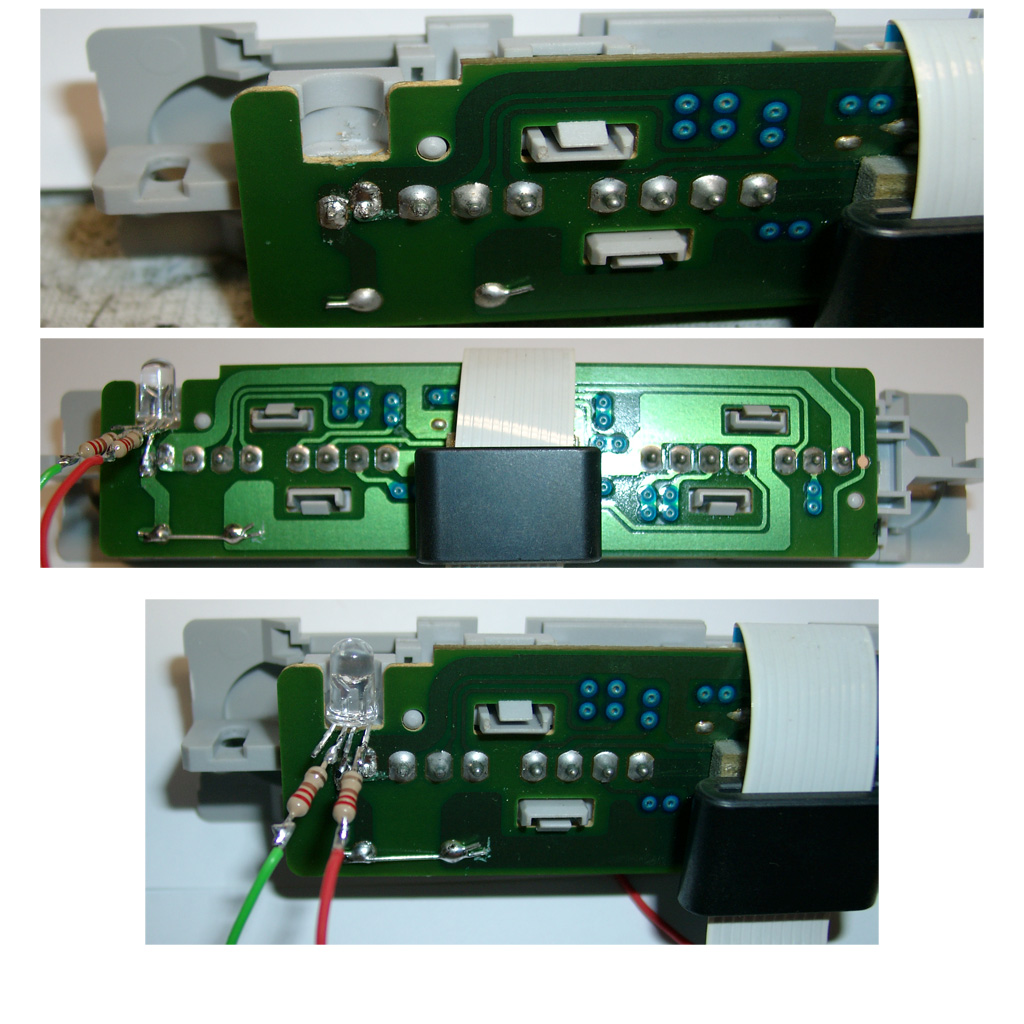
    cic_jap_Leds

    You can use two different LEDs:

    a) a Duo-Led with common cathode (GND)
    You have to set Pin 7 of the PIC16F630 to GND

    b) a RGB-Led with common anode (plus)

    Look here for a picture:
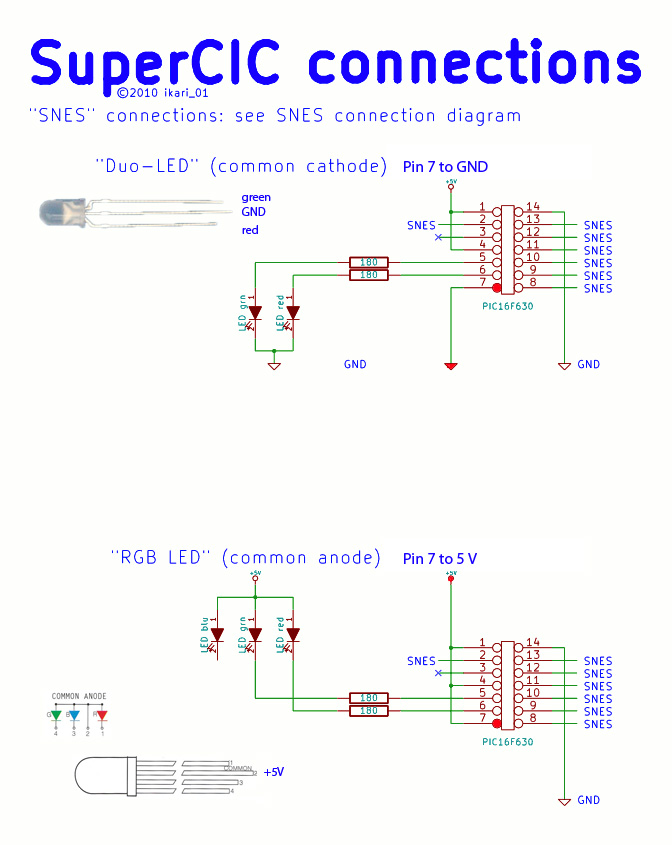
    cic

    Some Info about the usage of the superCIC.

    You can change between 50/60Hz and Auto Function by pressing the Reset Button for longer as around 0,5 sec. The current Status is shown by the DUO-LED. (red=60Hz, green 50Hz, orange=Auto).
    After releasing the Reset Button the mode will be active. The SNES will not reset at this moment.

    a) 50Hz Mode is active (green)

    If you insert a PAL-Game, it will start with 50Hz
    If you insert a NTSC-Game, it will start with 50Hz (if Pin 4 is set GND)
    If you insert a NTSC-Game, it will start with 60Hz and switches to 50Hz after 9 sec. (if Pin 4 is set 5V)
    If you insert a Game without CIC, it will start with 50Hz

    b) 60Hz Mode is actice (red)

    If you insert a NTSC-Game, it will start with 60Hz
    If you insert a PAL-Game, it will start with 60Hz (if Pin 4 is set GND)
    If you insert a PAL-Game, it will start with 50Hz and switches to 60Hz after 9 sec. (if Pin 4 is set 5V)
    If you insert a Game without CIC, it will start with 60Hz

    c) Auto Mode is actice (orange)

    starting the Game in its native frequence.

    If you insert a NTSC-Game, it will start with 60Hz
    If you insert a PAL-Game, it will start with 50Hz
    If you insert a Game without CIC, it will start with 60Hz
    Here you can see a video, how the switching is working:

    Here you can see a US-Unit with a RGB Led using blau and red part of the LED:
  • SuperCIC SNES switchless MOD (PAL)

    Thanks to Maximilian Rehkopf alias ikari_01 we can proudly present a new switchless Mod for the SNES.

    I done the first modification at a PAL SNES, but it should work on US and japanese SNES too.

    Here you can find more information:

    http://www.circuit-board.de/forum/viewtopic.php?f=21&t=1896&start=63 (german)

    http://nesdev.parodius.com/bbs/viewtopic.php?p=61236#61236 (english)

    The mod is using a PIC 16F630 with the following code: supercic

    Sorry the Code here is a newer version, so you have to set PIN 7 of the PIC 16F630 to GND. As here is described with a common cathode DUAL-LED!

    There are two ways to get the new CIC working.

    a) with original CIC still onboard

    To get the supercic working you have to lift the following pins of the original CIC.

    Pin 1,2,10 and 11

    b) removing the original CIC and add a 10k from Pin 8 to GND.

    The following pictures will show way b).

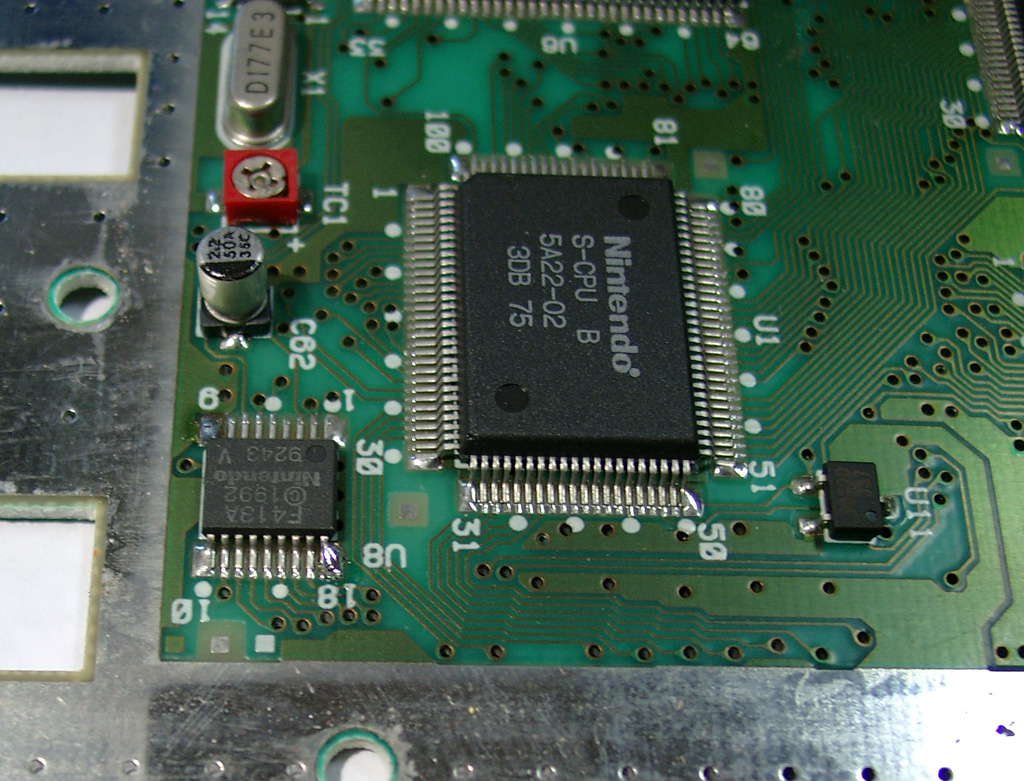
    Here you can see a PAL SNES with the F413A CIC

    supercic_1

    Removing the CIC

    supercic_2

    After removing the original CIC:

    supercic_3

    The usual 50/60Hz Pins:

    You have to lift PPU2 Pin 30 and lift PPU1 Pin 24 and wire it together to Pin 12 @Pic12f630.

    The Console is set to 60Hz if you set both Pins to GND
    The Console is set to 50Hz if you set both Pins to 5V

    supercic_4

    2nd View:

    supercic_8

    Here you can see the wiring of the PIC:

    PIC_cic_pinout

    More wiring:

    You can set the PIC into 2 Modes

    a) Pin 4 to 5V (I used this Mode, see the red wire)
    b) Pin 4 to GND

    And please set Pin 7 To GND, so the PIC is set to DUO-LED Mode (common cathode).
    On the following picture the wire is missing!

    supercic_5

    supercic_6

    supercic_7

    supercic_09

    you can remove the original LED by heat both pins together and pull it a little bit out.
    So you can cut the 2 pins of the original LED.

    After this you can use a DUO-LED (gn/red) 5mm with 220Ohm Resistors. I solder the middle (GND) to the SNES Controllerport
    To play import Controller or thinks like a superscope on a PAL-SNES you can shortcut all 4 Diodes on the controller port. (see picture2)

    supercic_10

    You can use two different LEDs:

    a) a Duo-Led with common cathode (GND)
    You have to set Pin 7 of the PIC16F630 to GND

    b) a RGB-Led with common anode (plus)
    You have to set Pin 7 of the PIC16F630 to 5V

    Look here for a picture:
    cic

    Some Info about the usage of the superCIC.

    You can change between 50/60Hz and Auto Function by pressing the Reset Button for longer as around 0,5 sec. The current Status is shown by the DUO-LED. (red=60Hz, green 50Hz, orange=Auto).
    After releasing the Reset Button the mode will be active. The SNES will not reset at this moment.

    a) 50Hz Mode is active (green)

    If you insert a PAL-Game, it will start with 50Hz
    If you insert a NTSC-Game, it will start with 50Hz (if Pin 4 is set GND)
    If you insert a NTSC-Game, it will start with 60Hz and switches to 50Hz after 9 sec. (if Pin 4 is set 5V)
    If you insert a Game without CIC, it will start with 50Hz

    b) 60Hz Mode is actice (red)

    If you insert a NTSC-Game, it will start with 60Hz
    If you insert a PAL-Game, it will start with 60Hz (if Pin 4 is set GND)
    If you insert a PAL-Game, it will start with 50Hz and switches to 60Hz after 9 sec. (if Pin 4 is set 5V)
    If you insert a Game without CIC, it will start with 60Hz

    c) Auto Mode is actice (orange)

    starting the Game in its native frequence.

    If you insert a NTSC-Game, it will start with 60Hz
    If you insert a PAL-Game, it will start with 50Hz
    If you insert a Game without CIC, it will start with 60Hz

    Here you can see a video, how the switching is working:

    Here you can see a US-Unit with a RGB Led using blau and red part of the LED:
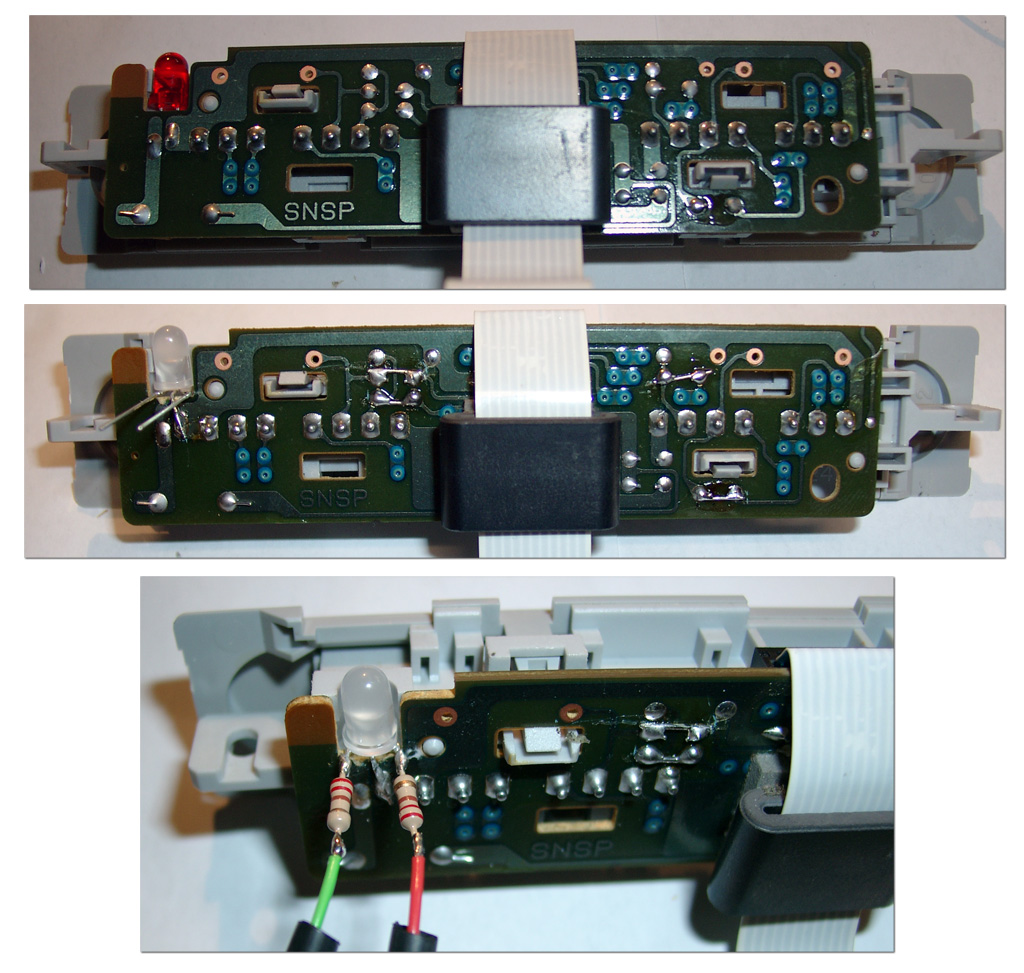
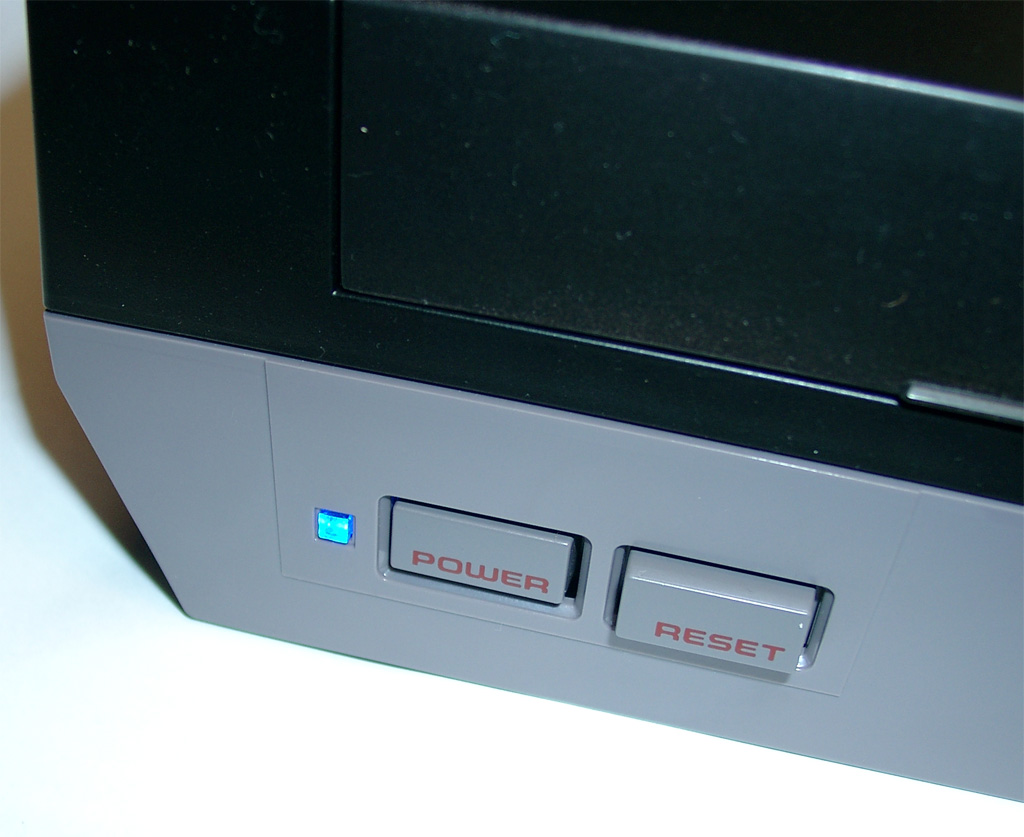
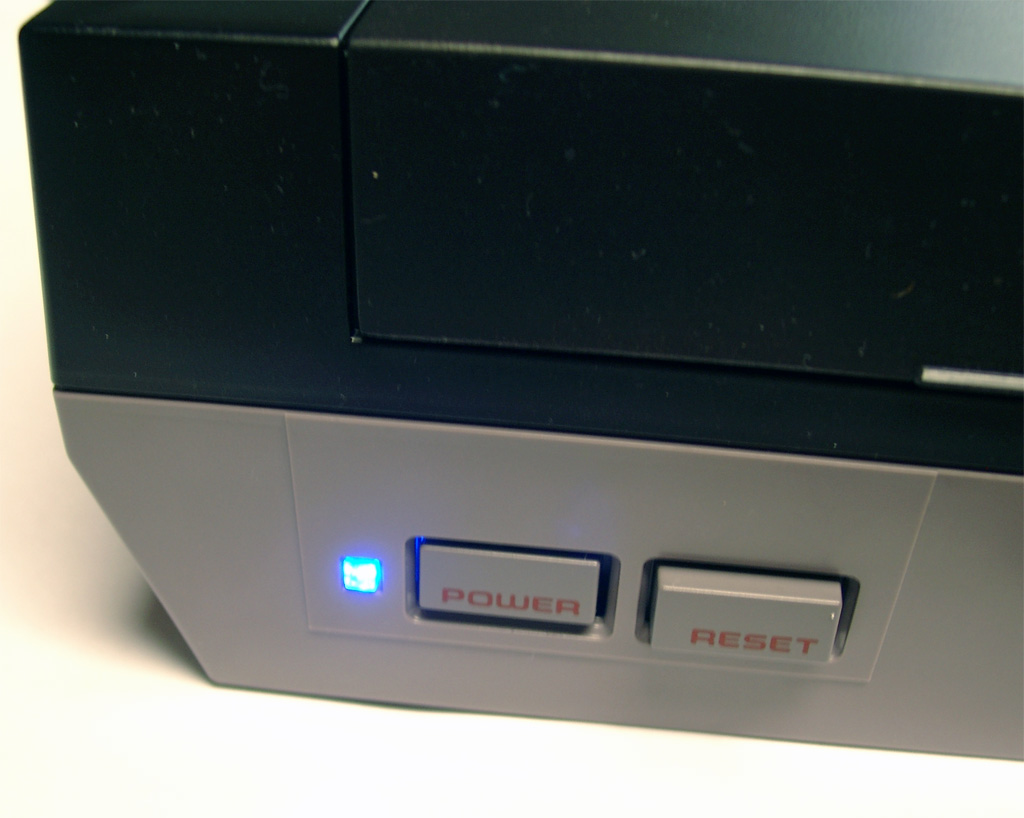
  • blue Power LED for NES

    today I done a LED mod for a NES.
    Its easy, the most difficulty is to open and remove all screws.
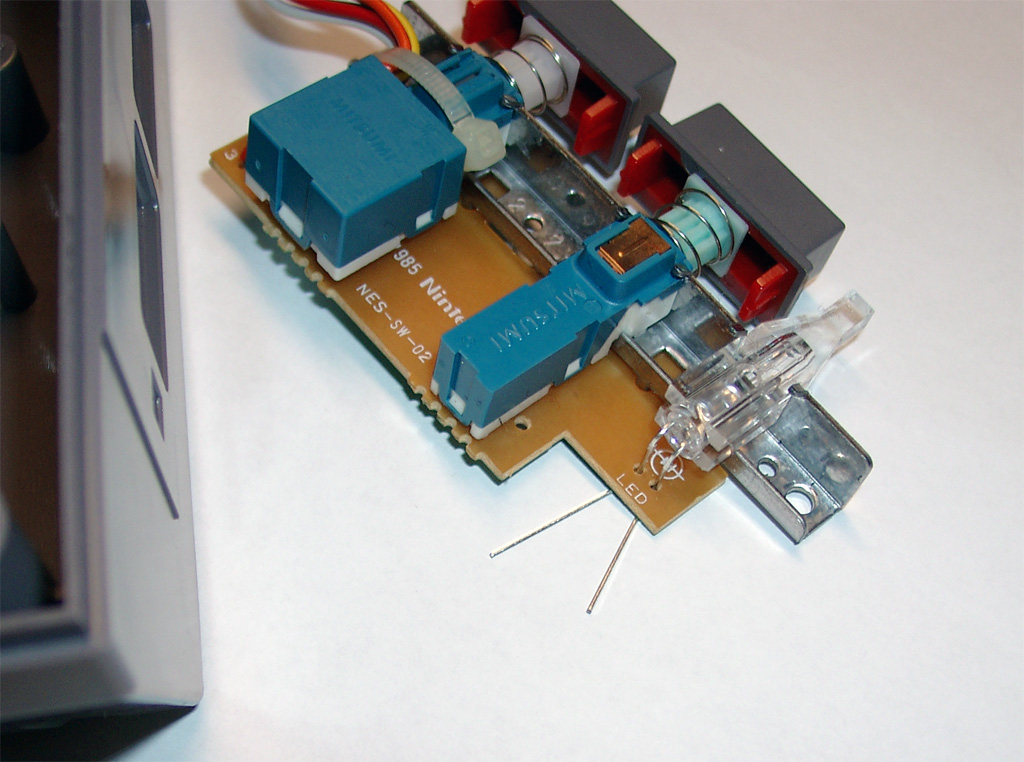
    You must remove the mainboard to get the Power LED PCB.
    Remove the original 5mm LED and replace with a color you like.
    Look here:
    nes_blue_1

    nes_blue_2

    nes_blue_3

  • Virtua Boy Fixing Glitchy Displays

    I got a defective Virtua Boy from a customer with the Glitchy Display Error.

    After a quick research i found: http://www.projectvb.com/displayfix.html

    I used the Solder Method for repairing:

    For removing the cable I was using a Fiber Pencil like this

    and after this It was possible to resolder the pins @ 230-250Grad Celsius.

    And it works, great again like the first day 🙂

    One little tipp: check the cable connector if its connected right at the other side.

    If its inserted to much, you will get no picture from this site…

  • NES painting

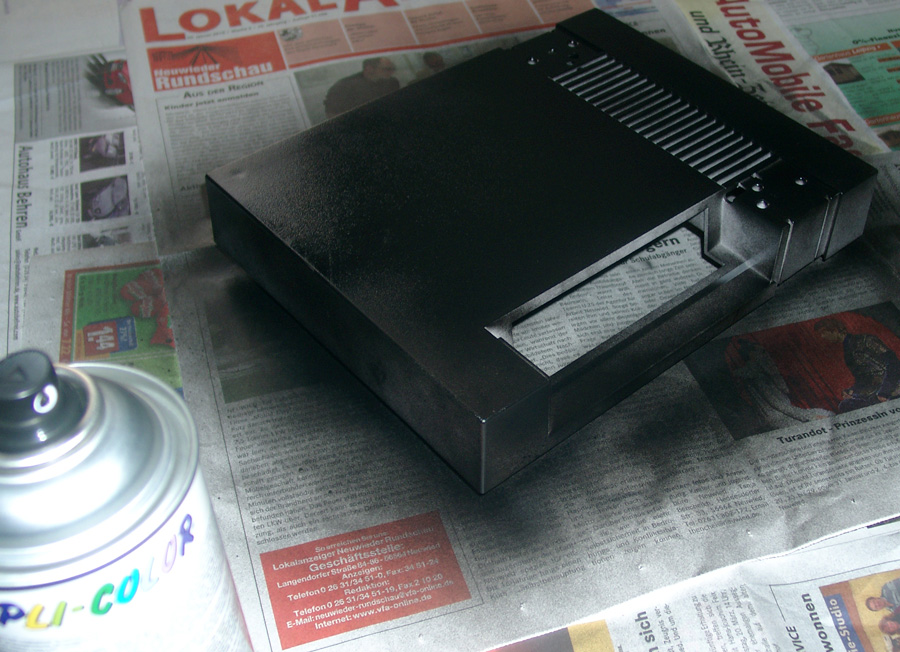
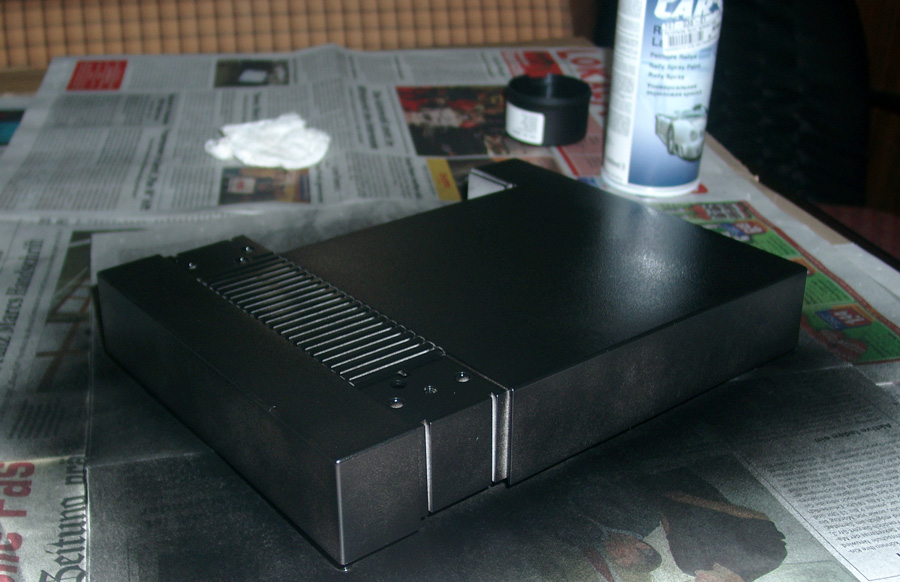
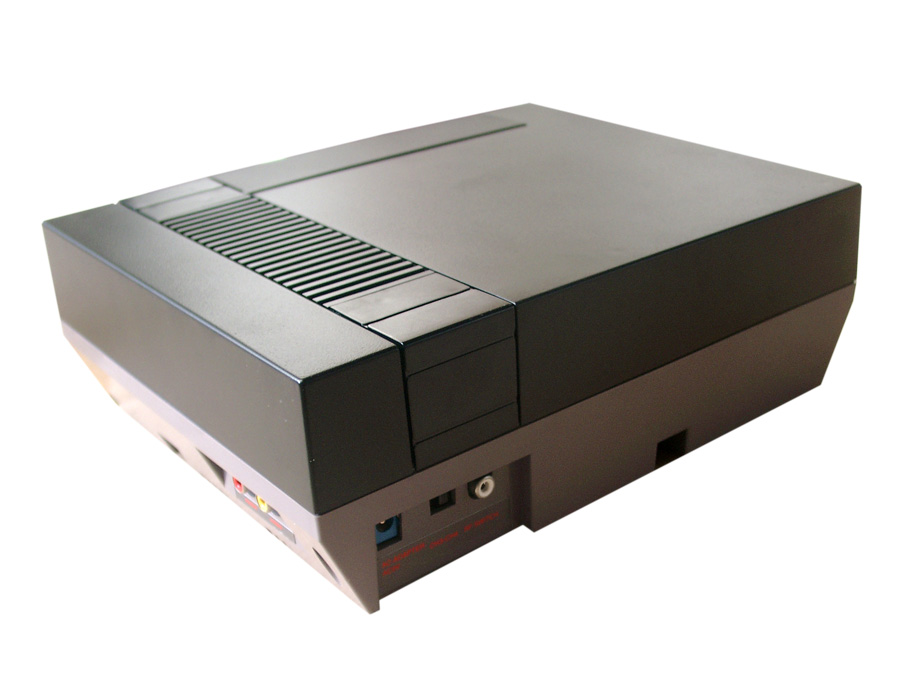
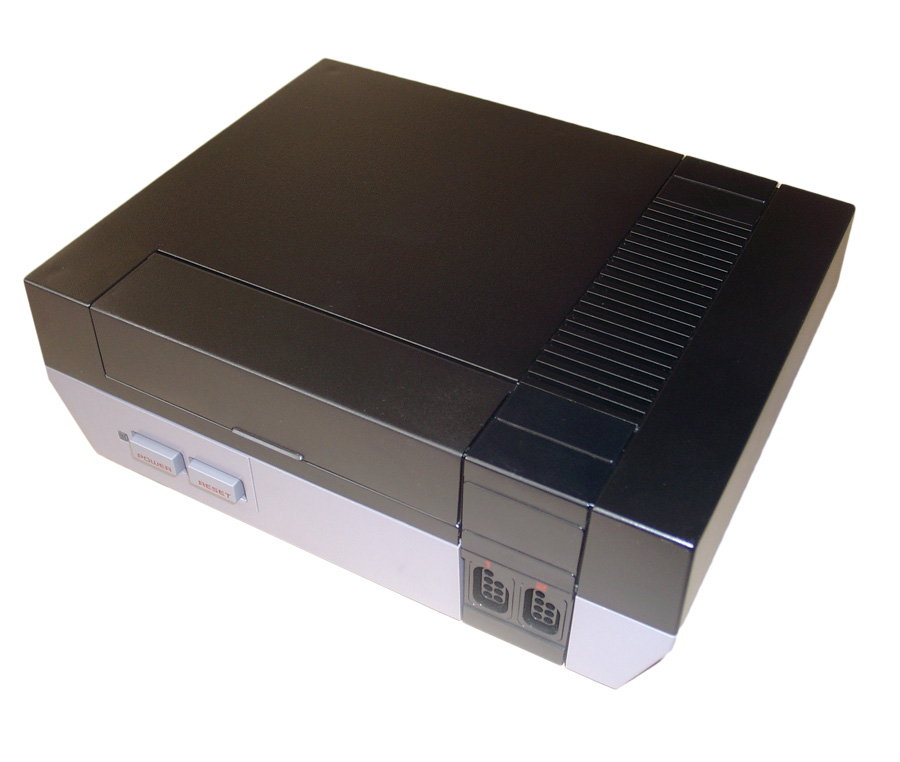
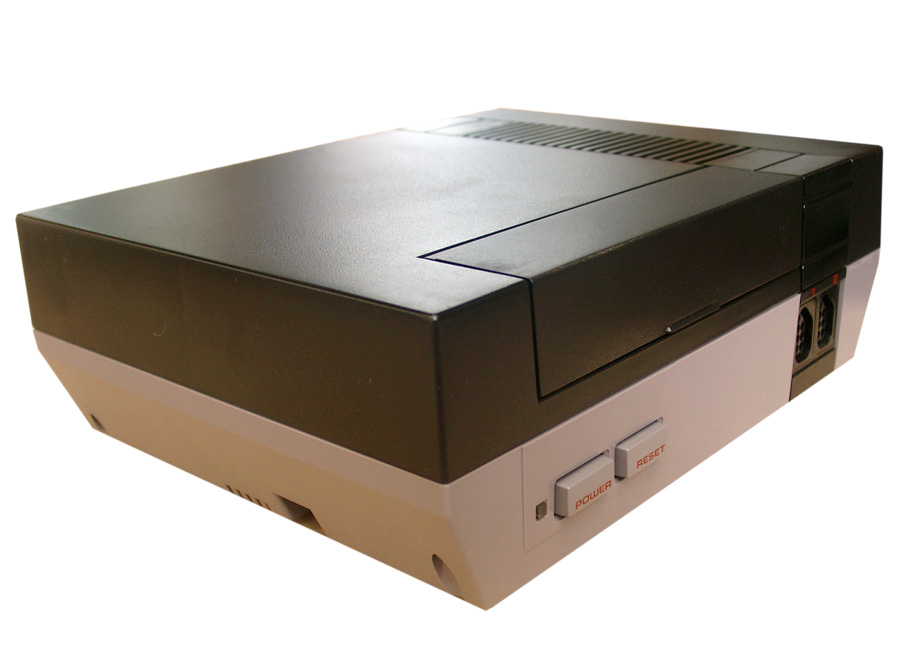
    A customer asked me to do some brushing. He wants to recolor the top of his NES in black.

    First you have to clean it and remove all dust from the surface.
    Then find a „peacefull“ place (not windy).

    And make use of a plastic primer.

    Then black brush painting, take 3-4 brush events.

    Look here:

    nes-(5)

    nes-(6)

    nes-(1)

    nes-(3)

    nes-(7)