today we build a Furious Controller with a custom design including lightning of the buttons.
The Stick Ball is on every time the controller is pluged into a Videogame Console.
If you press ab button the button will light on as long as you press it.
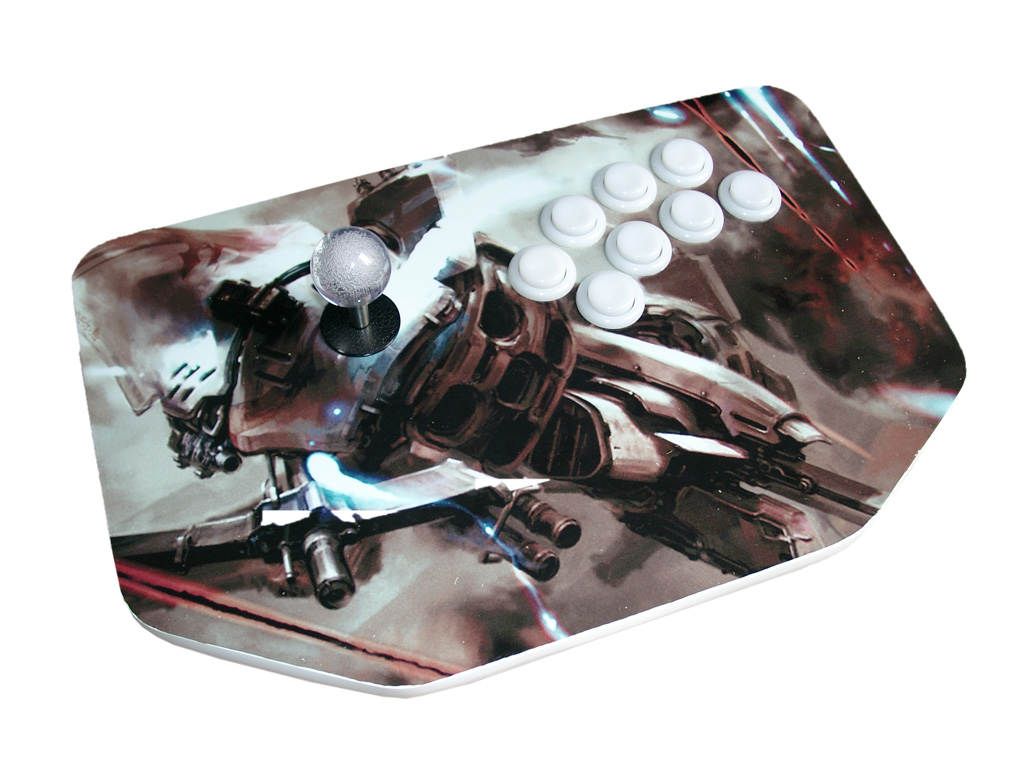
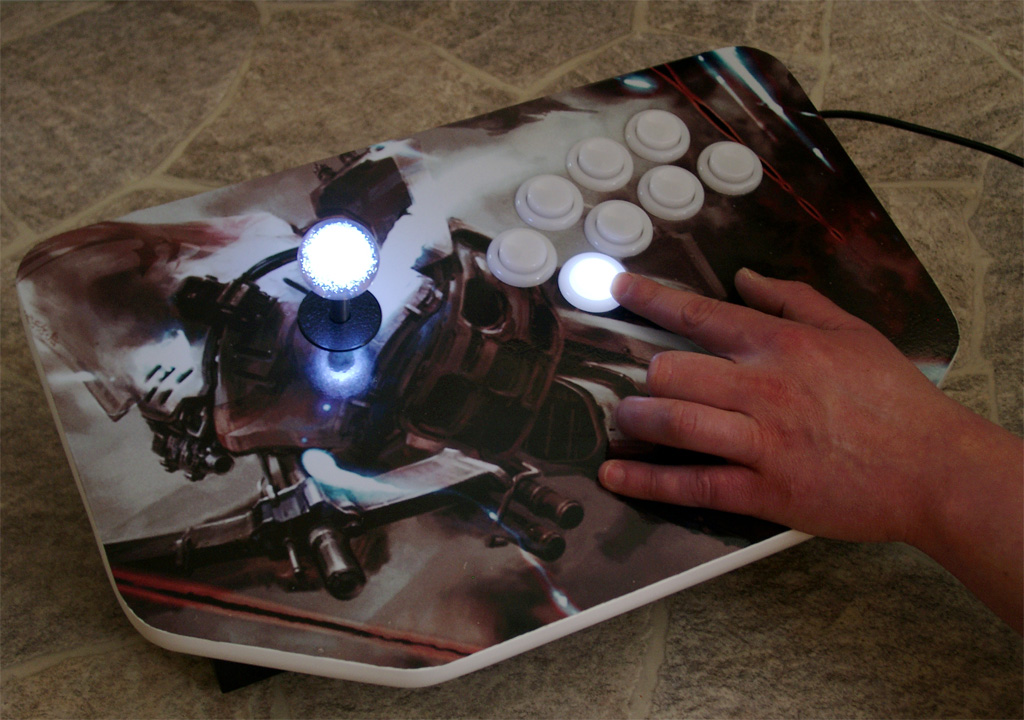
today we build a Furious Controller with a custom design including lightning of the buttons.
The Stick Ball is on every time the controller is pluged into a Videogame Console.
If you press ab button the button will light on as long as you press it.
I am using a NEOGEO AES3-5 unit for the switchless mod today
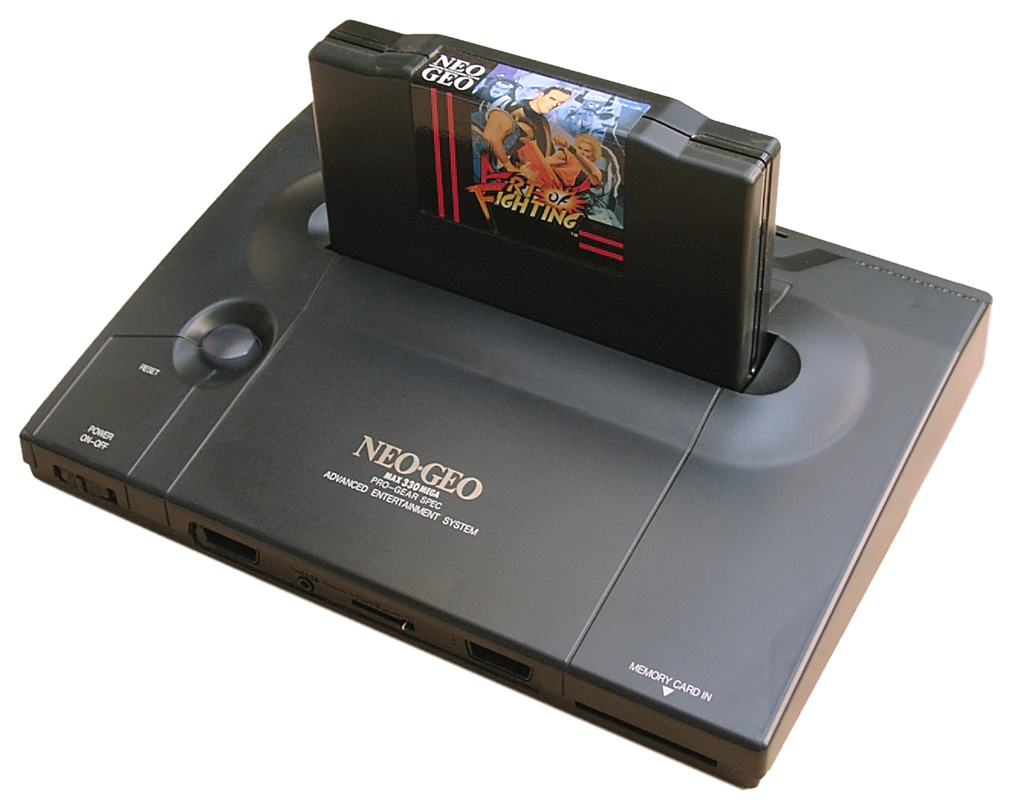
I added a second Bios from Razoola the UNIBIOS. You can get it at www.wolfsoft.de or unibios.free.fr
Here you can find a good tutorial for piggyback the UNIBIOS http://www.mmmonkey.co.uk/
First you have cut pin 2 of the onboard Bio and lift the pin up:
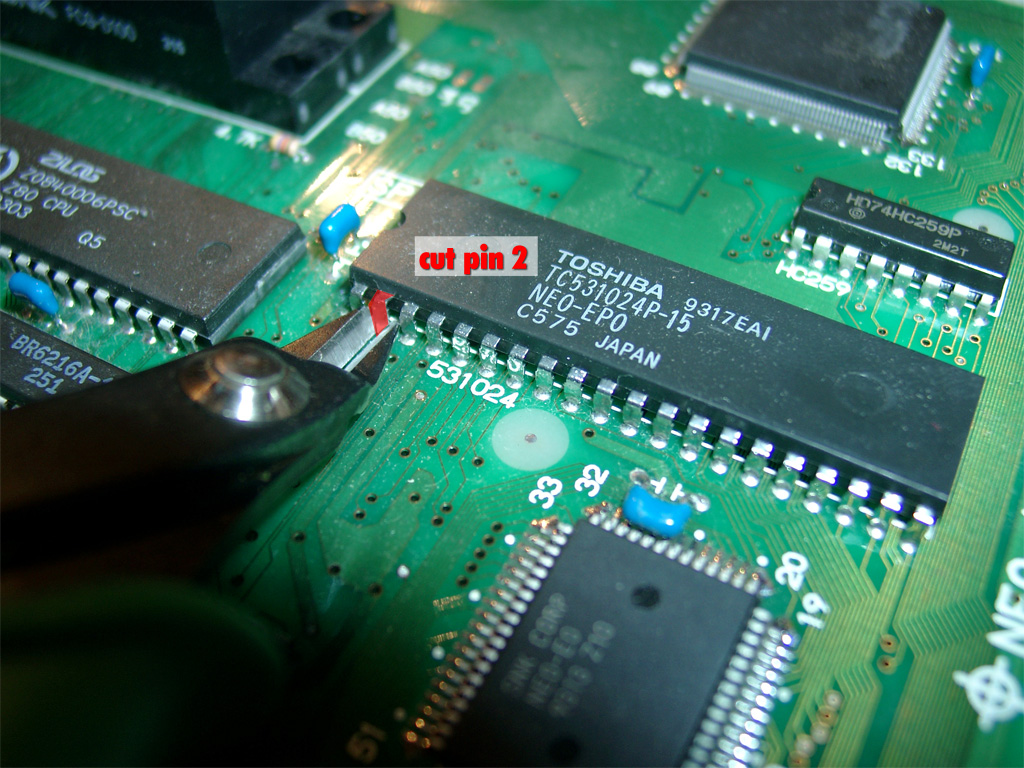
use a DIP 40 socket to make a future replacement easier
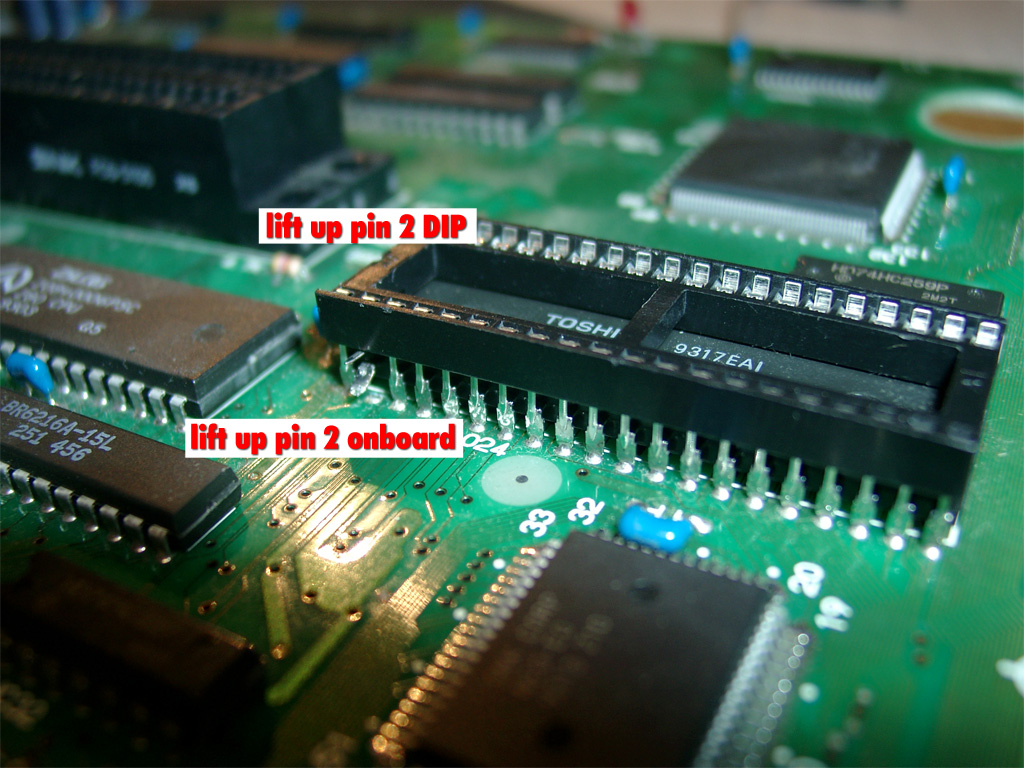
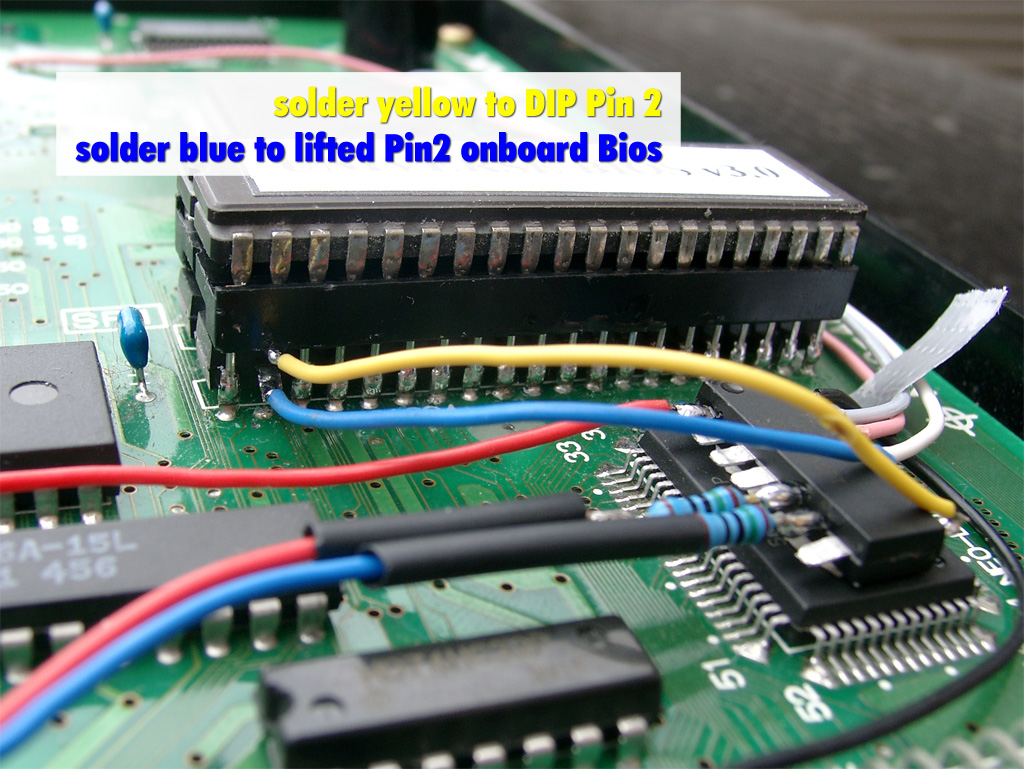
Lift up pin 2 of the mainboard and pin 2 of the DIP-socket
As usually I am using the switchless mod from seb http://seb.riot.org/saturnmod/
And the inspiration from Pete Grimes Site: http://www.mmmonkey.co.uk/
This time I can’t use sebs pic code „out of the box“.
I have done some lite modifications to the code.
50/60Hz switching is inverted at the NeoGeo and NeoGeo can’t switch between 50/60 Hz during operation. So it is needed to do a reset after switching 50/60Hz.
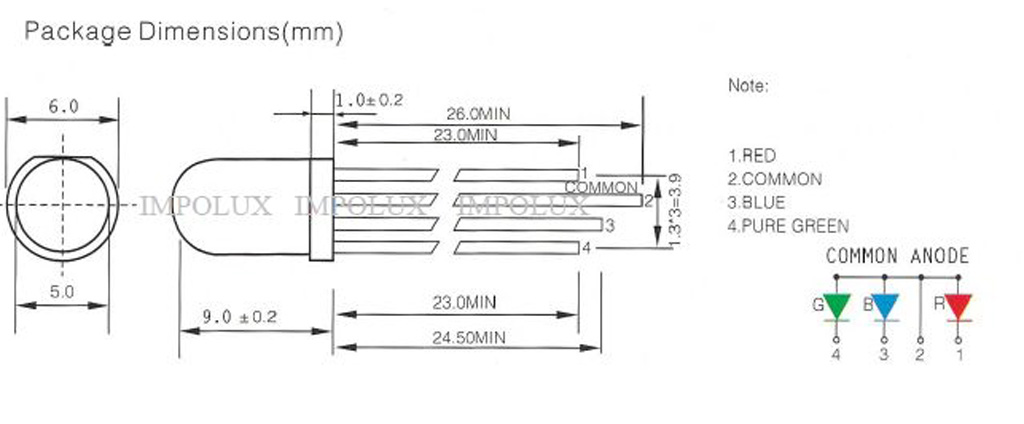
The Country Mode must reduced from 3 to 2 and I have done some slight changes for make a RGB-LED working. The difference at the RGB-LED it is wired common Anode
You will find the source code here.
red wire PIC Pin 1 (5V) taken from IC HC04 Pin 14
black wire PIC Pin 14 (GND) taken from IC HC04 Pin 7
red wire PIC Pin 5 to RGB-LED (Resistor 150Ohm)
blue wire PIC Pin 6 to RGB-LED (Resistor 150Ohm)
yellow wire PIC Pin 8 to lifted Pin 2 of the DIP-socket
blue wire PIC Pin 10 to lifted Pin 2 of the onboard Bios
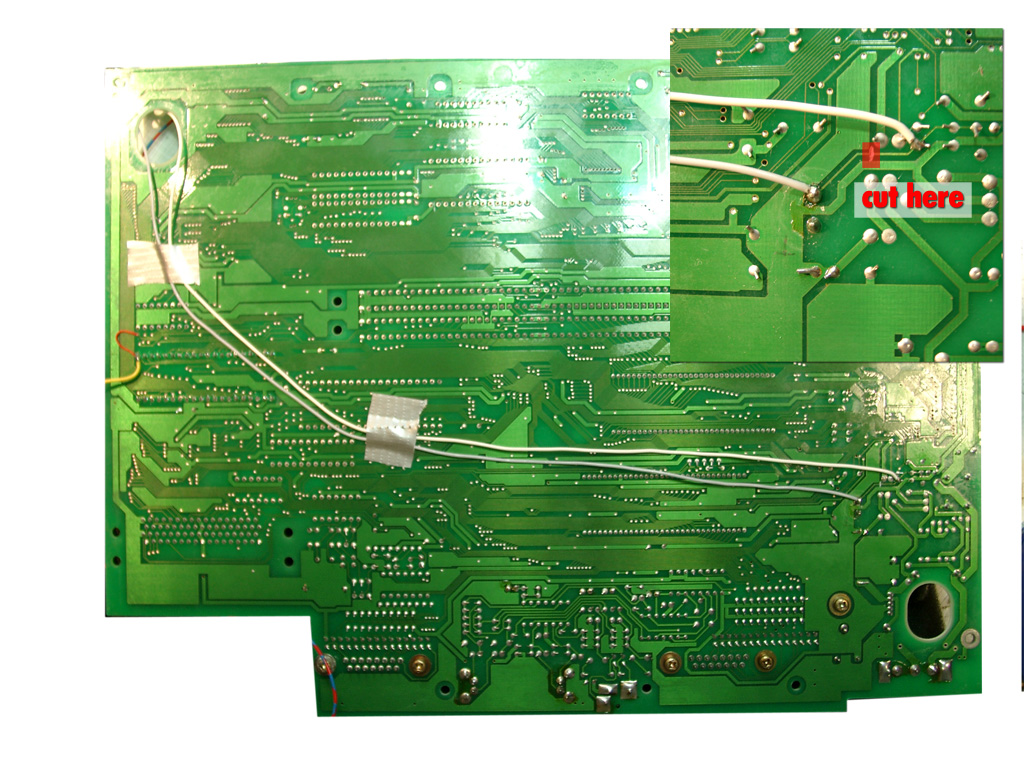
white wire PIC Pin 11 to solder site of mainboard (Reset Signal)
pink wire PIC Pin 12 to PAL Jumper right site (LSPC2-A2 TSOP Pin 64)
grey wire PIC Pin 13 to solder site of mainboard (Reset Button)
remove the pal jumper, solder pink to the right site of the jumper
(left site of PAL1 5V, right site to LSPC2-A2 TSOP Pin 64 for 50/60Hz definition)
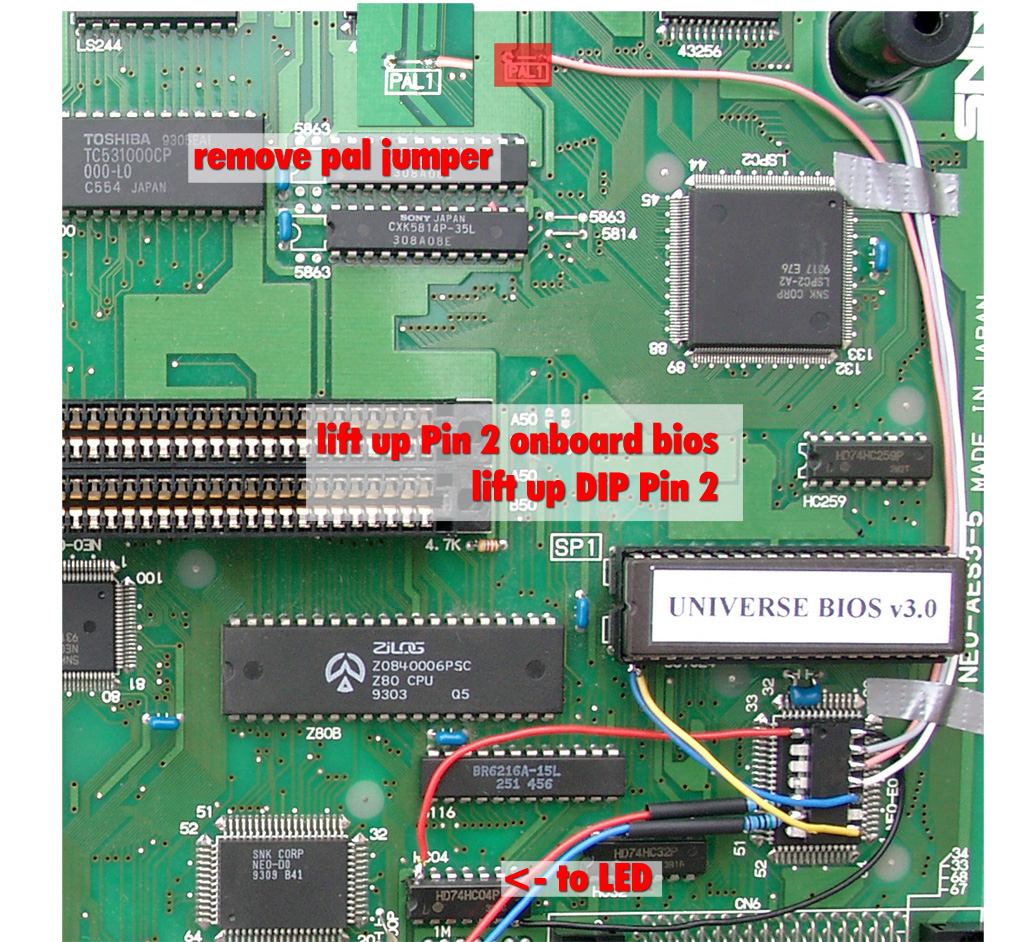
Here you can see the lifted pins
on the solder site you have to cut one circuit (see red marked area) and solder grey and white
(to split the original Reset Button Signal and make use of the Reset Button via the PIC)
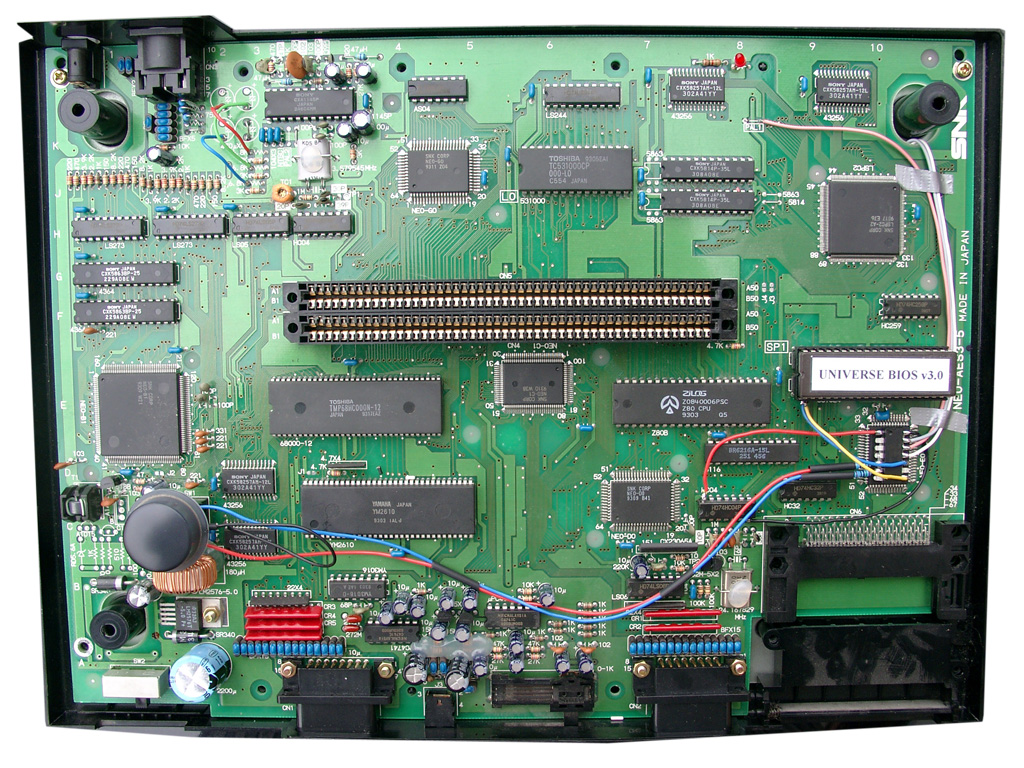
complete mainboard top site
The black wire at the RGB-Led under the Reset Buttons is carrying 5V and taken from a nearby IC
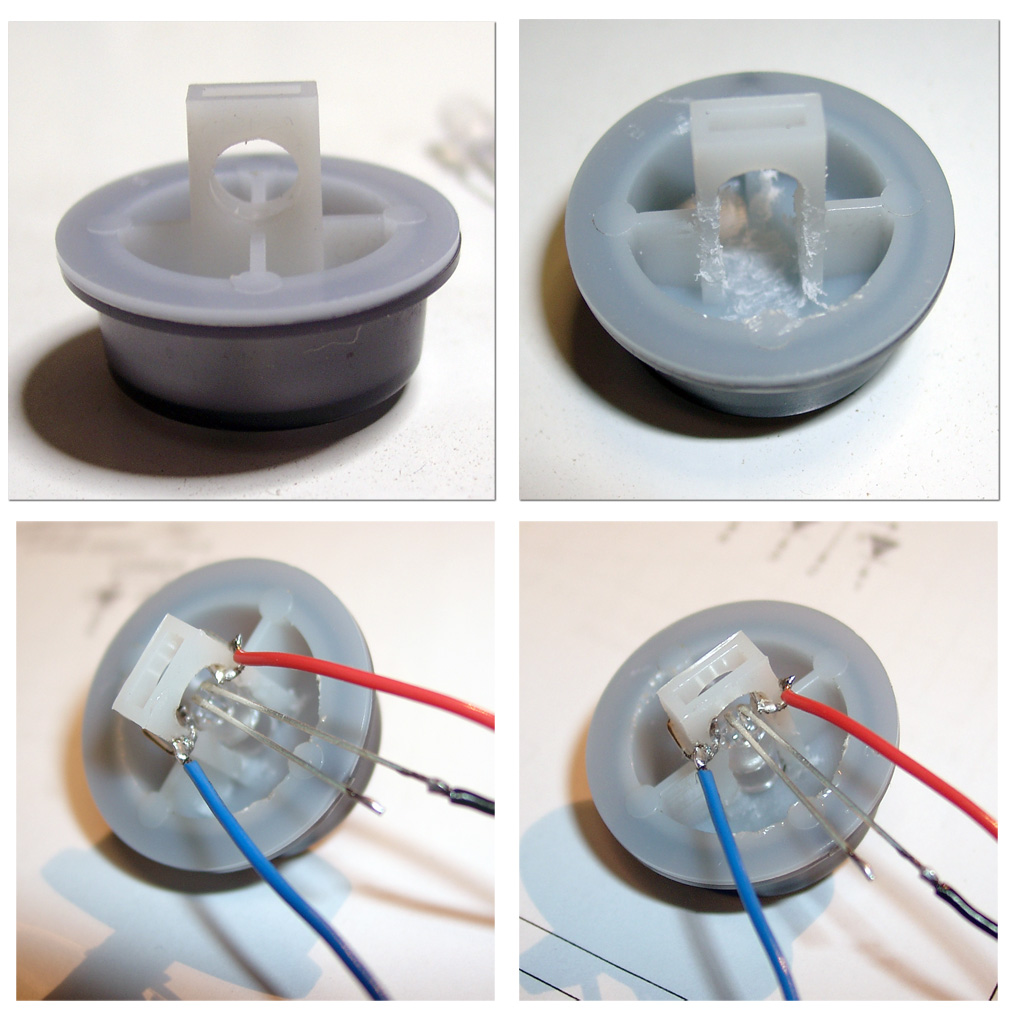
Now you have to add the RGB Led to the power switch, with help of a dremel.
I done it the same way as pete from www.mmmonkey.co.uk
For more power I am using now a RGB-Led with black wire common Anode 5V
english video
german Video
This mod has been a long time in my head and I am happy to make it become real now 🙂
The Sega CD-X is a little great unit, you can take with you as a CD-Walkman and it includes a complete Sega Genesis and a Sega CD in one unit.
After done the previous modding of Genesis 2 in combination with Sega CD 2 and 32X I done the same for this little beauty.
We can offer you the complete modding, at our website: www.wolfsoft.de
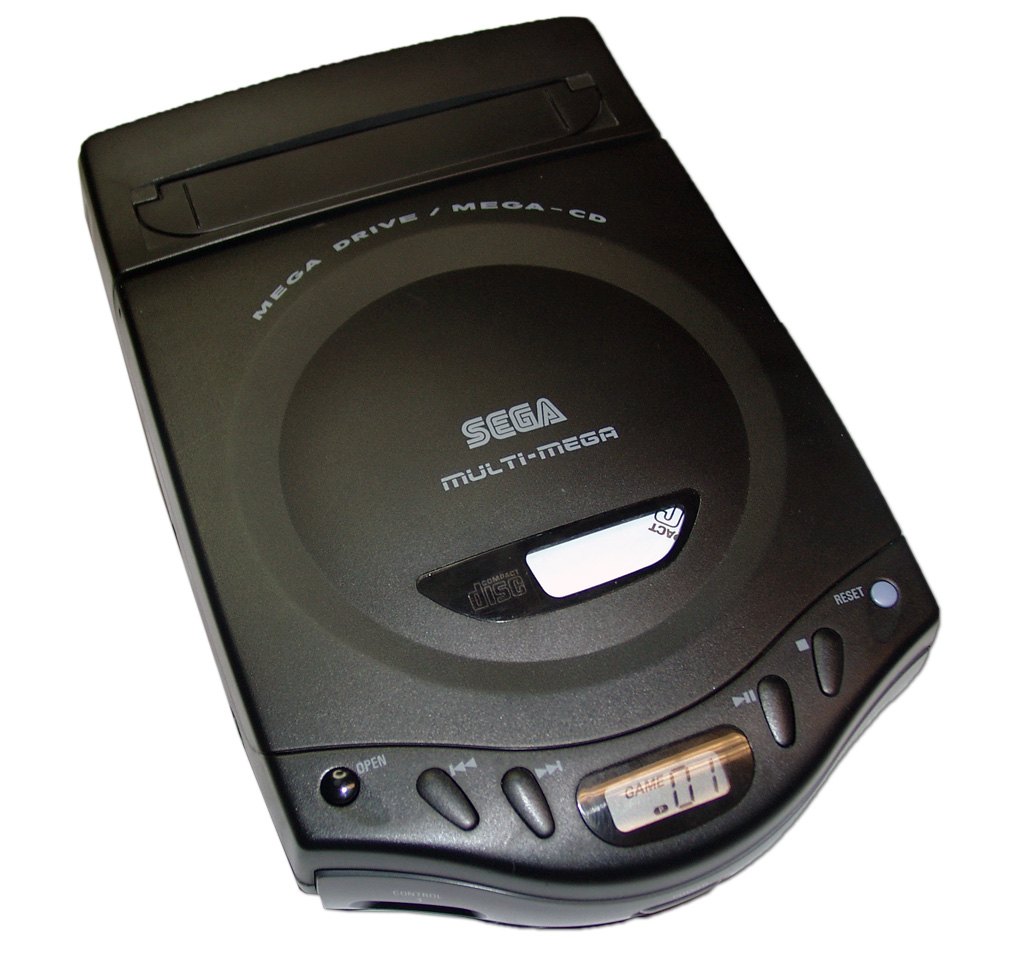
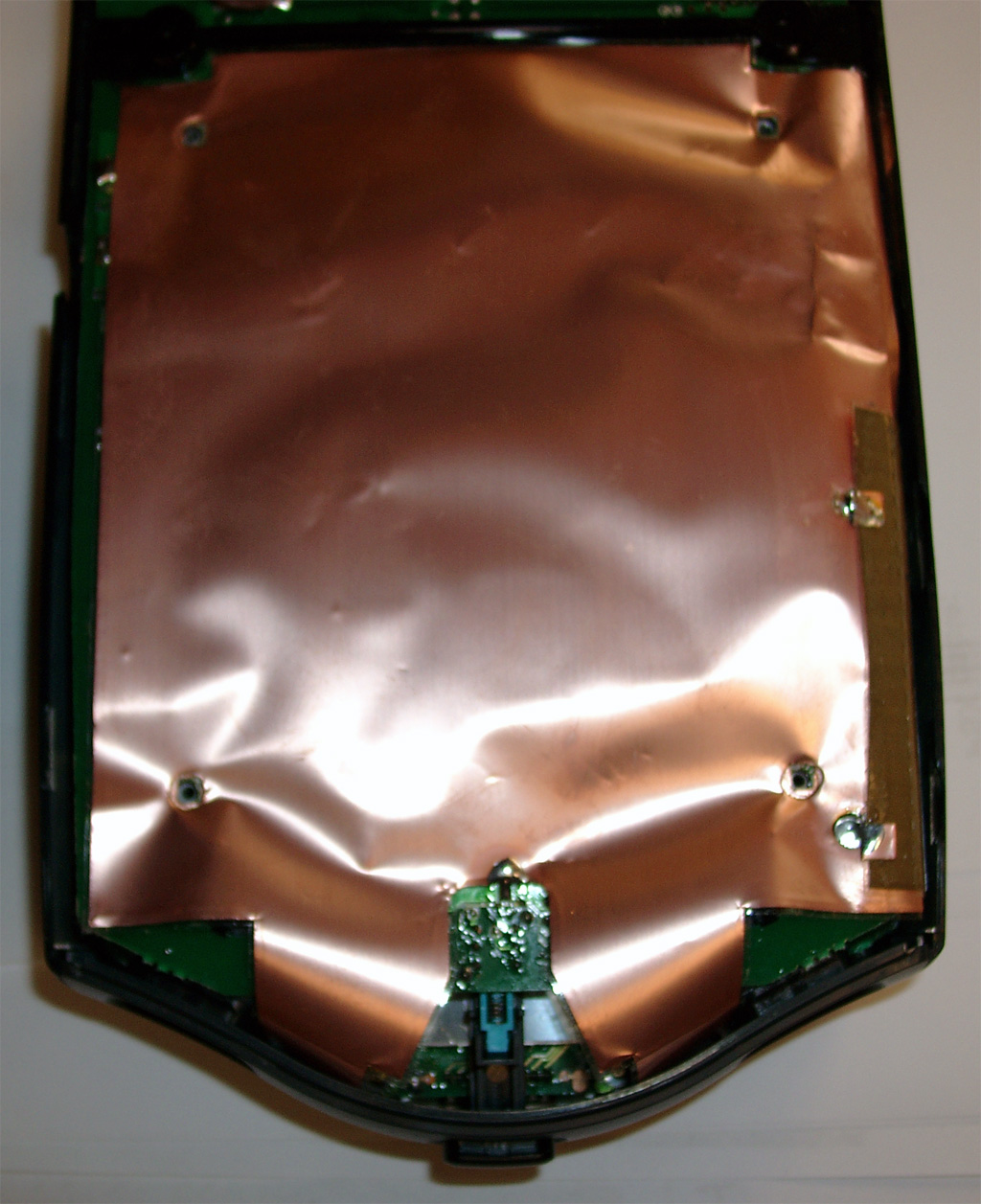
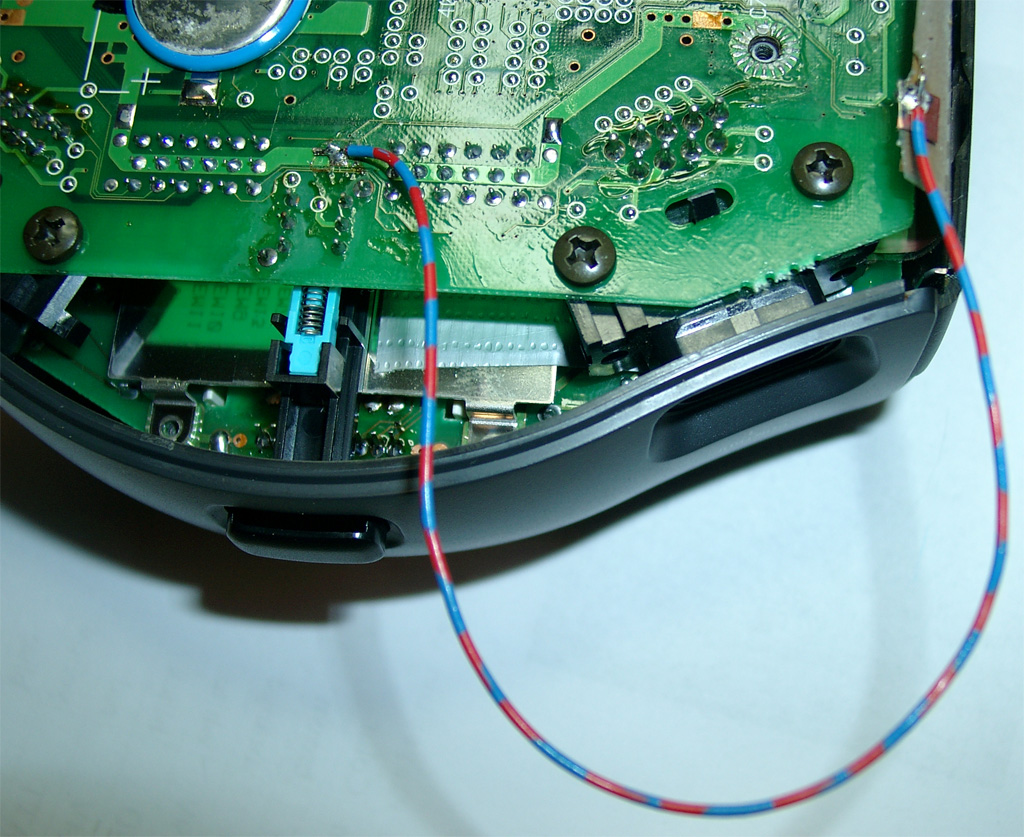
The shielding carries GND for the Mainboard. It will not work without it. For testing you can use a wire like the following pictures:
The battery have to be replaced its a solder Version of ML 2016 (3V) Li-AL Rechargeable Batterie.
Modell: ML2016-LF (Maxell)
http://datasheet.octopart.com/ML-2016-T25-Maxell-datasheet-558430.pdf
After removing the shielding you can find the jumper for 50/60Hz and the Country Settings
The default for a europe unit JP3 is set and JP2. You will have to remove any jumper you will find
at JP1, JP2, JP3, JP4.
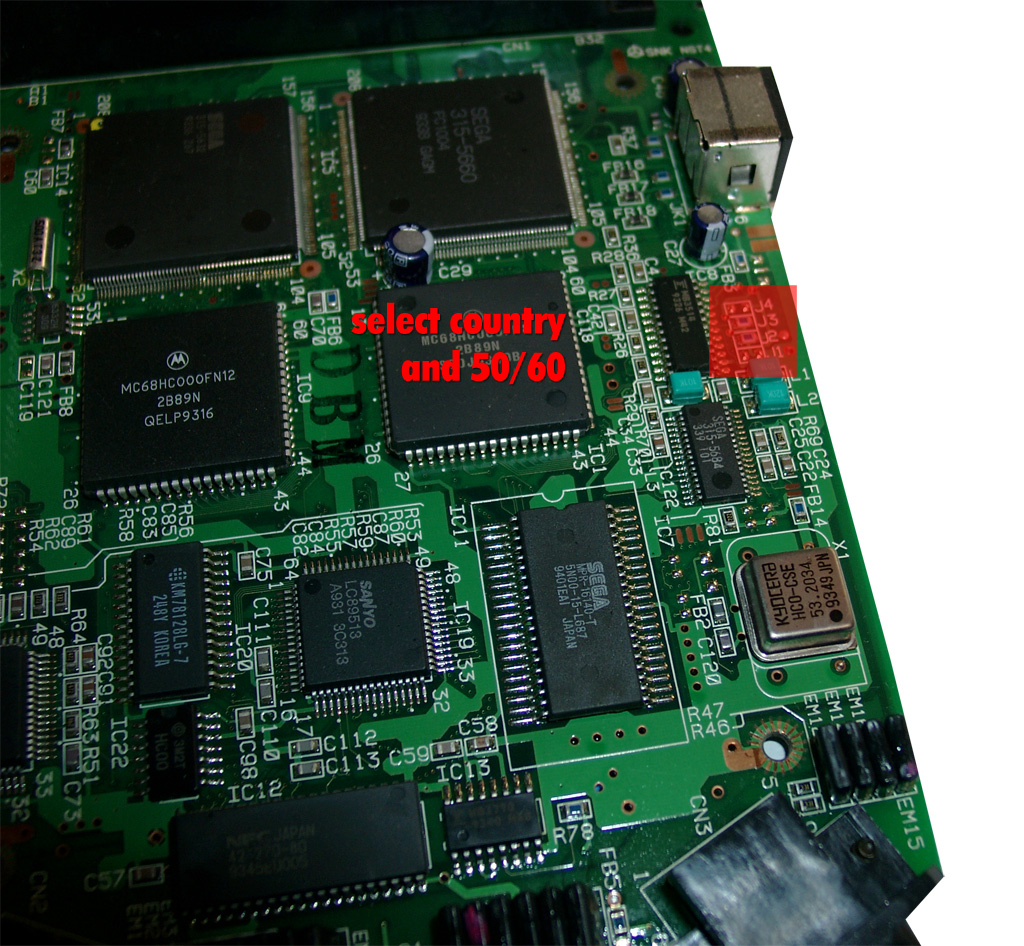
Some more Info about the Jumper Area:
The circuits are going straight to the big SEGA 315-5660 IC
Pin 46 at Sega 315-5560 -> 50/60Hz switching. GND= 50Hz and 5V = 60Hz (JP3, JP4)
Pin 107 at Sega 315-5560 -> Country settings. GND= jap. and 5V = engl. (JP1, JP2)
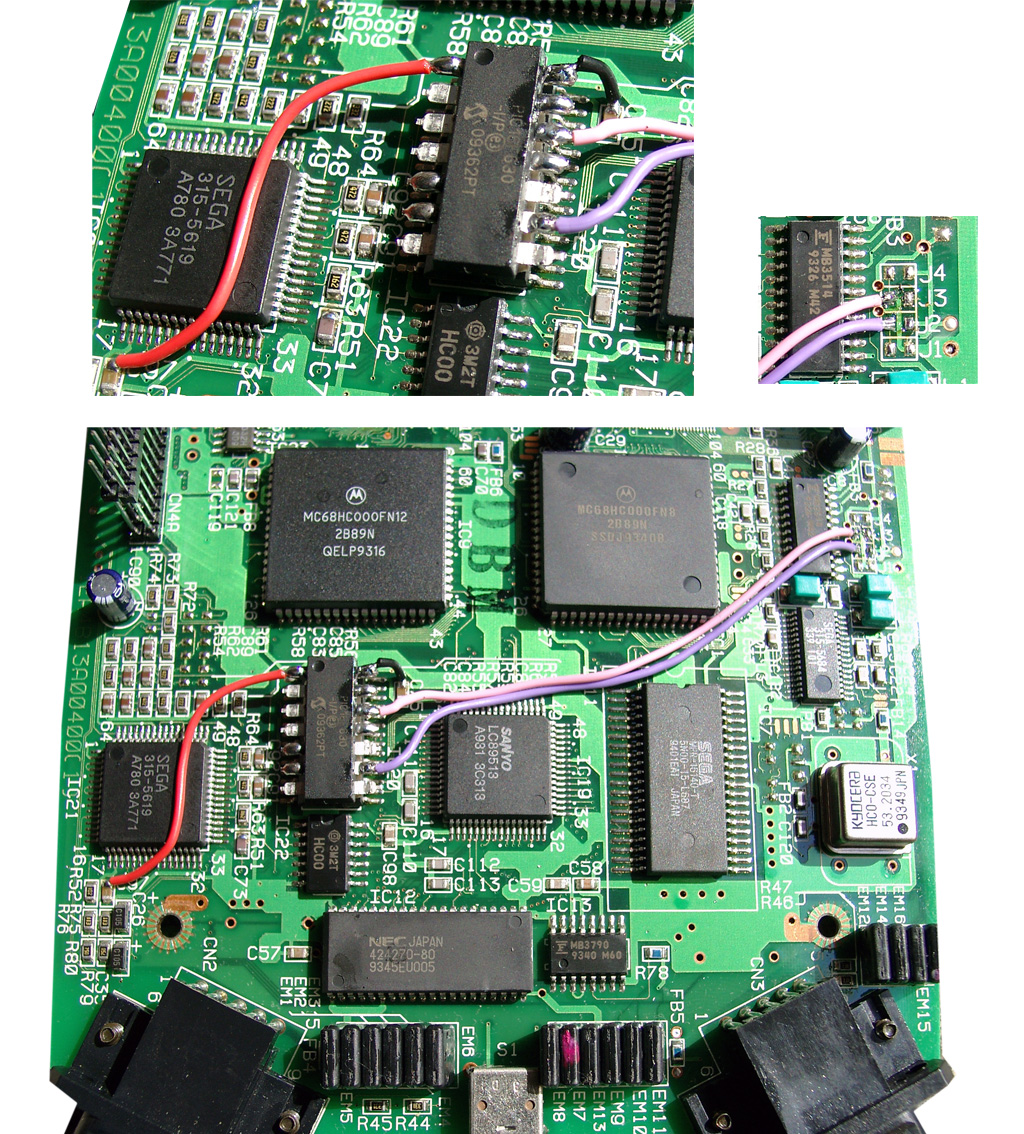
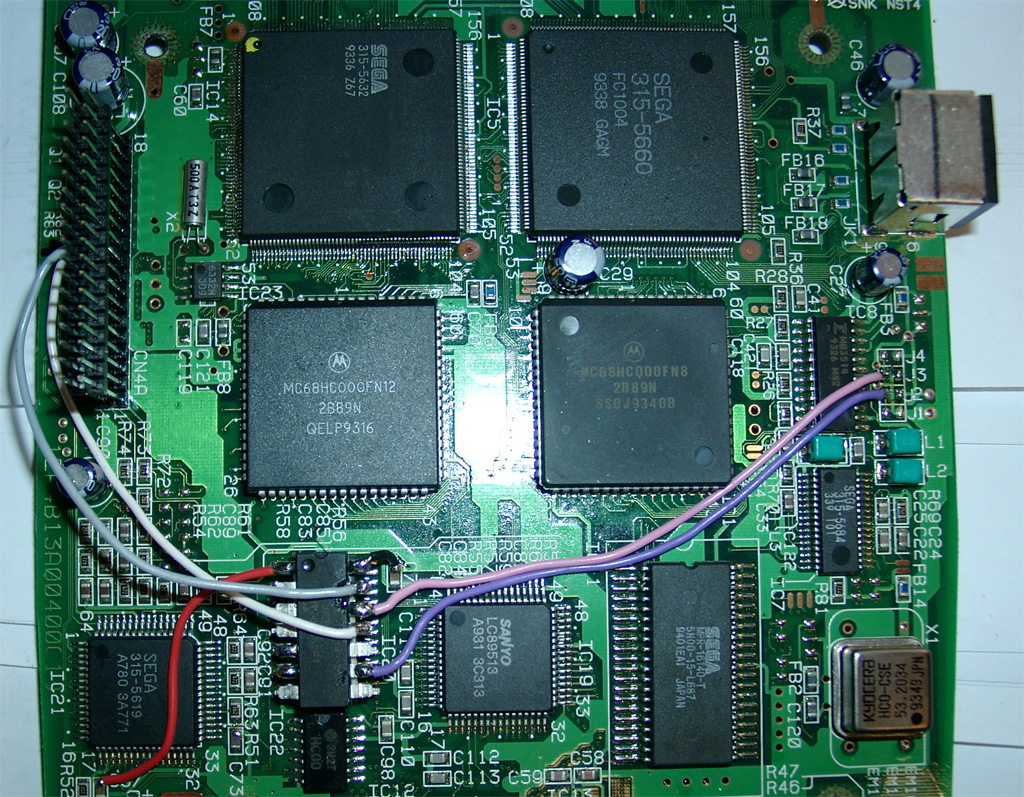
Now its time to make use of a PIC 16F630 with sebs Code.
red wire 5V, black wire GND, pink wire 50/60Hz, purple wire country setting
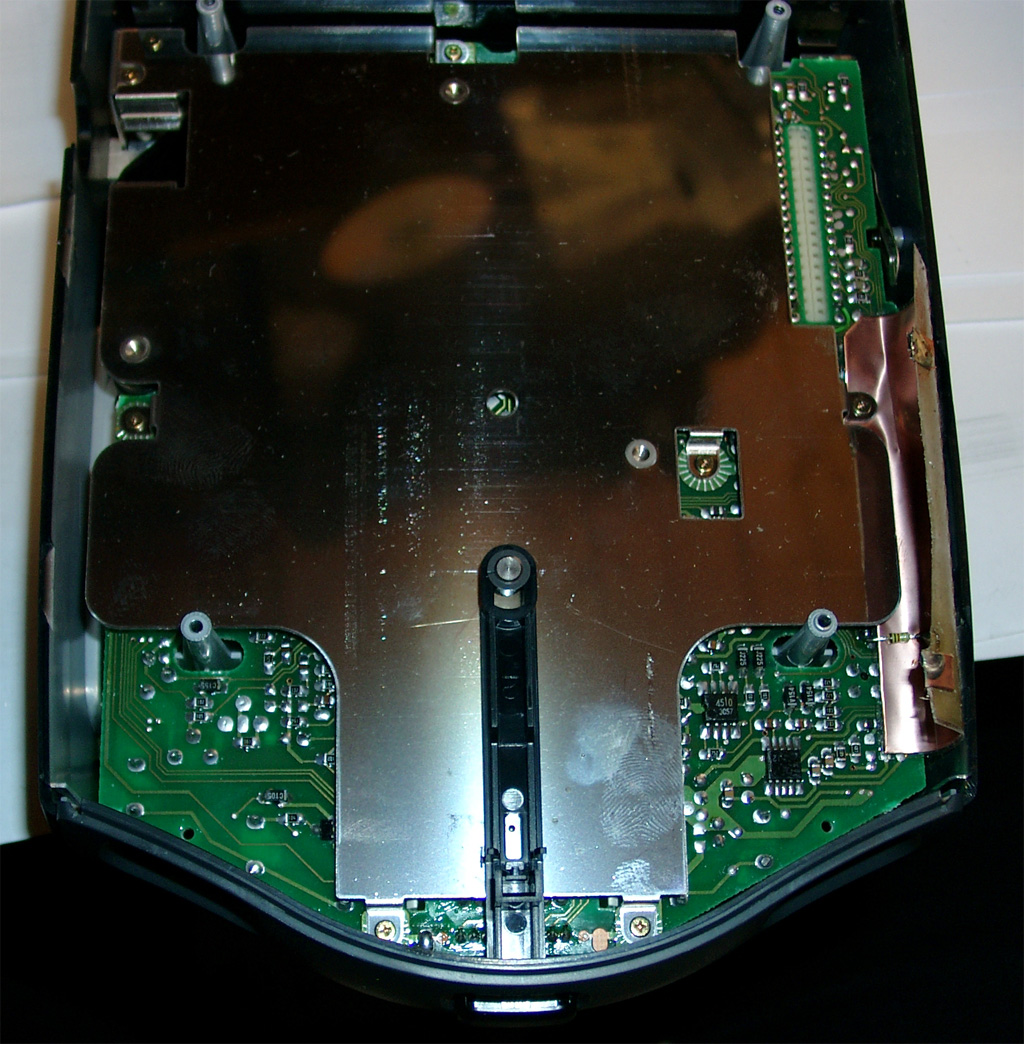
Now we have to take the 2nd Mainboard (CD-Area). We have to mod the Display with two Duo Leds. First you have to remove the shielding.
Desolder the Display Unit.
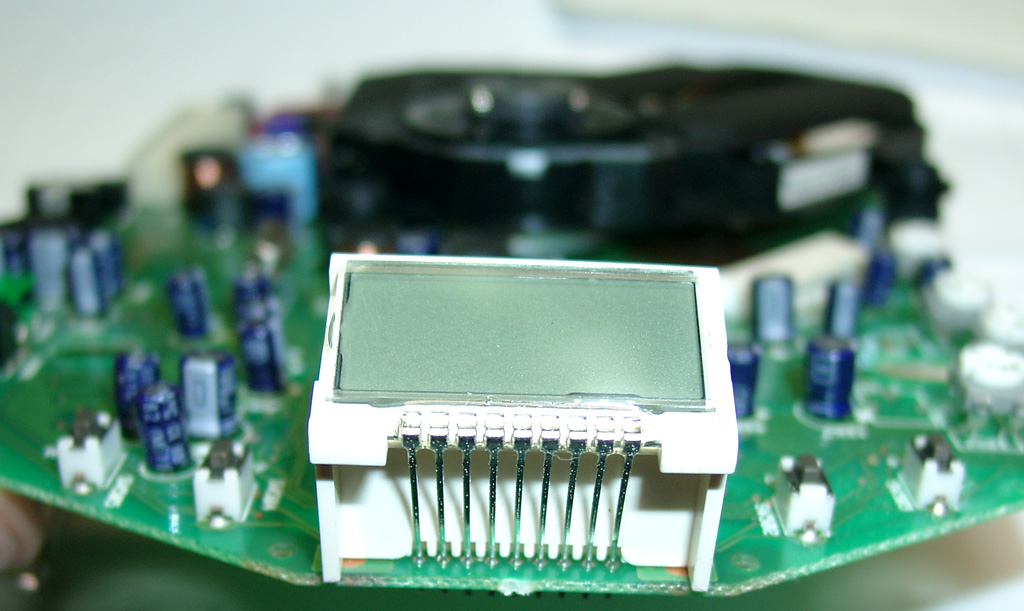
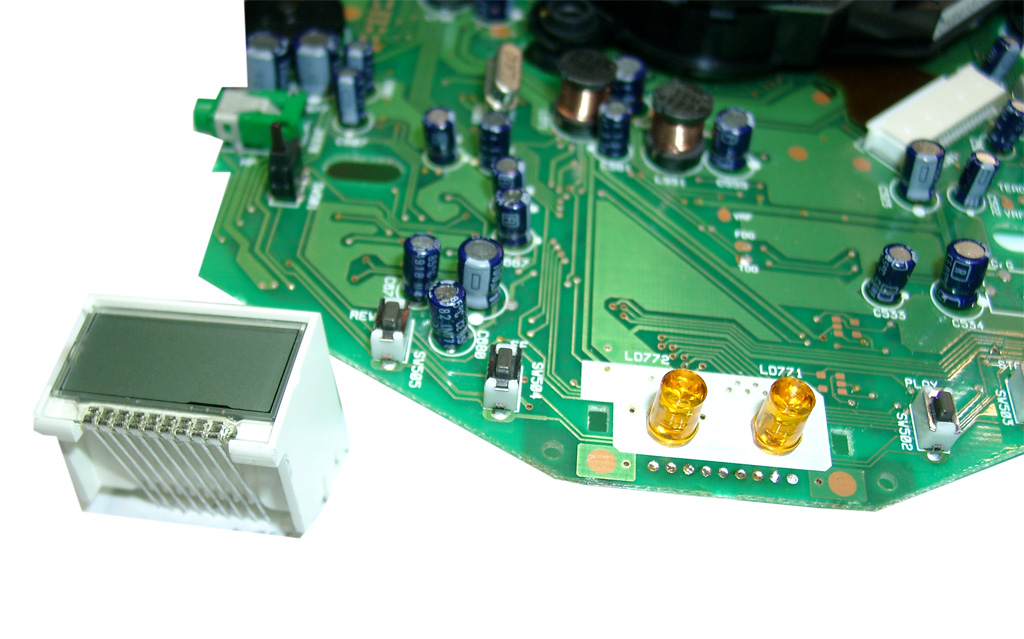
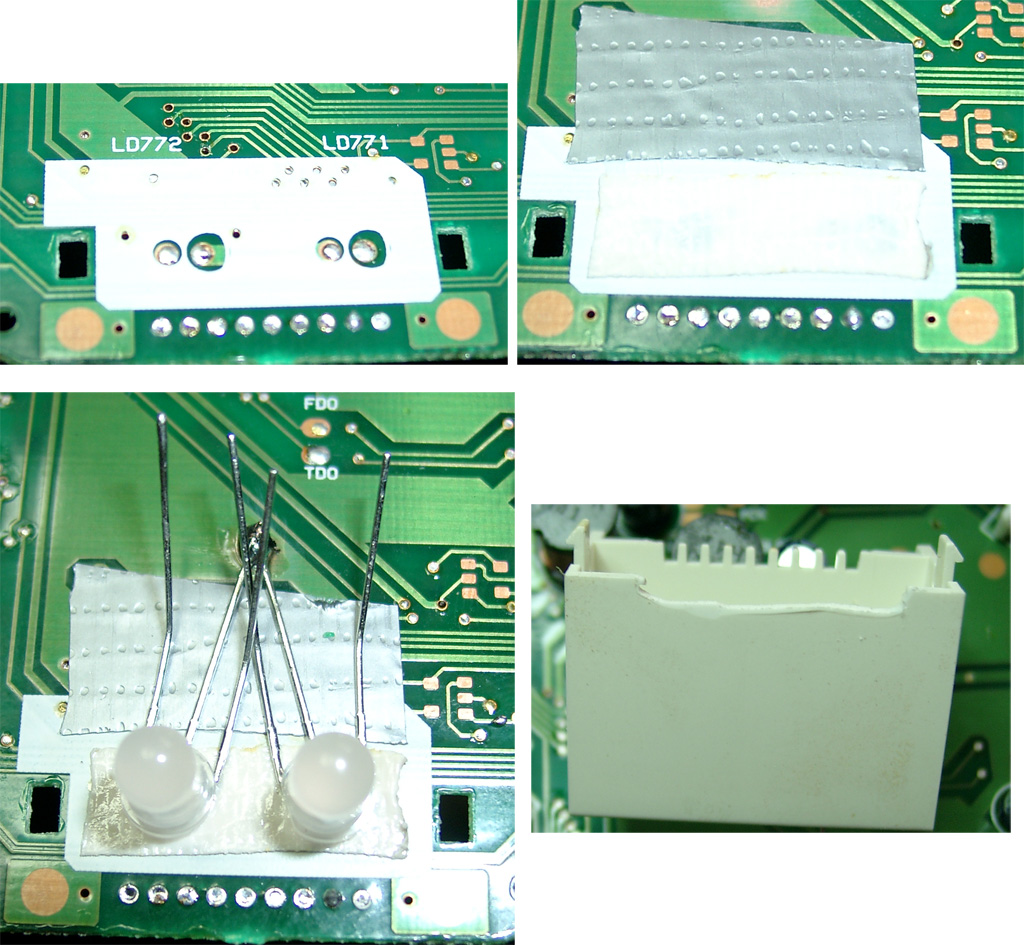
use four 220Ohm resistors and head shrink tube to avoide short curcuit.
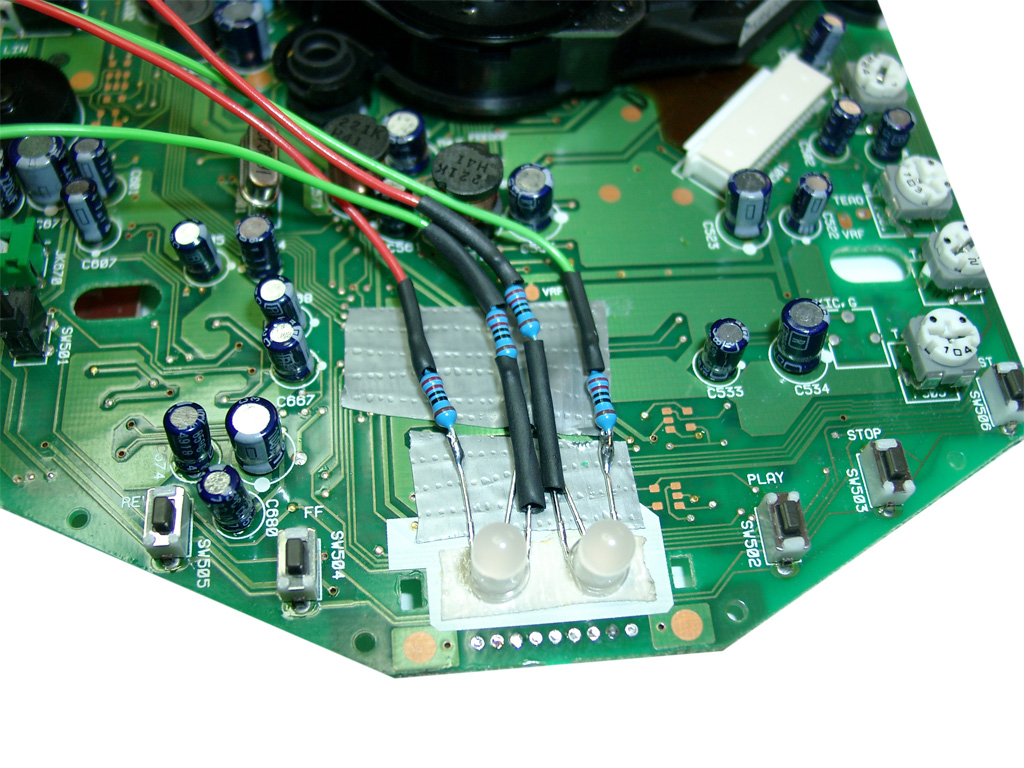
Here you can see the routing of the 4 wires bounded with some tape.
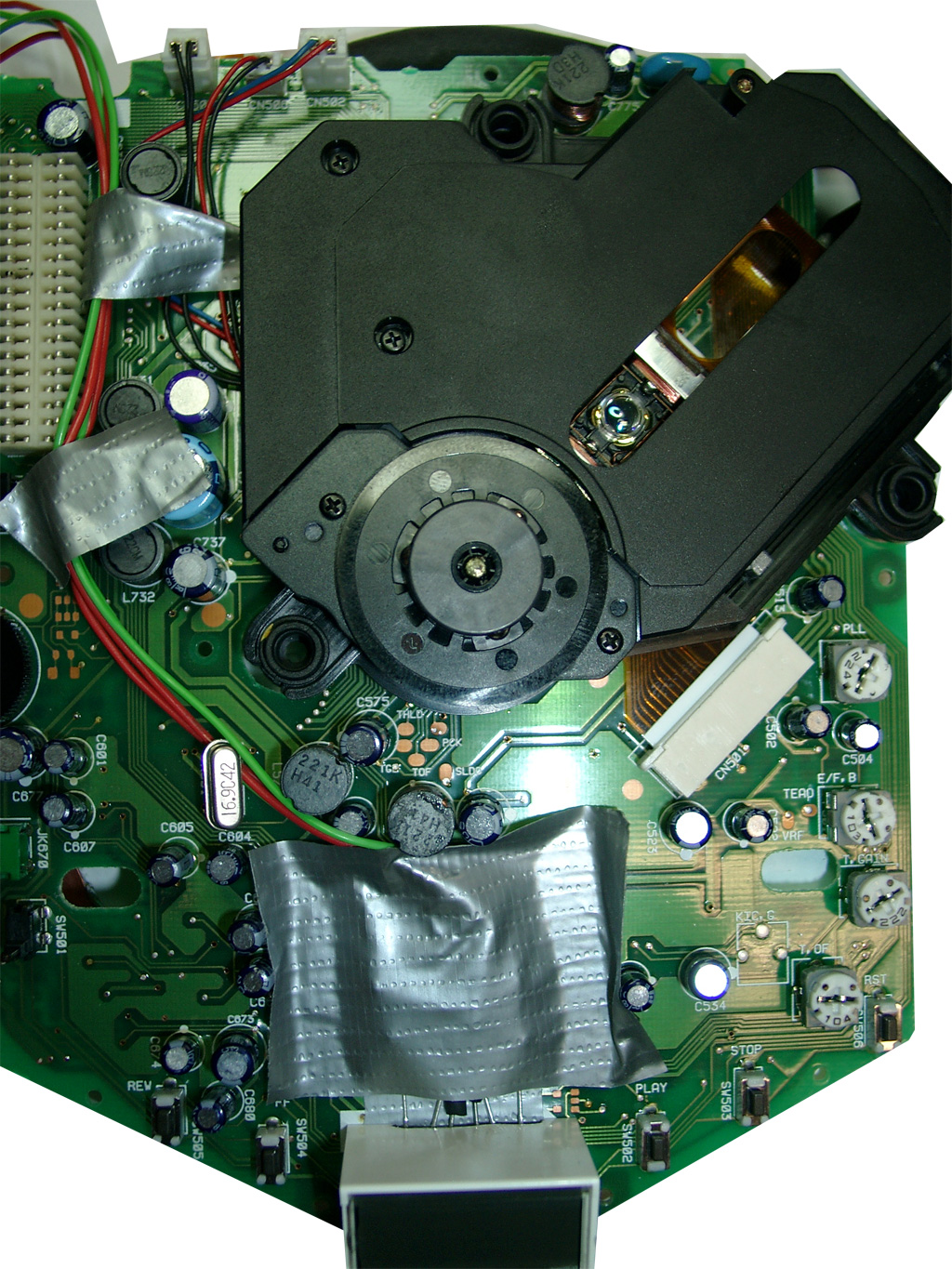
Now it is time to get the „power“ over the reset button. It is placed on the CD-Mainboard. Lucky the Signal is going through the 36 Pin Connector on the left site.
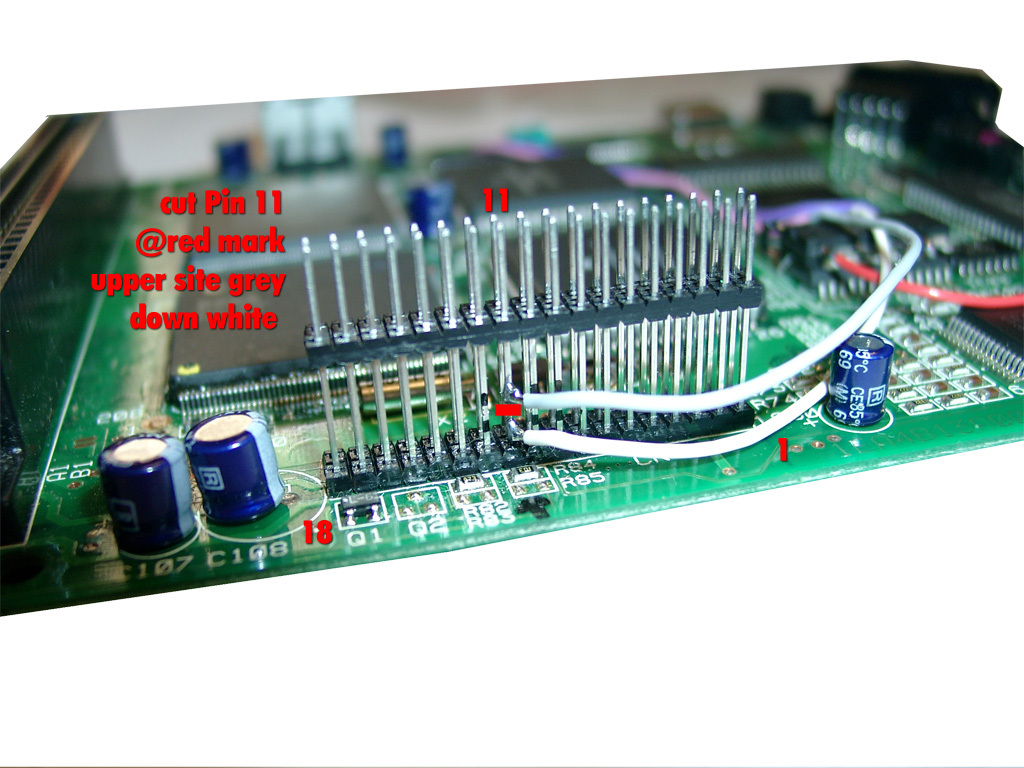
You will have to cut pin 11 at the outersite of the connector.
PIC Pin 13 grey is connected to the upper site. Its for the Reset switch
PIC Pin 11 white is connected to the lower site (Reset Sega 315-5660 IC Pin 78)
You are in need of a Eprom (27c2004) and burn all 3 bios Version into it. The usa, japanese and pal Version. You can select the different Bios Version via A16 (Pin 38) and A17 (Pin 39) of the Eprom.
The order is: USA-> JPN -> EUR.
You can do it by yourself. Take the CD-Bios Versions and make a byteswap each of them.
The concat the 3 Files via Windows Commandline copy
copy /B usa.bin + pal.bin + jpn.bin switchless.bin
The final goal is to get 2 wires from the 16F630 PIC to the Eprom.
Here we make use of 2 wires from the Sega Expansionport.
|
|
PIC 8 /Eprom 38 |
PIC 10 /Eprom 39 |
|
EUR |
0 |
1 |
|
JPN |
1 |
0 |
|
USA |
0 |
0 |
First you have to disable to onboard bios. Desolder PIN 2 (CS) of the onboard ROM and lift the pin up. Solder a red wire from the lifted Pin 2 of the ROM to Pin 40 (5V) of the ROM.
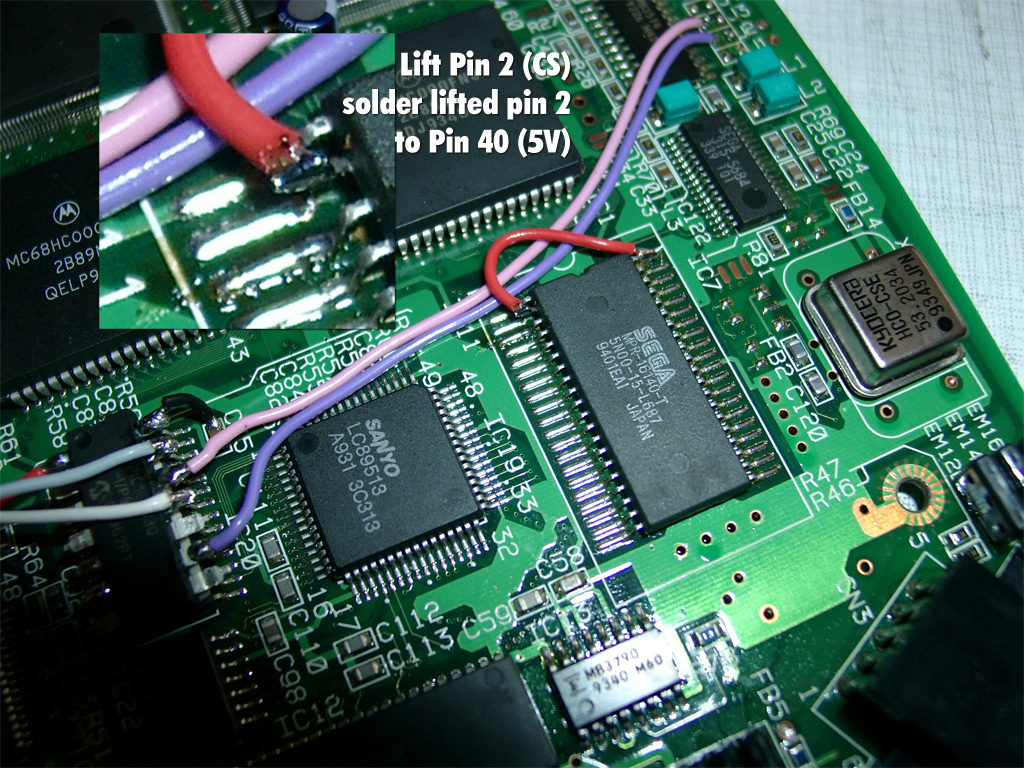
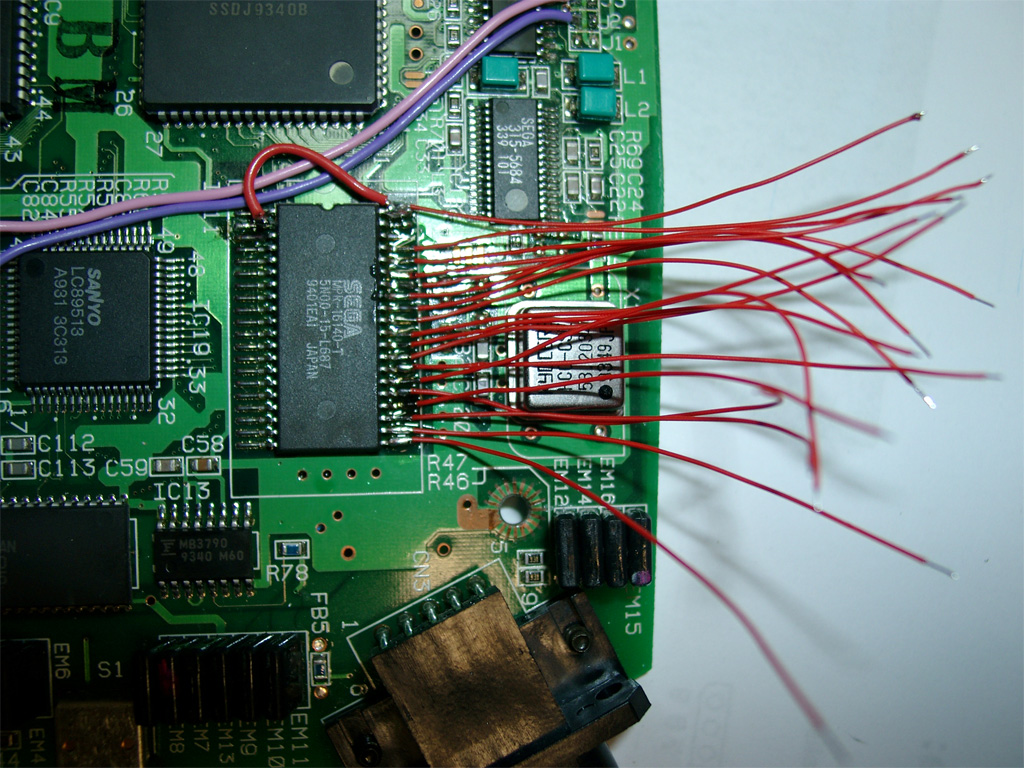
Now its time to prepare 38 wires each 5-6 cm and do some soldering 😉
Wire blue and yellow as you see on the picture. This to wires will do the Bios selection:
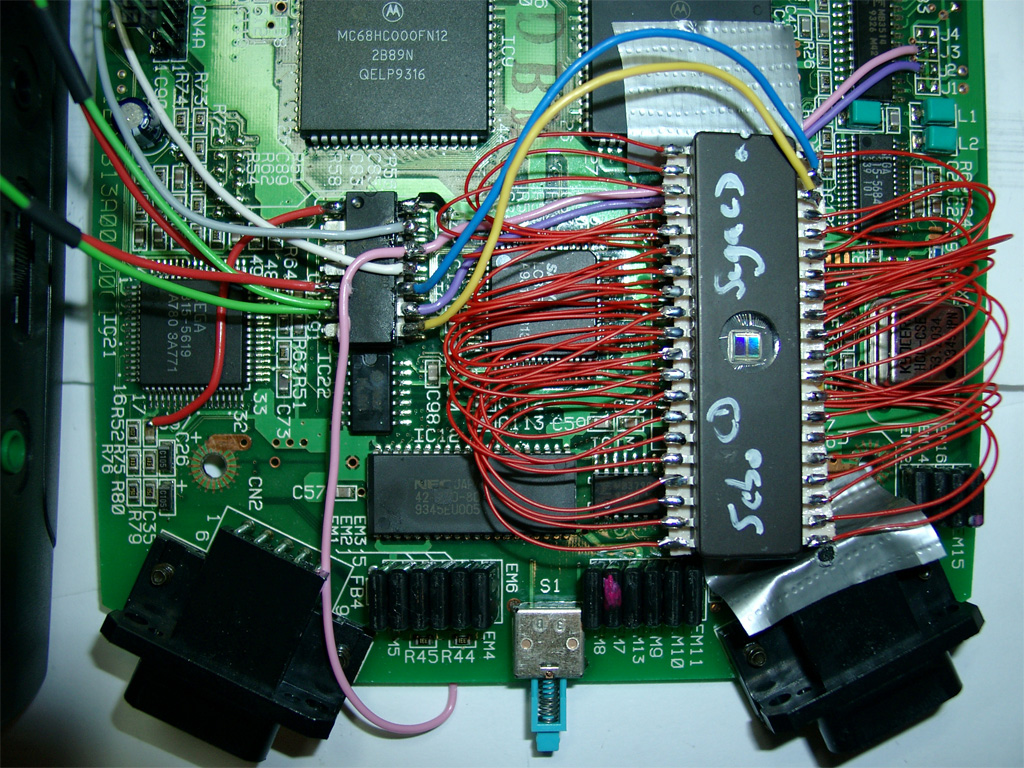
red and green coming from the 5mm Duo-Leds. Solder both parallel to PIN 5,6 of the PIC
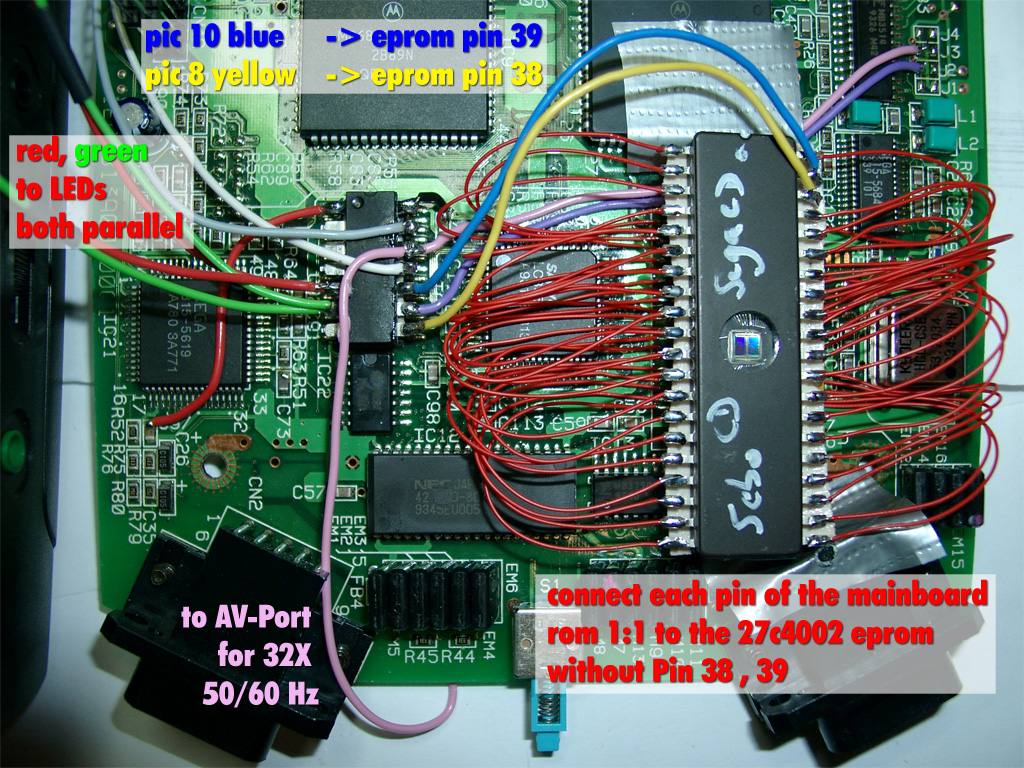
The pink wire to the AV-Port is optional, only necassary for 32X support
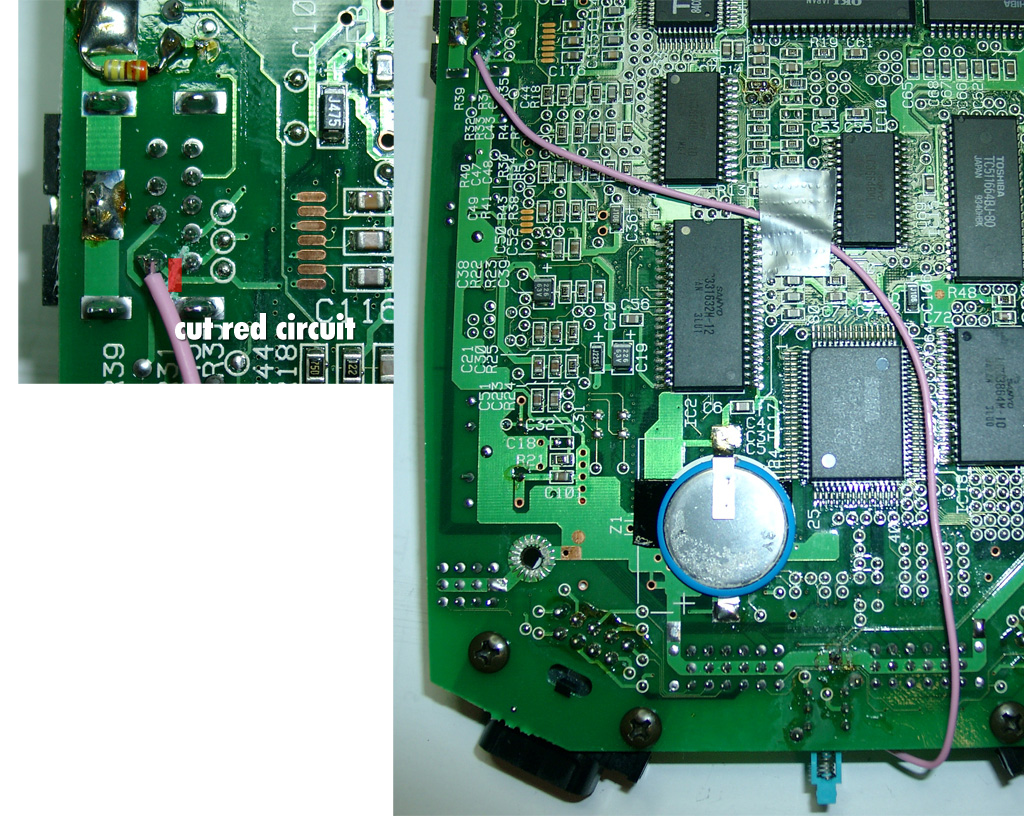
You will have to cut the red marked circuit and solder a pink wire to Pin 6 of the AV Port
We will disable the Mono-Audio for this function. This will not be a problem, because STEREO-Audio is still working. (Who needs mono ?)
On the right picture you can see the right routing for the wire:
To prevent short circuits use tape on the left site of the CD-X.
Here you can see the routing of the LED wires.
Make sure no red/green wire is nearby or inbetween of the 36 PIN connector between the two mainboards:
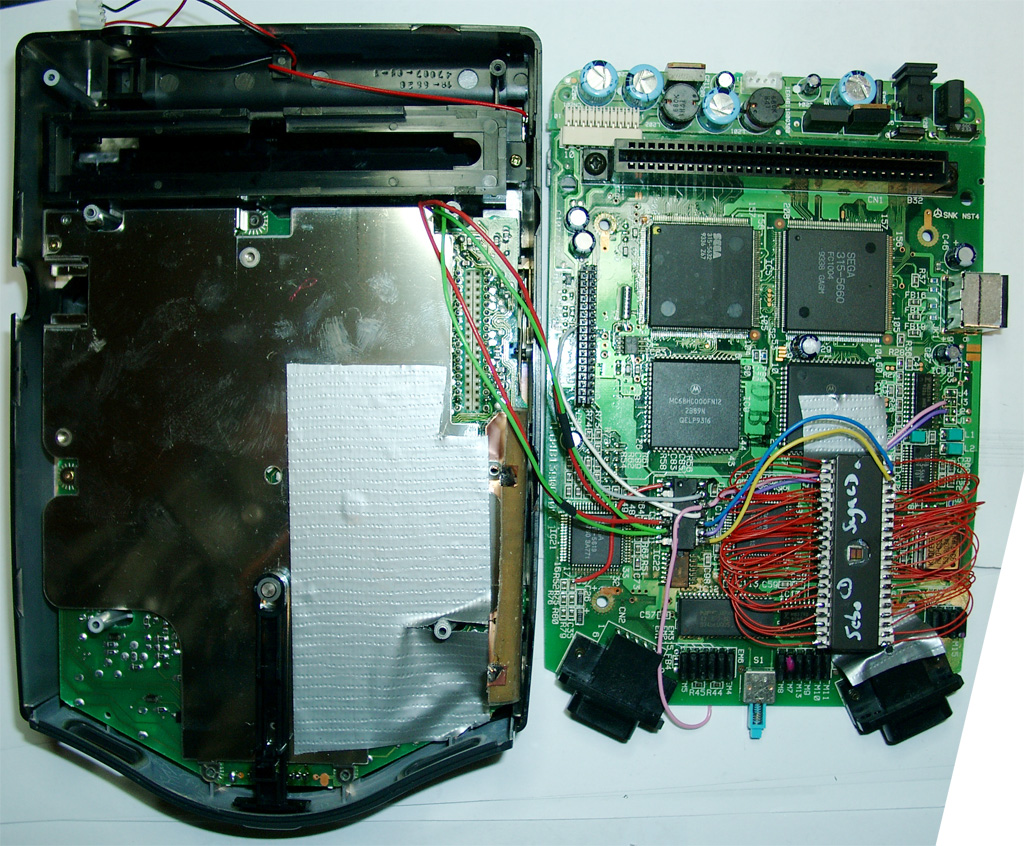
german:
you can see the different colors:
http://www.youtube.com/watch?v=gaQCTsi3c6c
Hi Folks,
after polish the good old Jumbo Quadro Games Cabinet, I found a bigger one a rare cabinet called: Quadro Magnum.
There are different advantages over the Jumbo Cabinet:
a) I can use a digital Multisync CRT-Monitor like the Wells-Gardner 27 Zoll instead of the analog 25 Zoll Multisync CRTs
b) the controlpanel is really big, so I can make use of more toys 🙂
c) its a sitdown
d) a negative point is the width is around 83cm and a lot of door are only 80 cm 🙁
e) turns the screen like all Quadros via motor 😉
It will take some time to finish this project, because its for me and I have a lot other work to do at the moment.
Here the first pictures:
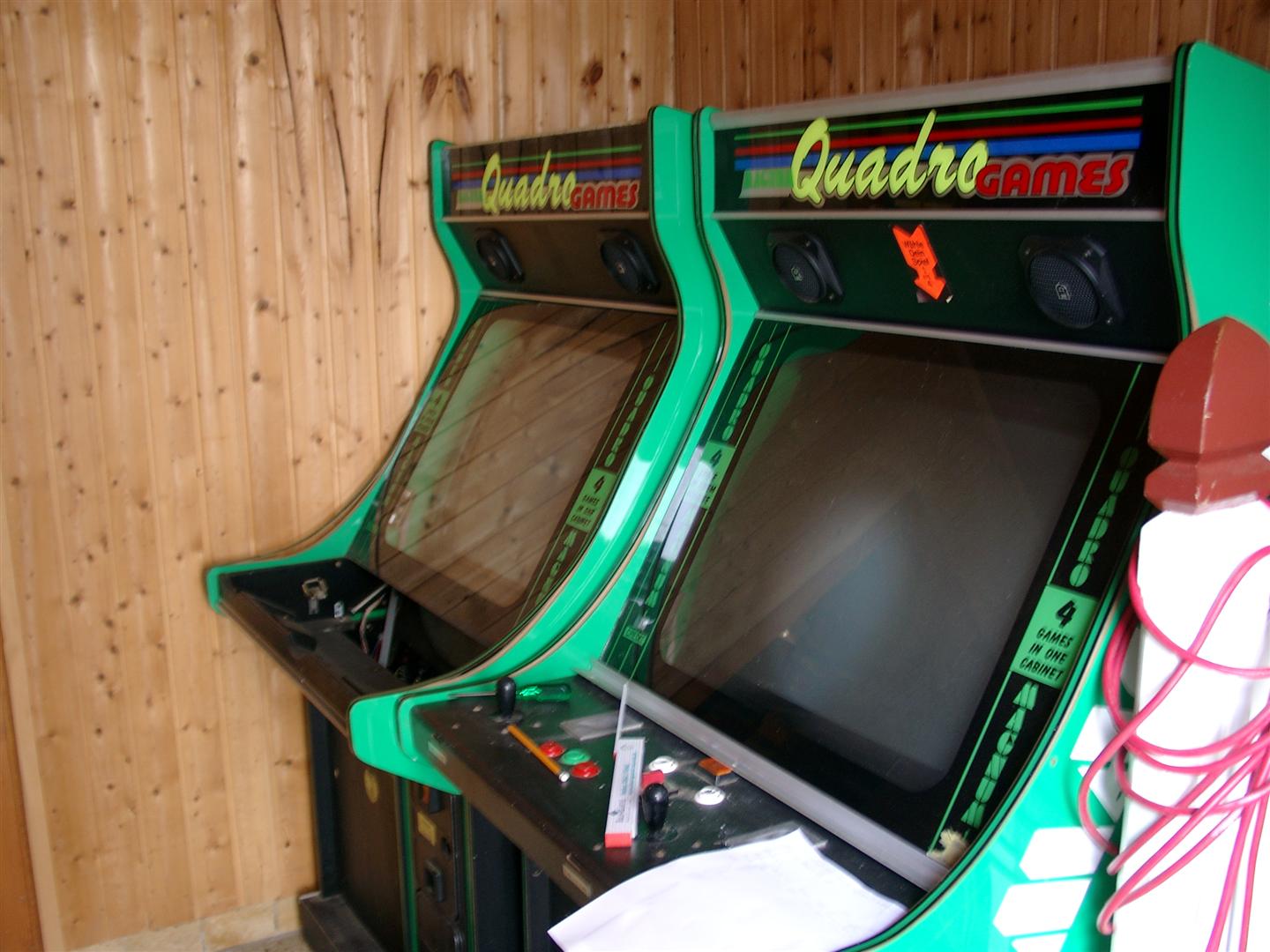
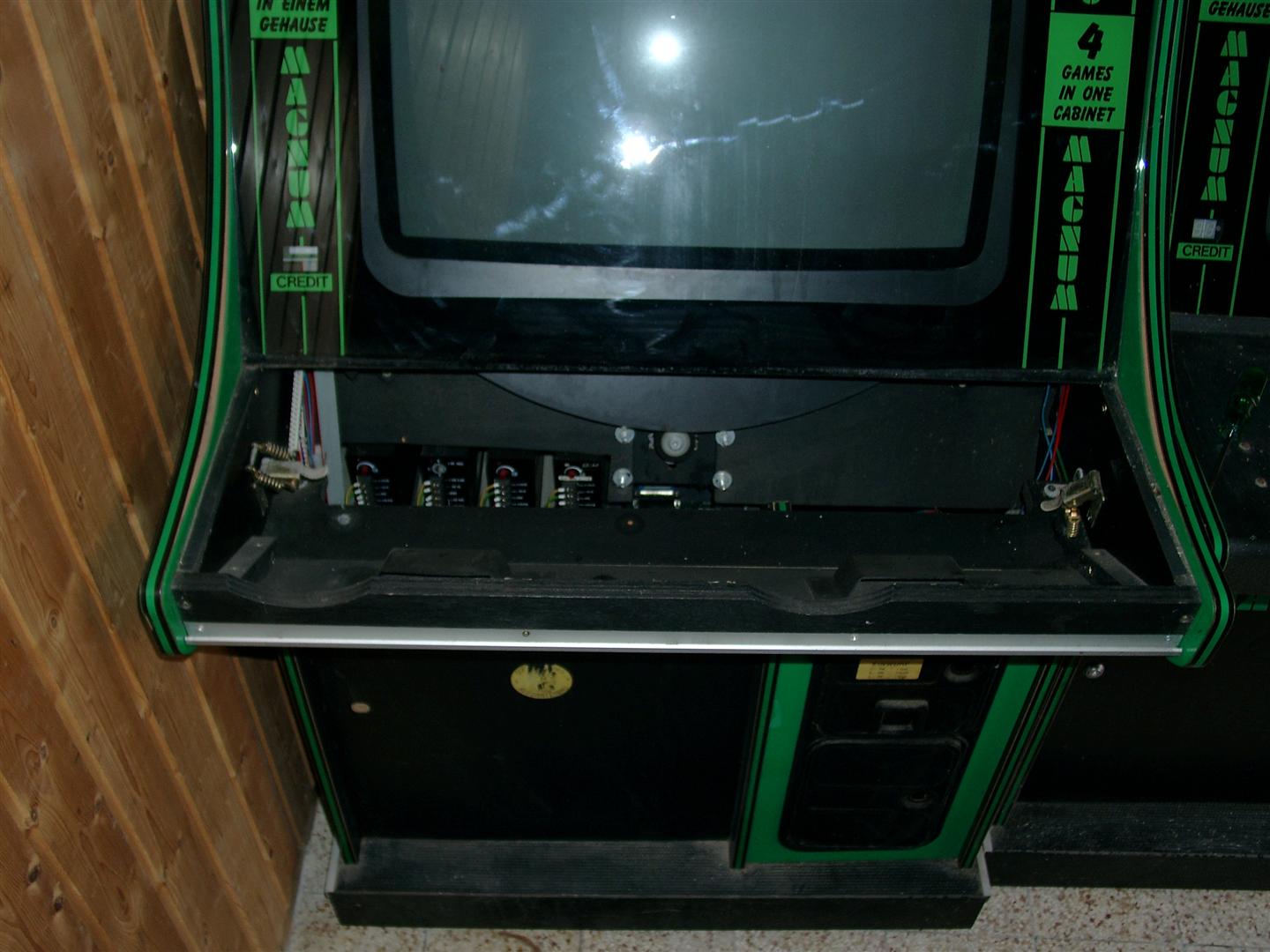
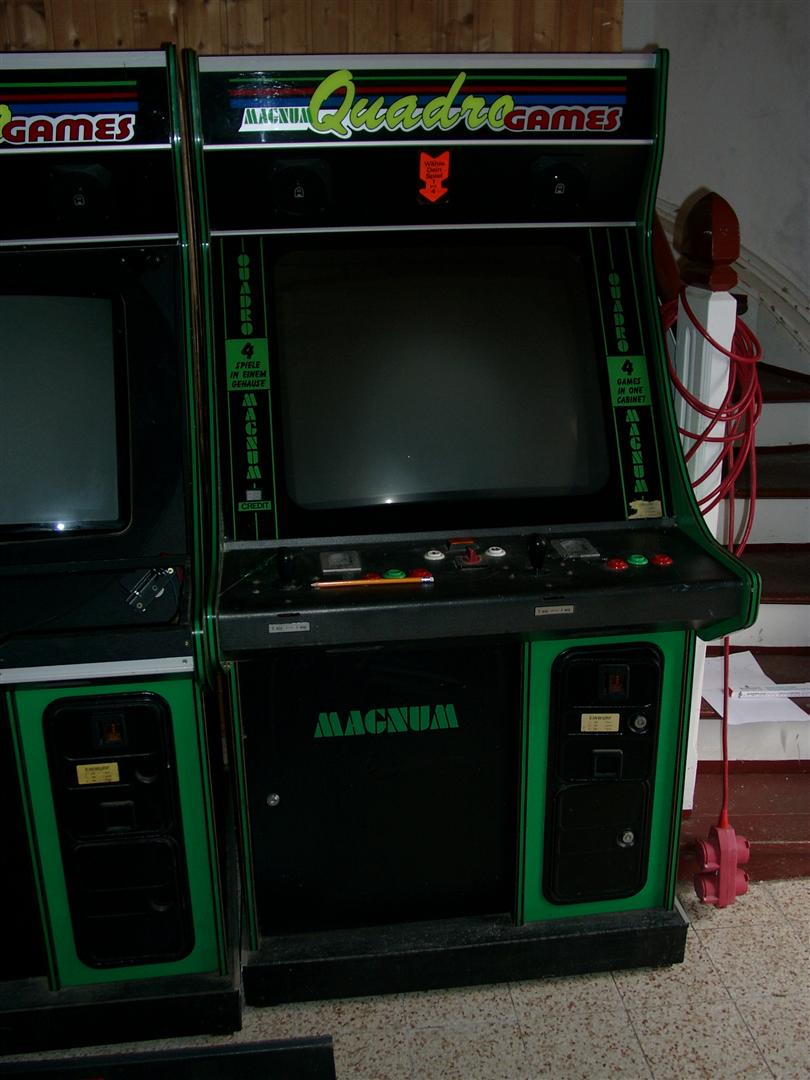
what have I done until now:
a) orderd new glasses for marquee an bezel
b) asked the panelmaker willi for a new CP
to do:
a) what is needed on this big controlpanel
1-2 trackball,
1-2 spiner, or crazy 4 spiner for games like warlords…
2-4 sticks?
analog stick?
a lot of buttons
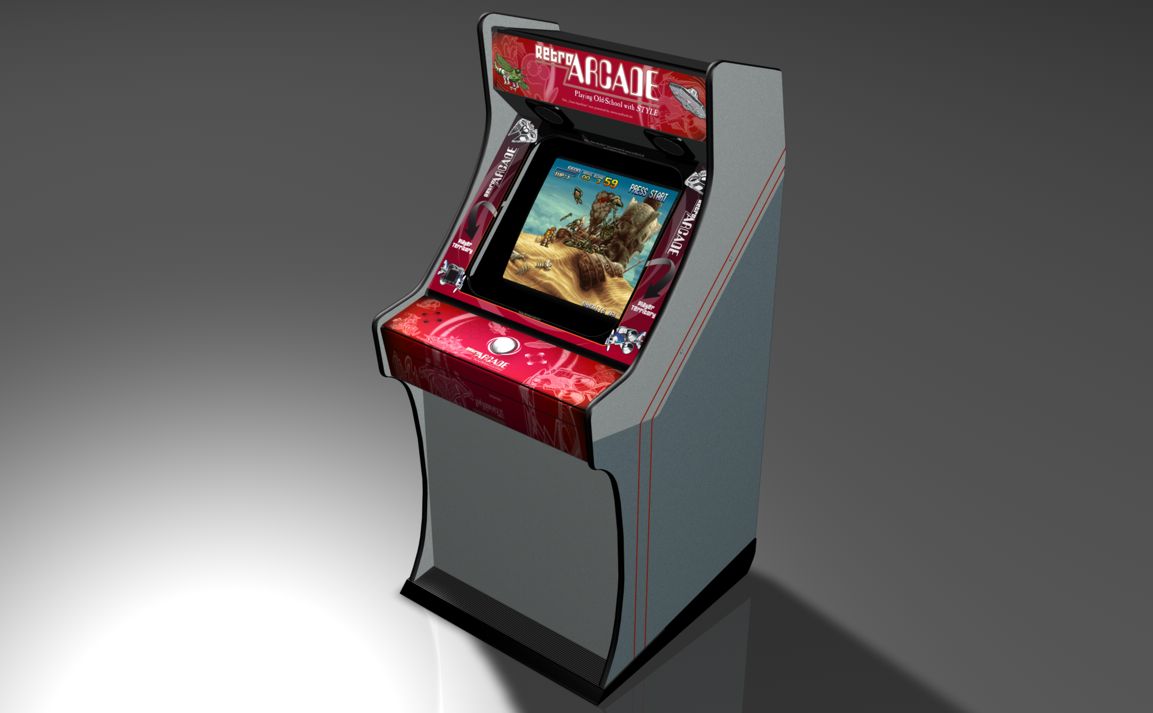
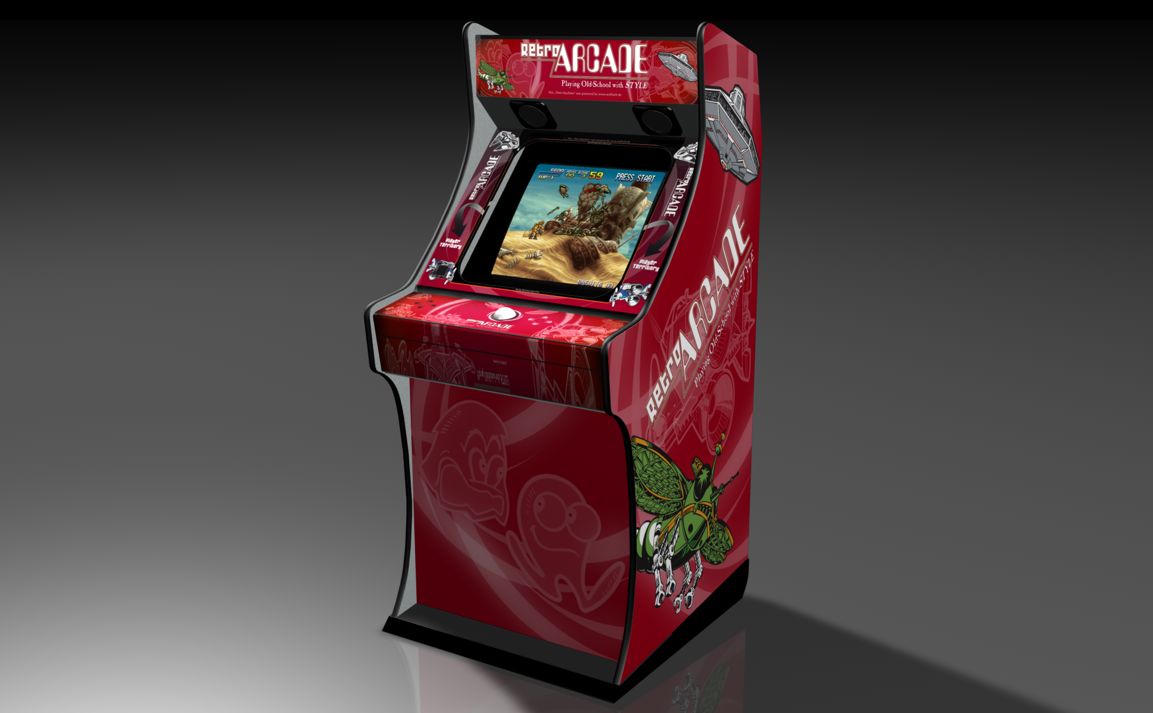
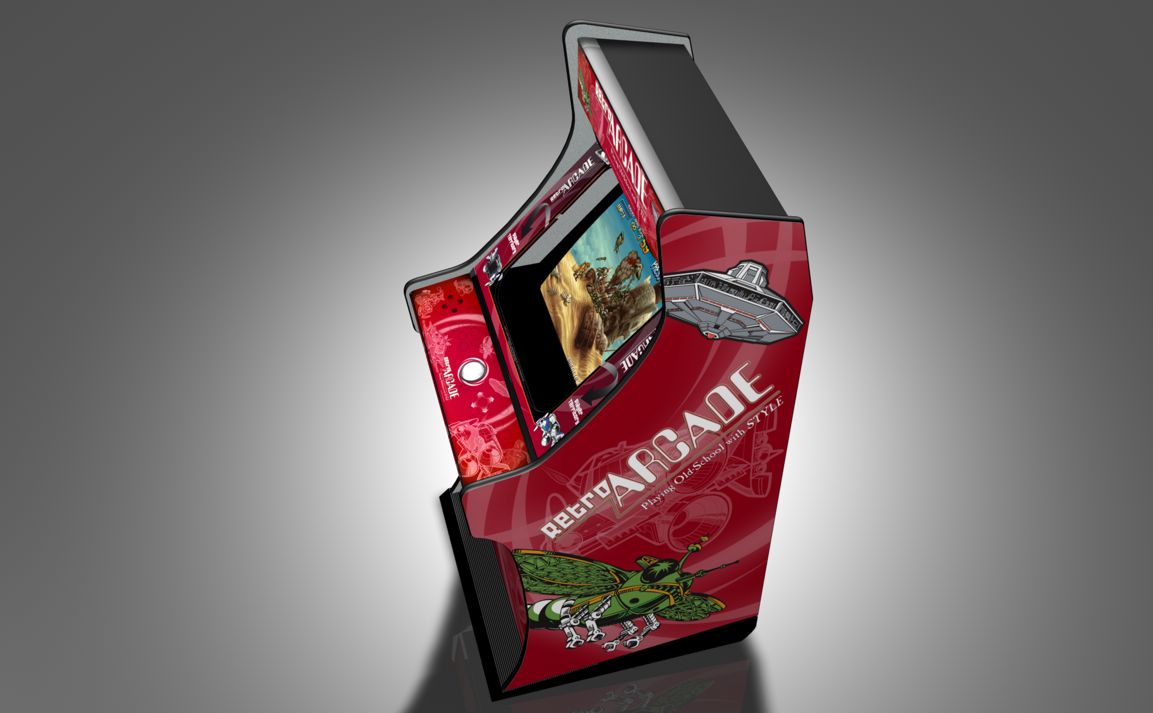
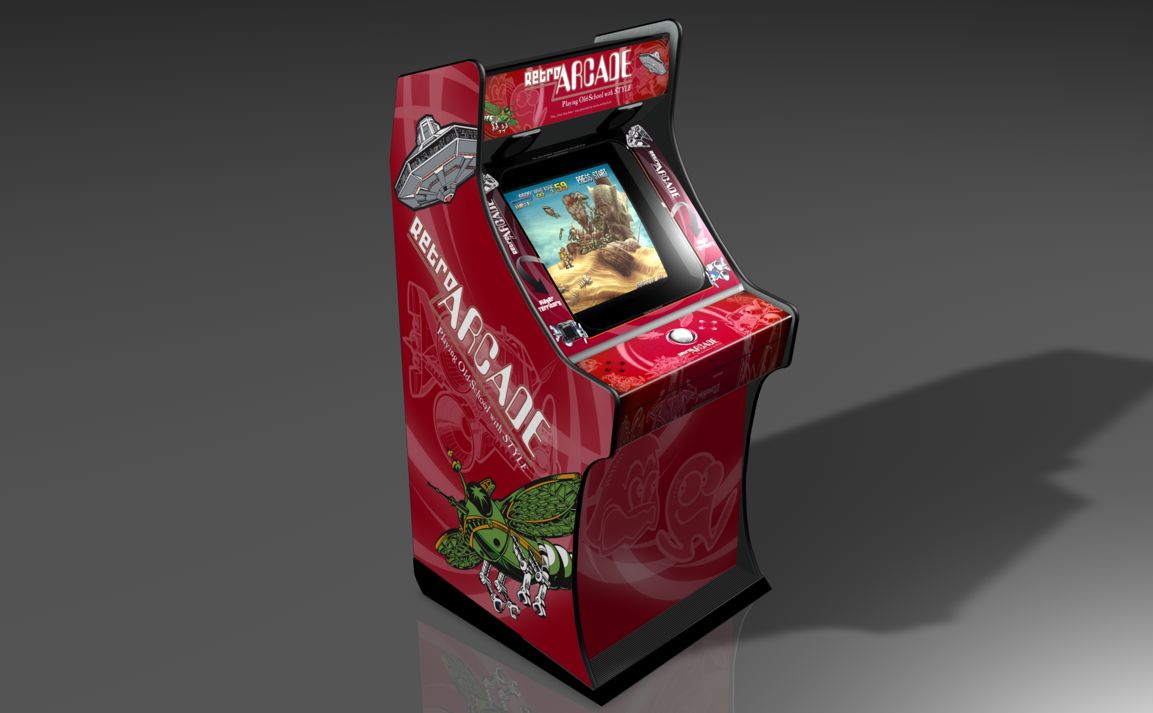
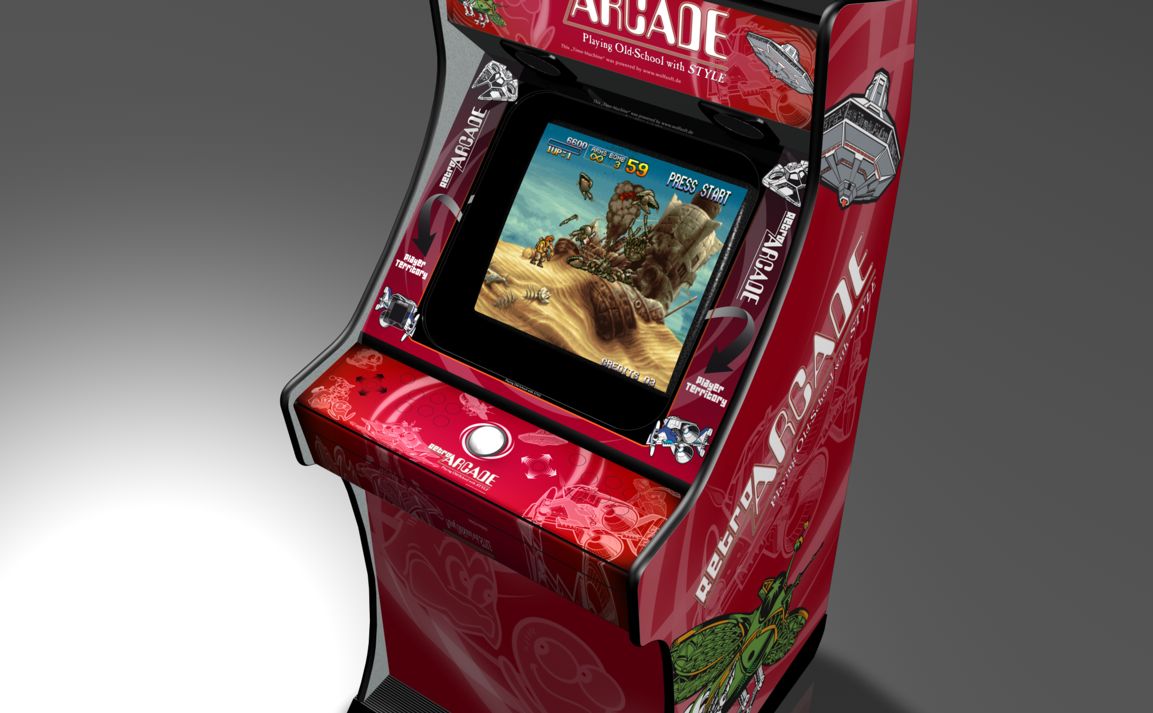
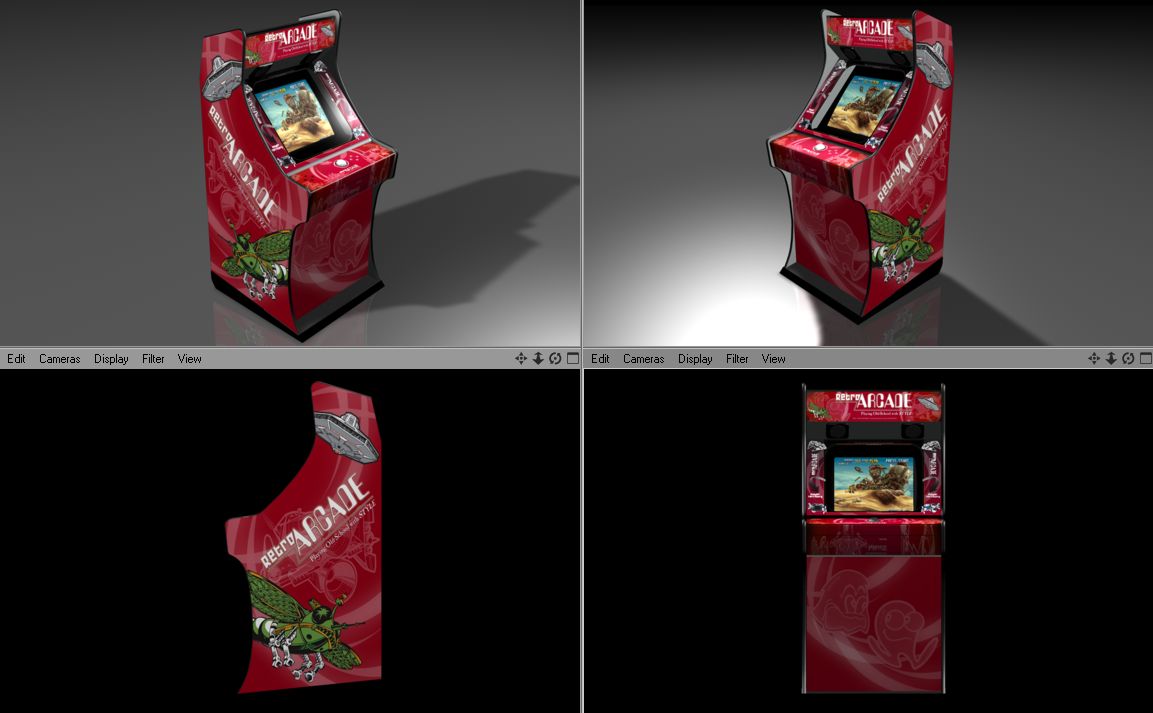
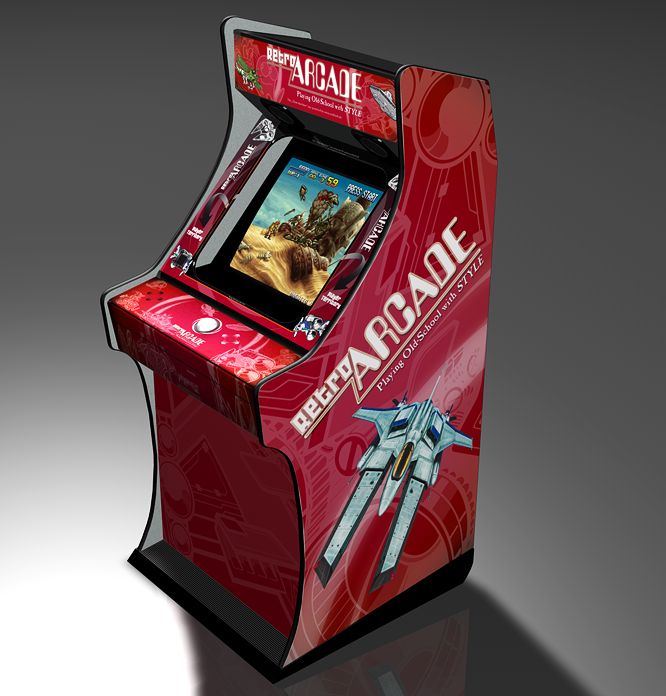
Thank to Alex from cologne, I got a Cinema4D Object of the Quadro Games Jumbo Arcade Cabinet. And it was time play with it, to show whats possible to make.
Here you can see the old look:
Here some tests:
I got a defective Virtua Boy from a customer with the Glitchy Display Error.
After a quick research i found: http://www.projectvb.com/displayfix.html
I used the Solder Method for repairing:
For removing the cable I was using a Fiber Pencil like this
and after this It was possible to resolder the pins @ 230-250Grad Celsius.
And it works, great again like the first day 🙂
One little tipp: check the cable connector if its connected right at the other side.
If its inserted to much, you will get no picture from this site…
We got some NEC Multisync Monitors. One of the greates Multisync Monitor for ArcadeGaming via PC and Mame to play the oldshool games in their native Resolutions.
But after some hours of playing, one of the Monitors didn’t power up anymore :-(.
I got the service manual you can download it here: XM2950G Service Manual.
And have to open the Monitor:
On The right site you see 2 big screws. One more you will find on the Top Side near the Screen
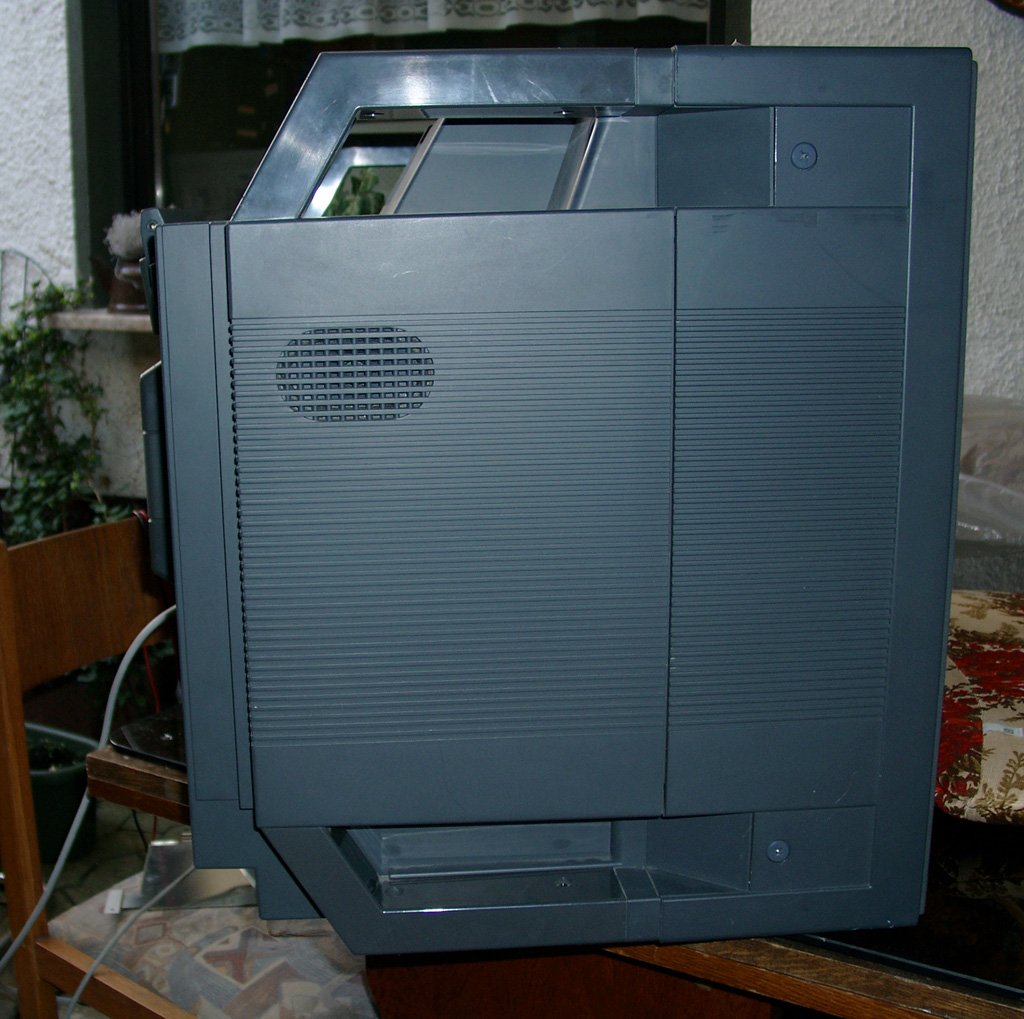
remove the red marked screws
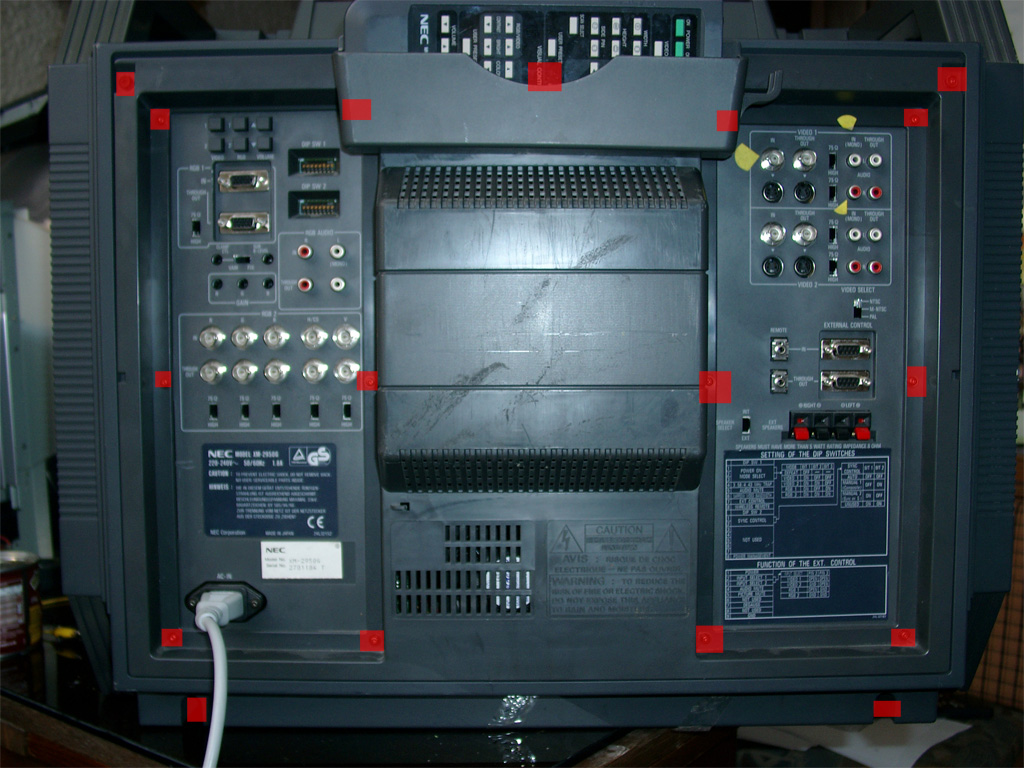
remove the plastic on the backsite and the plastic case
On the left site you will find the power supply.
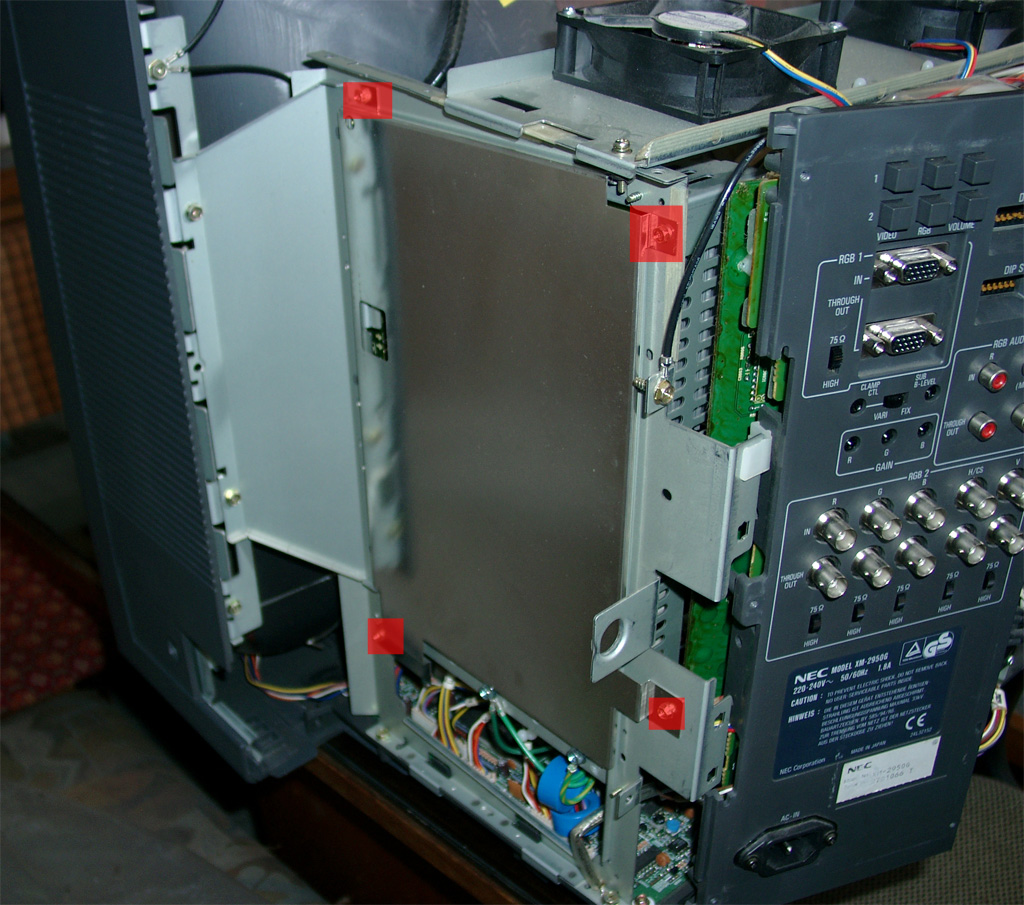
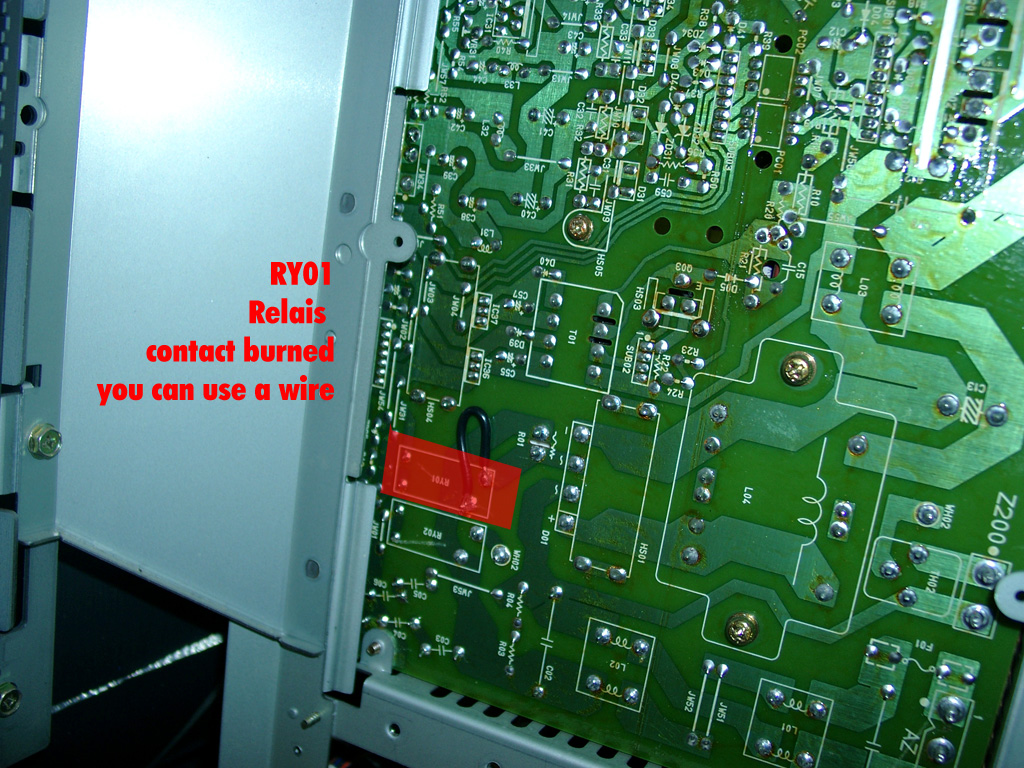
After some checking I found one of the 230V Relais was broken.
A quickrepair was to shortcut the contact.
After this the Monitors works again.
Have fun
Inspired from petes fabulous site www.mmmonkey.co.uk and his switchless mods,
I want to make the ultimative Sega Genesis 2 switchless MOD including 32X and Sega CD2.
In the beginning we have to mod the Genesis 2 with the switchless mod, like I done before.
(Thanks to SEB for the great PIC Code).
For making a 32X working you are in need of the pink wire. This signal is needed in the 32X.
We can make use of the A/V connector cable between the Genesis 2 and the 32X. The Mono Audio Signal is not in use, so we can cut the original Mono signal at the Genesis 2 A/V connector and the 32X A/V connector.
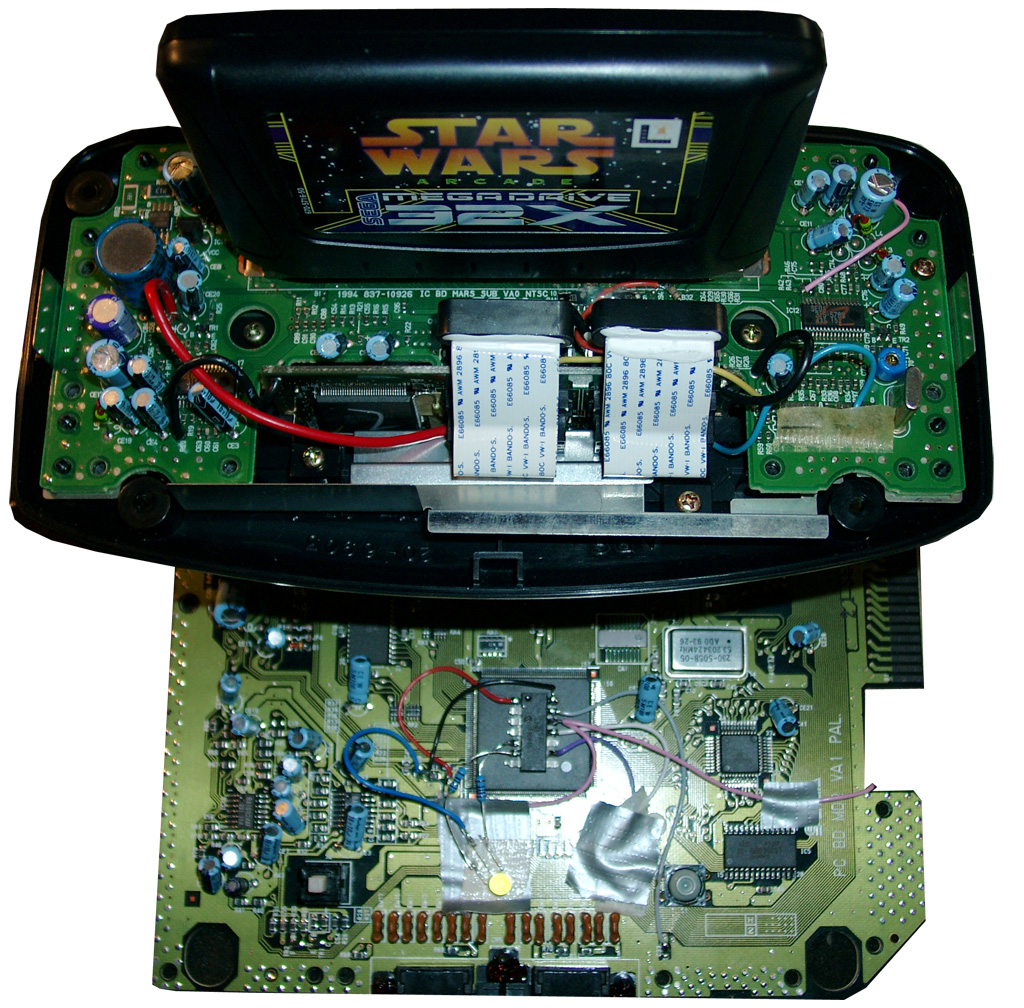
Here you will see the Sega Genesis 2 switchlees mod including the 3 more wires (yellow, blue, and pink).
The Pink is needed for the 32x.
Blue and yellow is needed if you want to make a Sega CD working too.
For 32X support add a 2nd pink wire to Pin 12 of the PIC.
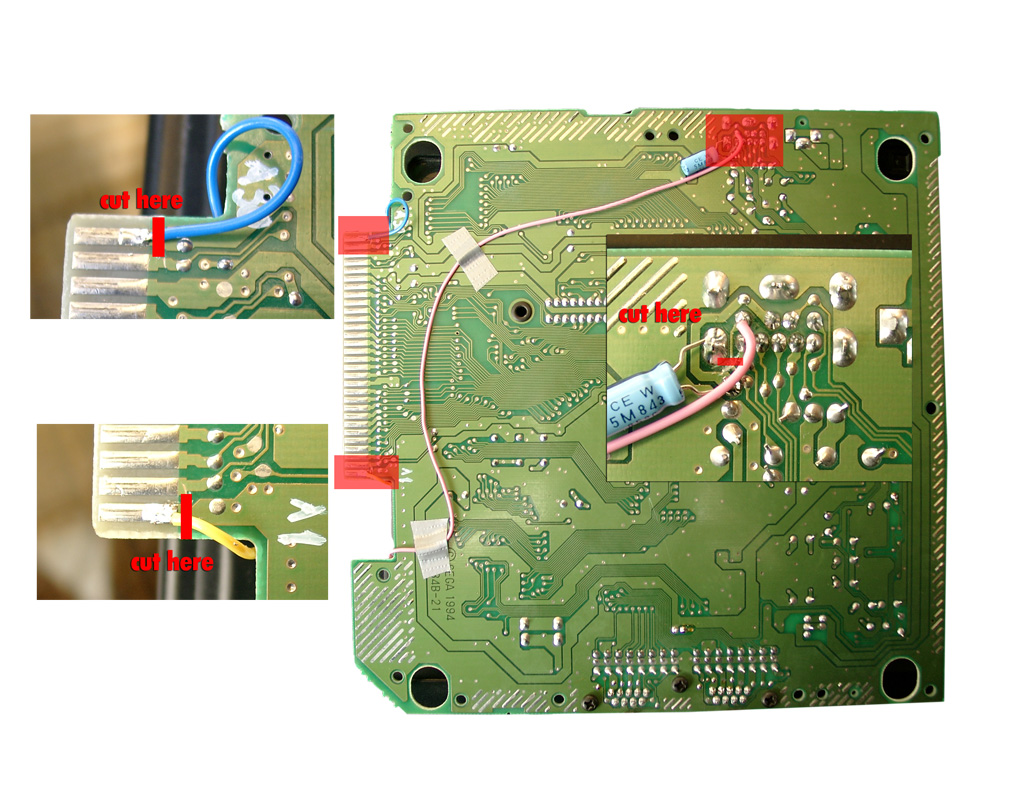
At the solder site you have to cut the cirquit path to Pin 6 of the A/V Port and solder the pink wire to Pin 6 of the A/V Port.
For Sega CD support you have to cut Pin A01 (yellow wire) and Pin A30 (blue wire) of the Genesis Expansionsport and solder the 2 wires to the PIC Pin 10 blue and PIC Pin 8 yellow.
Backsite of the Genesis 2:
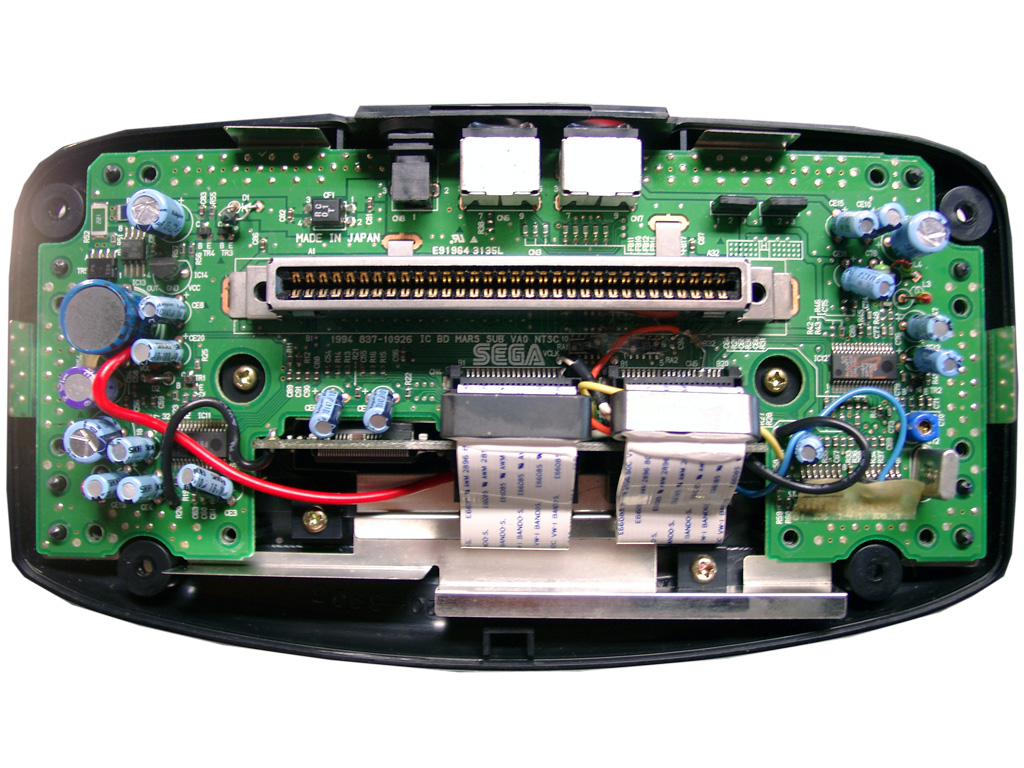
First you have to open the 32X and remove the shielding.
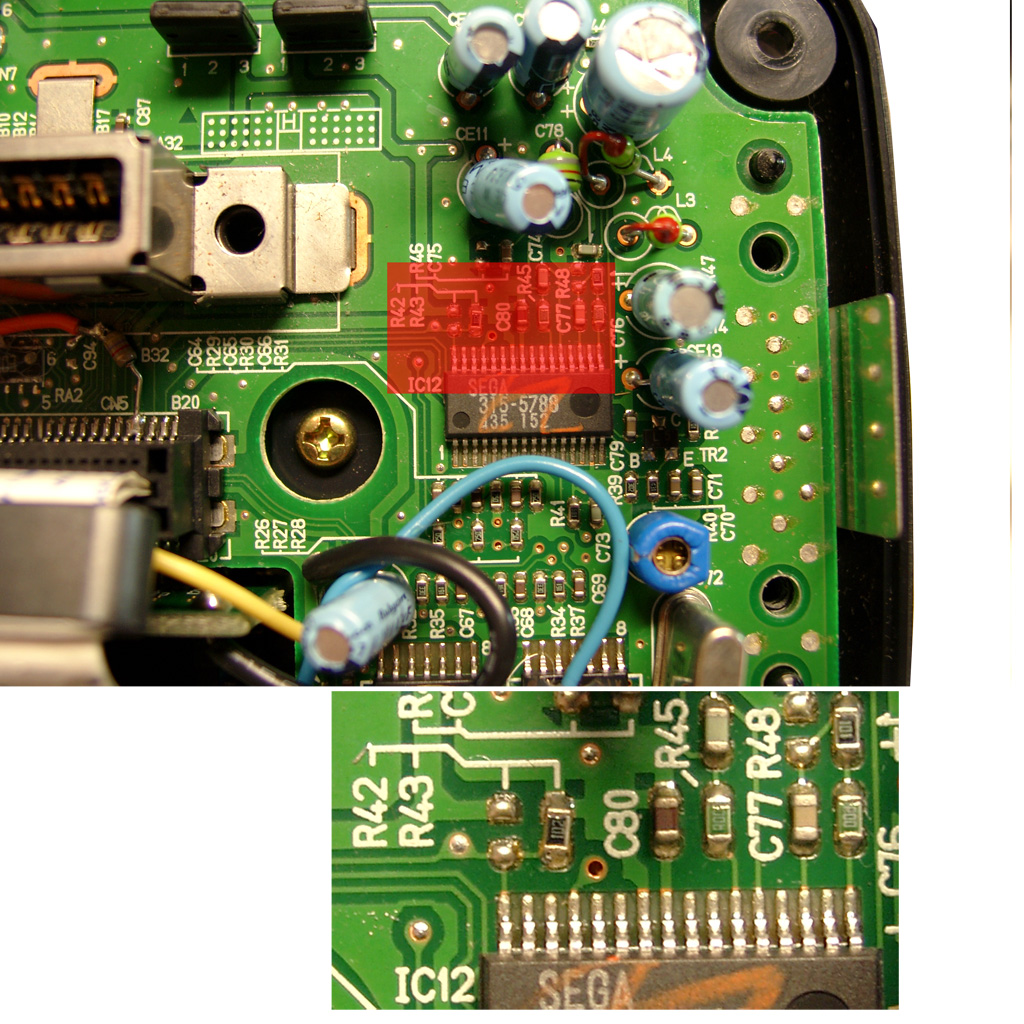
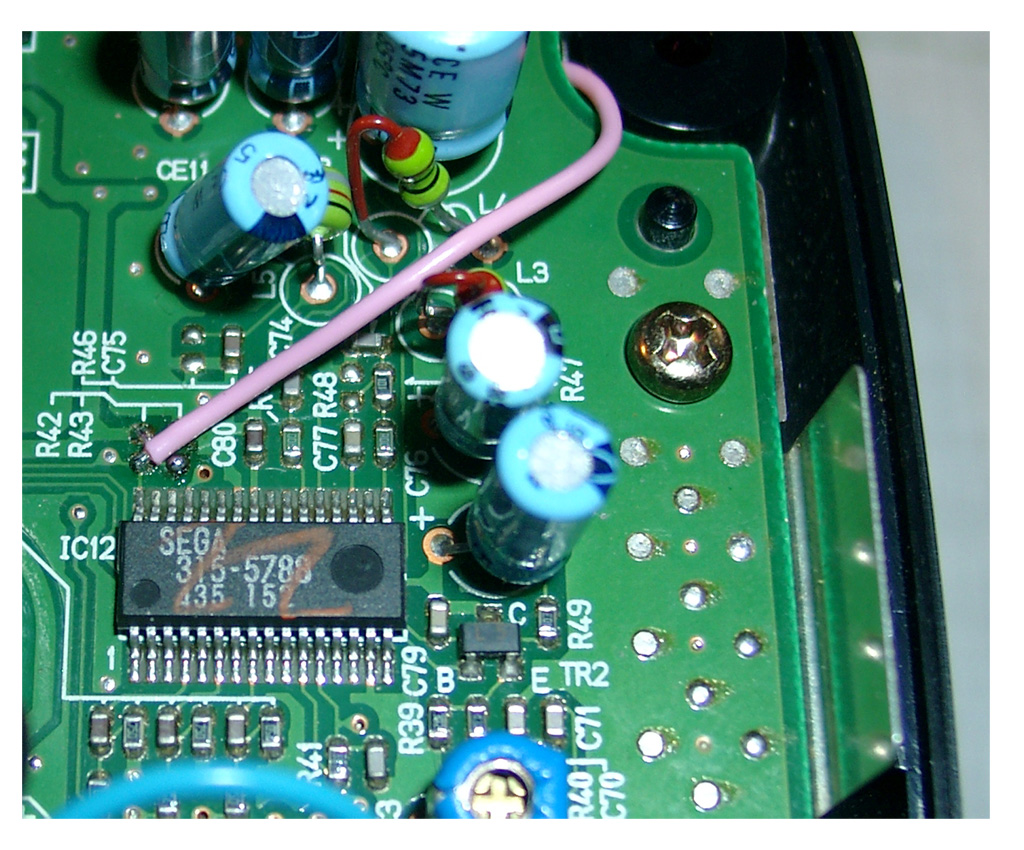
The only protection of the 32X is the 50/60Hz settings. You will find it at the right site of the mainboard IC12 SEGA 315-5788.
You will find R43, if its a PAL 32X (Pin 32 to GND) -> 50Hz
You will find R42, if its a NTSC 32X (Pin 32 to 5V) -> 60Hz
Remove the Resistor
|
Pin |
Description |
|
1 |
Blue |
|
2 |
+5V DC |
|
3 |
Green |
|
4 |
Composite Video |
|
5 |
Sync |
|
6 |
Audio Mono |
|
7 |
Red |
|
8 |
Audio Stereo L |
|
9 |
Audio Stereo R |

On the solder site you will have to Cut the cirquit path to Pin 6 of the A/V Port.
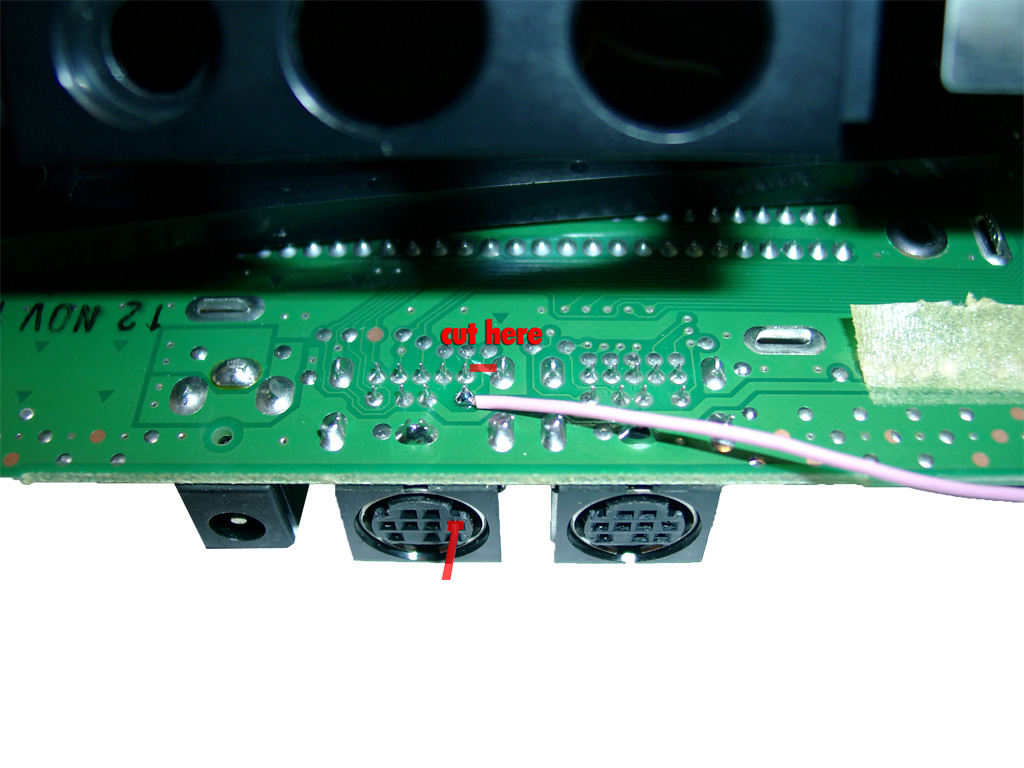
Solder one pink wire from AV Out Pin 6 (solder Site) to Pin 32 of IC12 (component site)
You are in need of a Eprom (27c2004) and burn all 3 bios Version into it. The usa, japanese and pal Version. You can select the different Bios Version via A16 (Pin 38) and A17 (Pin 39) of the Eprom.
The order is: USA-> JPN -> EUR.
You can do it by yourself. Take the CD-Bios Versions and make a byteswap each of them.
The concat the 3 Files via Windows Commandline copy
copy /B usa.bin + pal.bin + jpn.bin switchless.bin
The final goal is to get 2 wires from the 16F630 PIC to the Eprom.
Here we make use of 2 wires from the Sega Expansionport.
Pin8 yellow 16F630->Exp Port Pin A01@Genesis 2->Exp. Port Pin A30@SegaCD2->Pin 38Eprom
Pin 10 blue 16F630->Exp Port Pin A30@Genesis 2->Exp. Port Pin A30@SegaCD2->Pin 39Eprom
Pin A01 and A30 of the Expansionsport carrying GND. There are many ground Signals at the Expansionsport. So we can cut these two of and make use of the free Pins for the Bios select.
|
|
PIC 8 /Eprom 38 |
PIC 10 /Eprom 39 |
|
EUR |
0 |
1 |
|
JPN |
1 |
0 |
|
USA |
0 |
0 |
First you have to remove the original Bios:
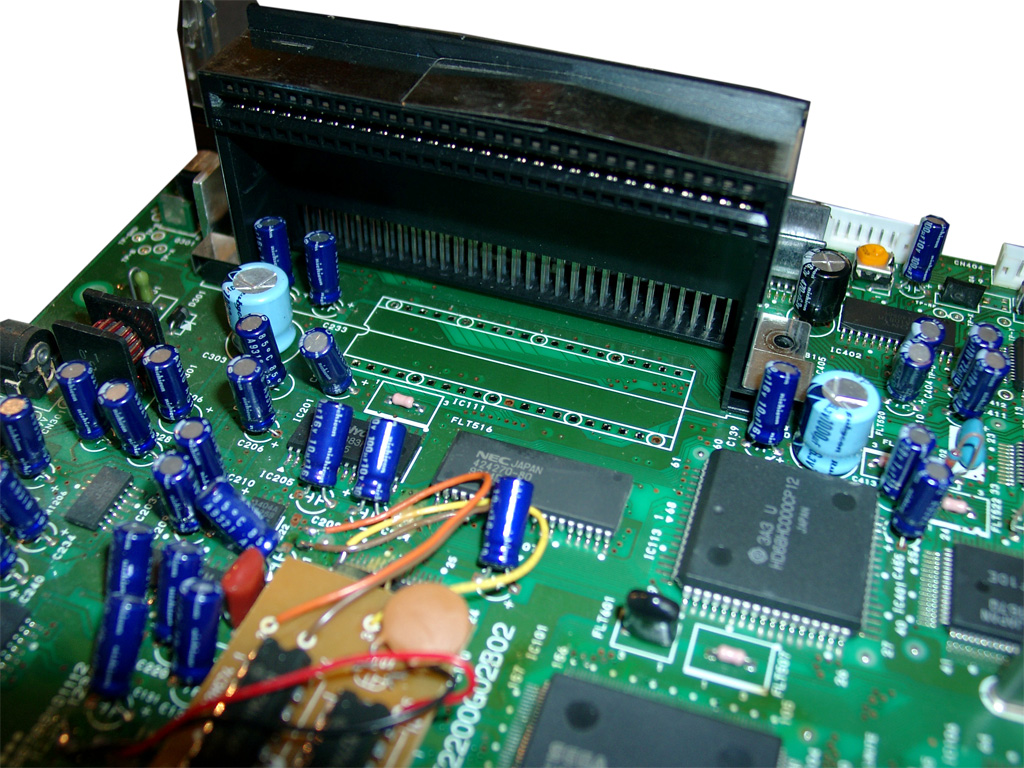
cut the 2 wires left and right (A30, A01)
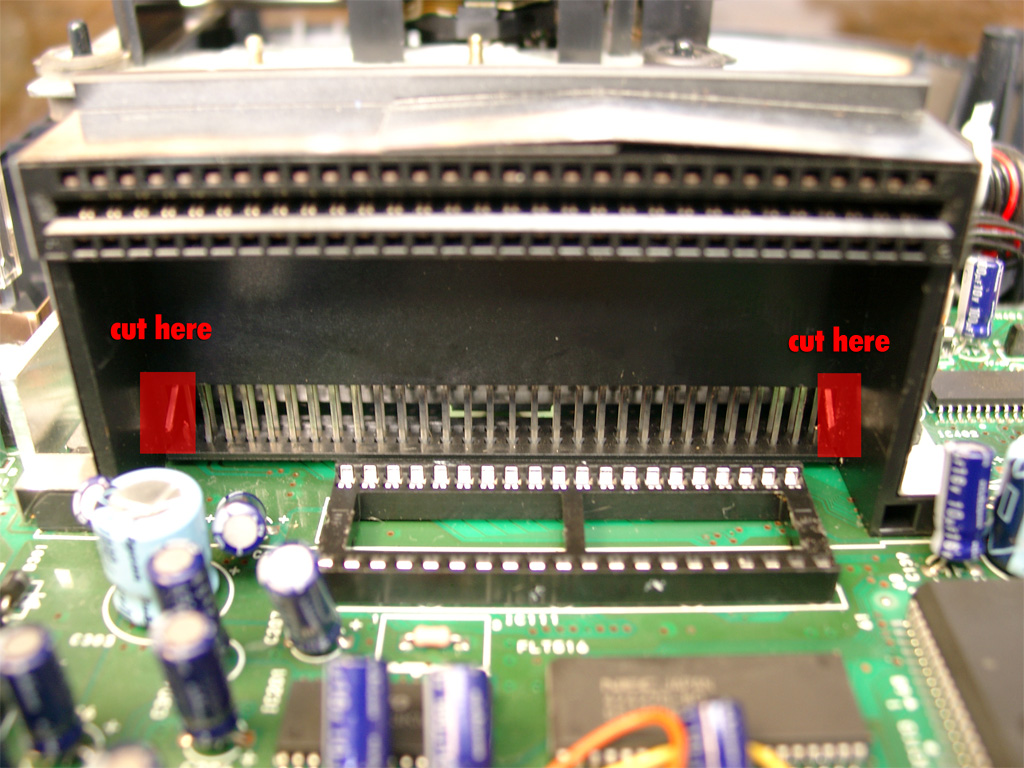
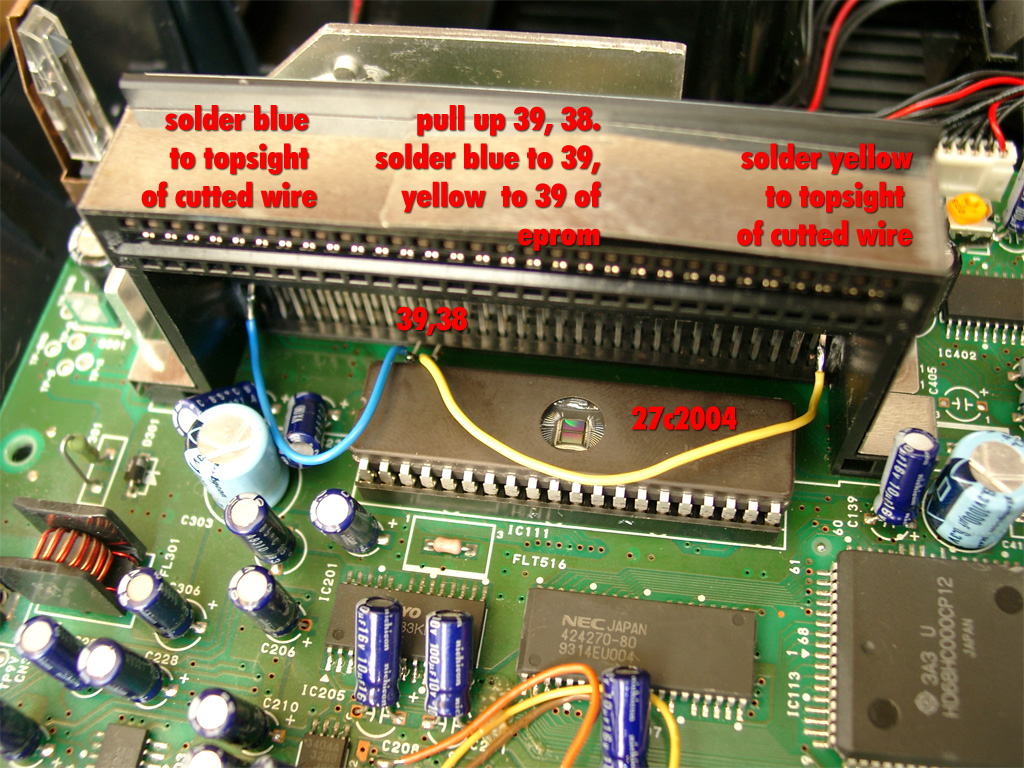
You will have to pullup Pin 38 and Pin 39 of the Eprom and wire blue and yellow like the following picture
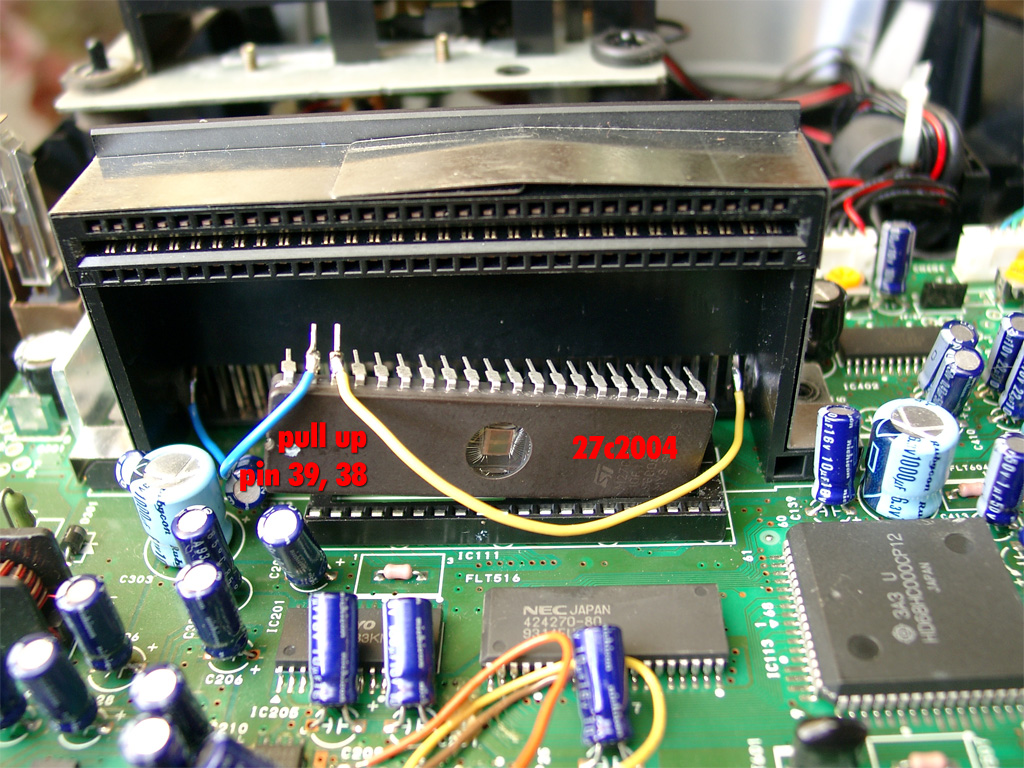
Here you can see the complete eprom attached
Look here for a video showing how the modification is working (german language)
http://www.youtube.com/watch?v=PYxM5u4DBis
english
http://www.youtube.com/watch?v=eQVGKSsld1k
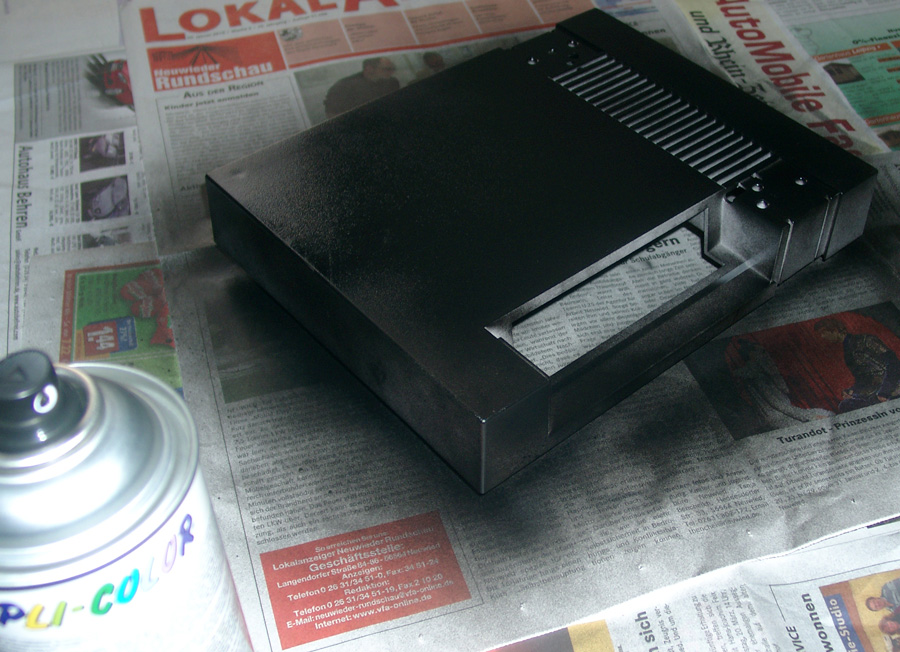
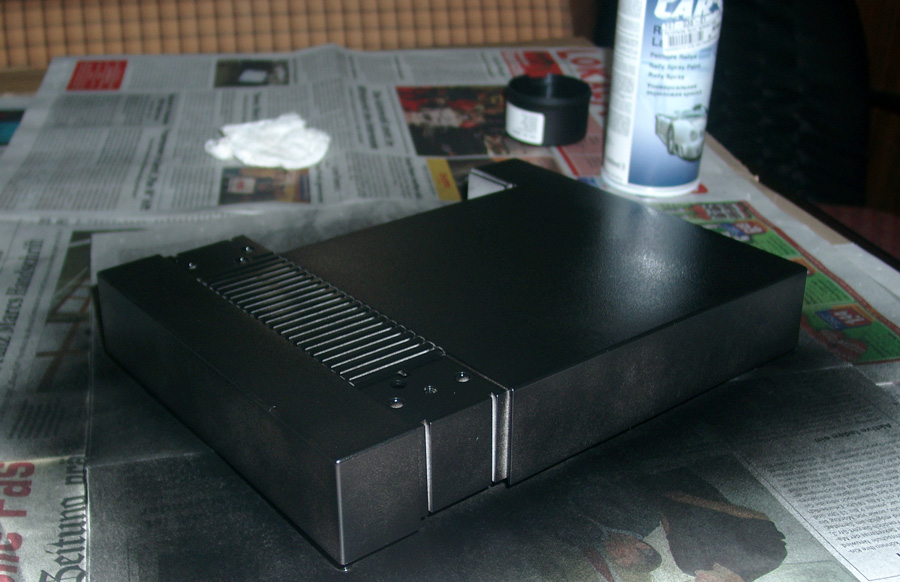
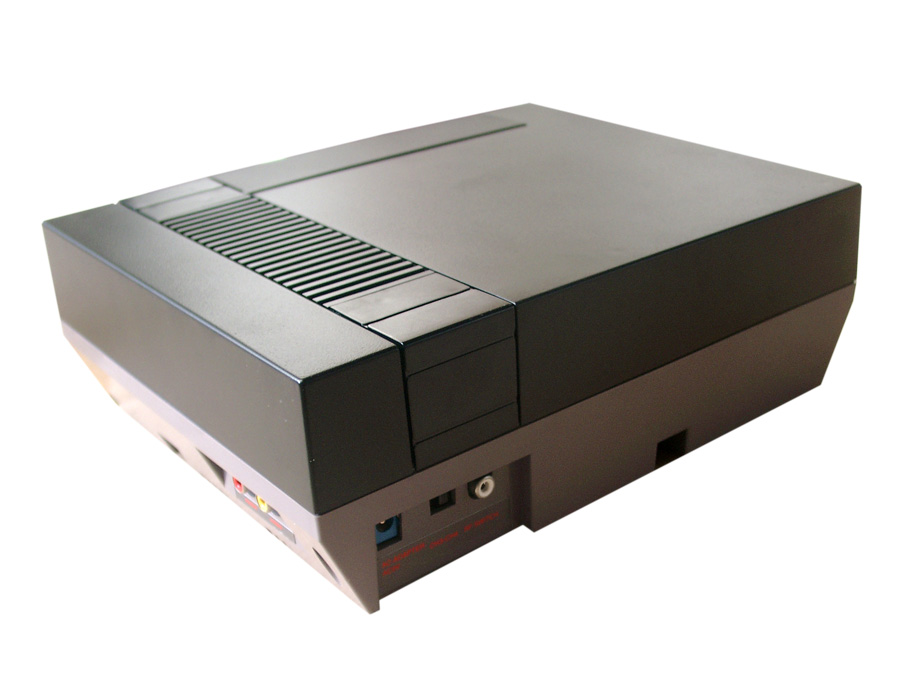
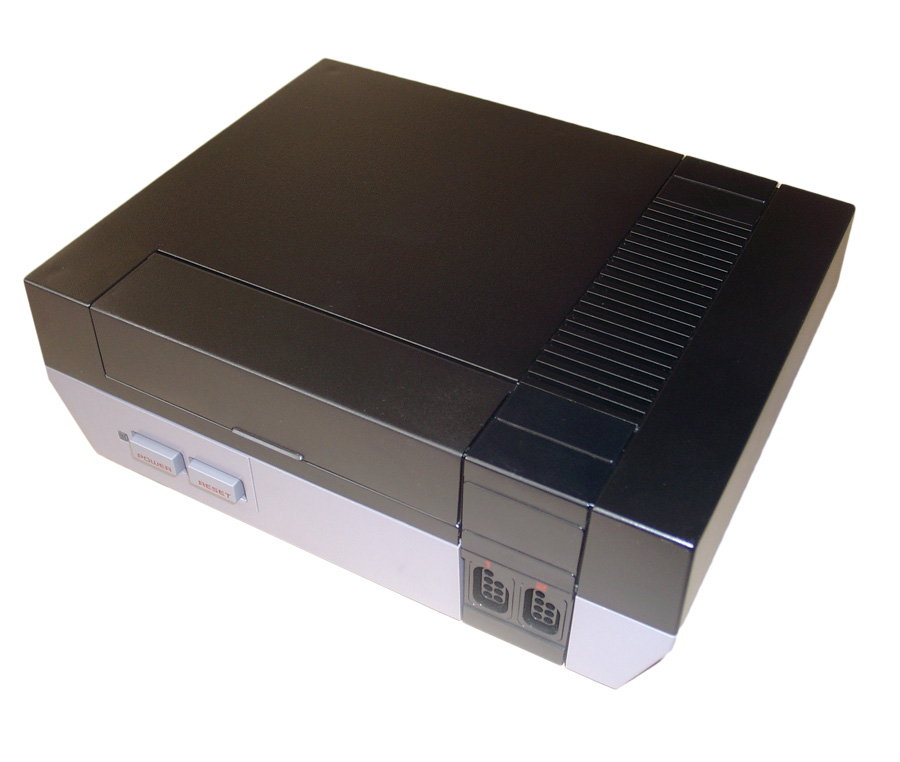
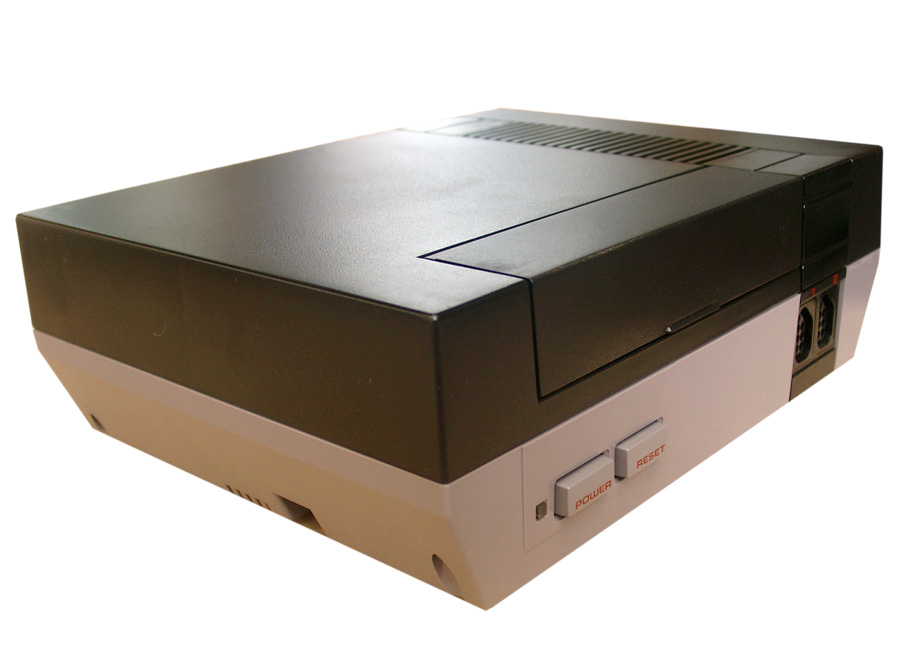
A customer asked me to do some brushing. He wants to recolor the top of his NES in black.
First you have to clean it and remove all dust from the surface.
Then find a „peacefull“ place (not windy).
And make use of a plastic primer.
Then black brush painting, take 3-4 brush events.
Look here:
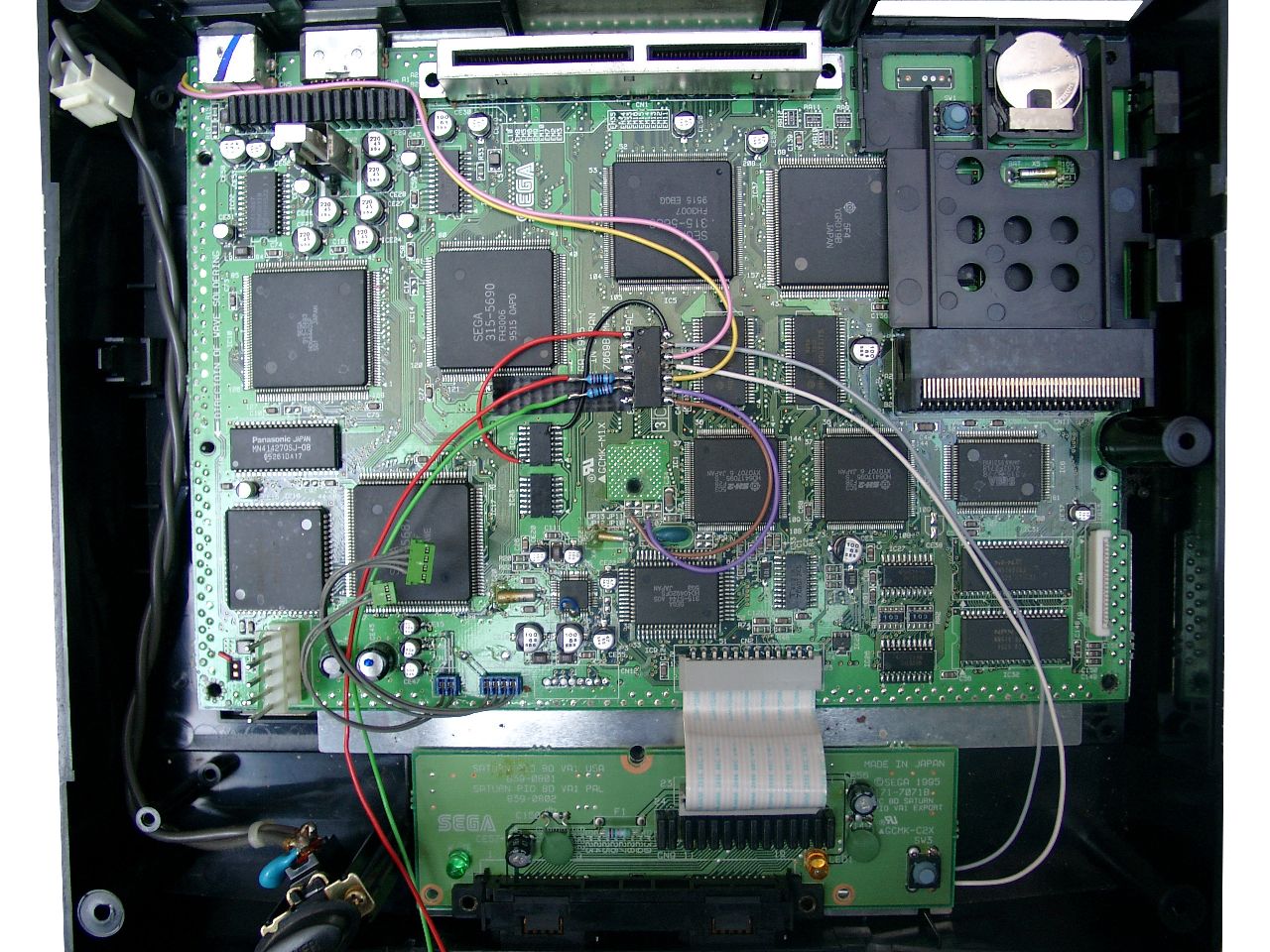
My second german Saturn for switchless MOD was not the same as the first one.
This one got 2 PCBs inside. A smaller Main PCB and a separate Controller Port PCB.
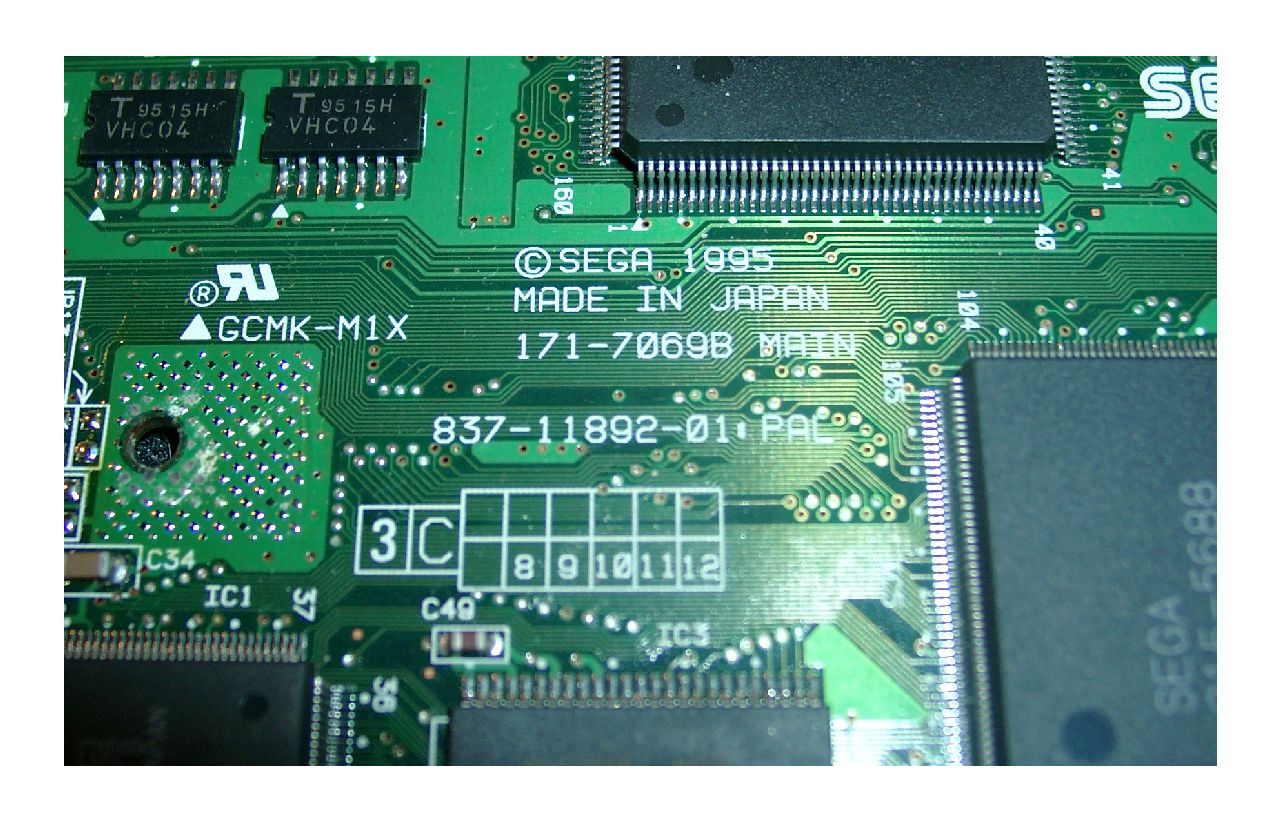
The Mainboard is called: 837-11892-01 PAL.
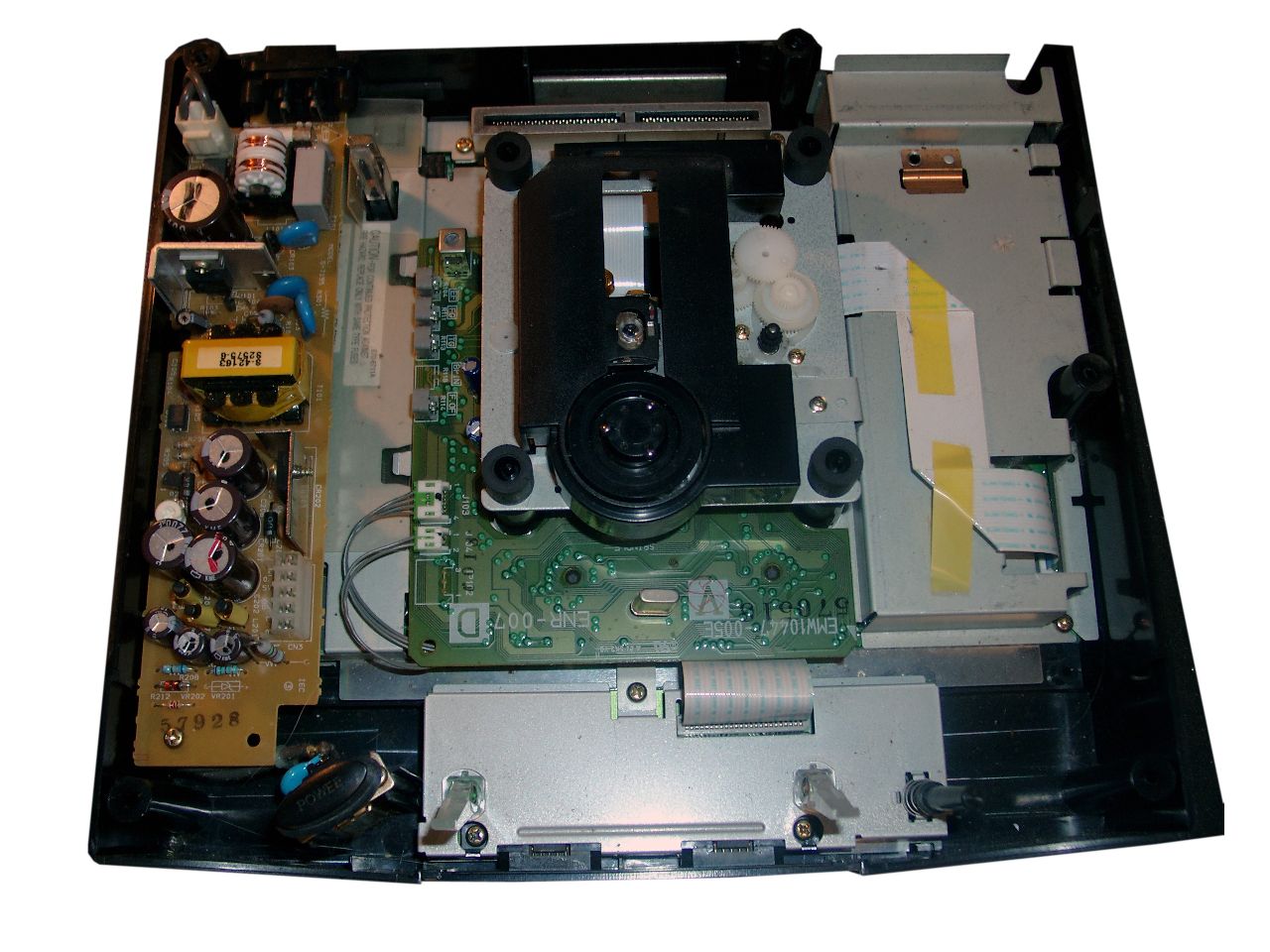
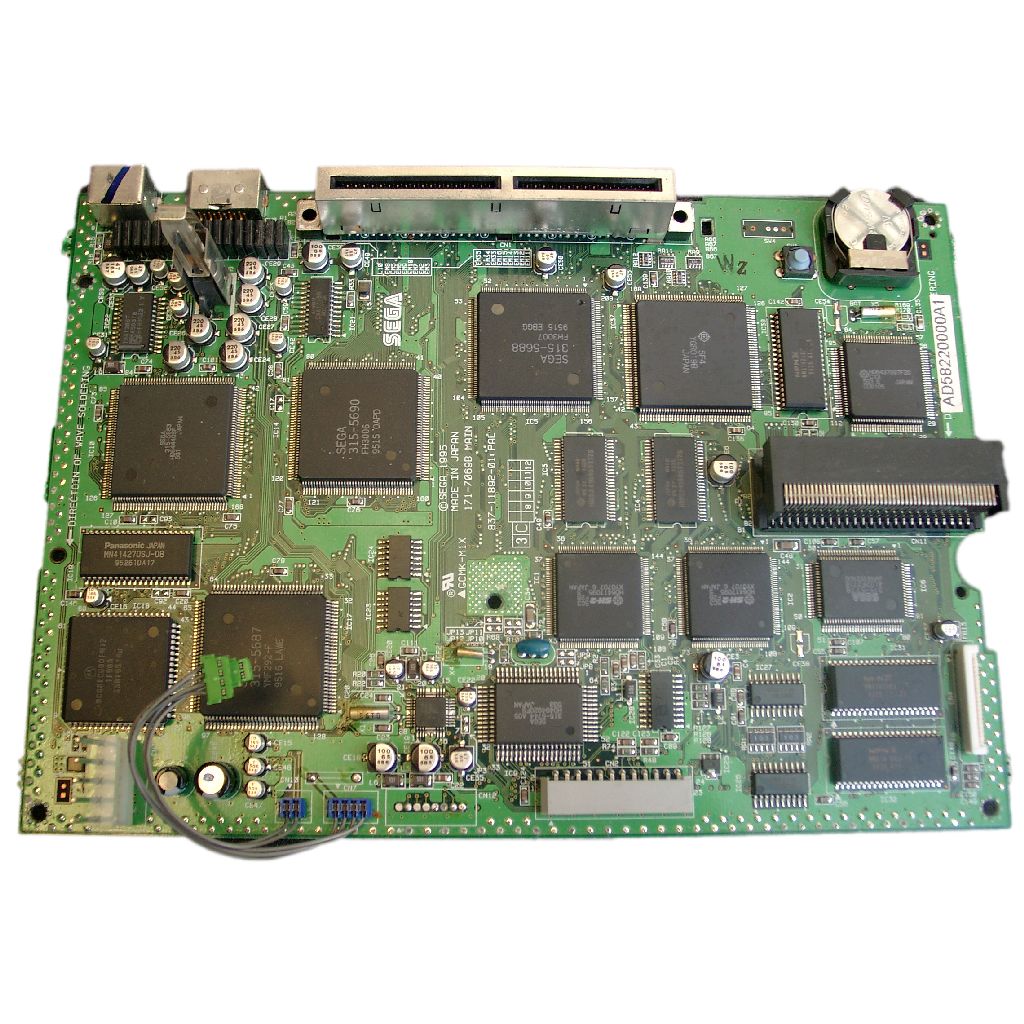
Here you can find the Mainboard Revision on the TOP Side of the Board
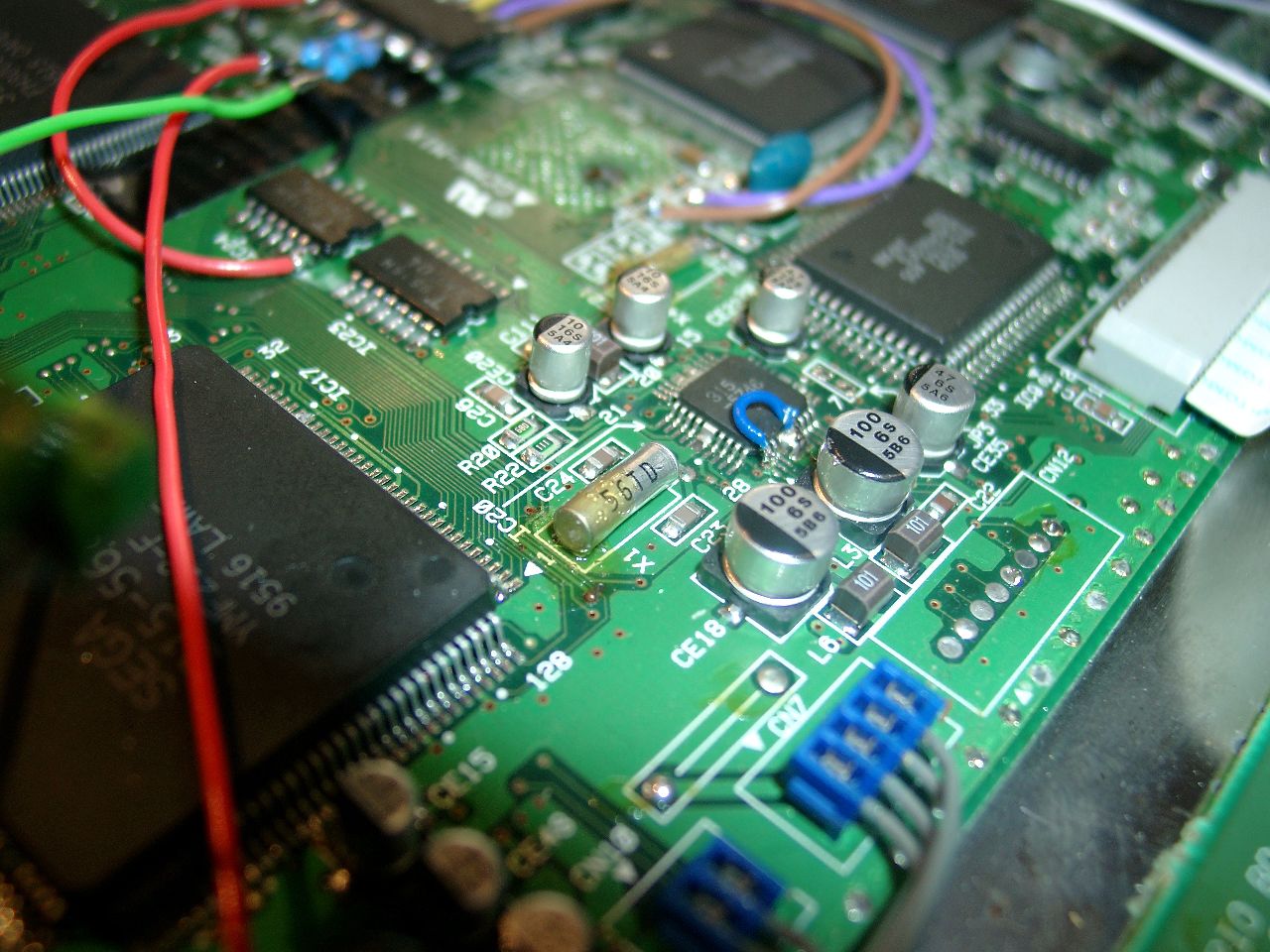
For correct working of the 50/60Hz you have to desolder Pin 1 and pull up pin 1 of IC20.
Then wire it to GND.
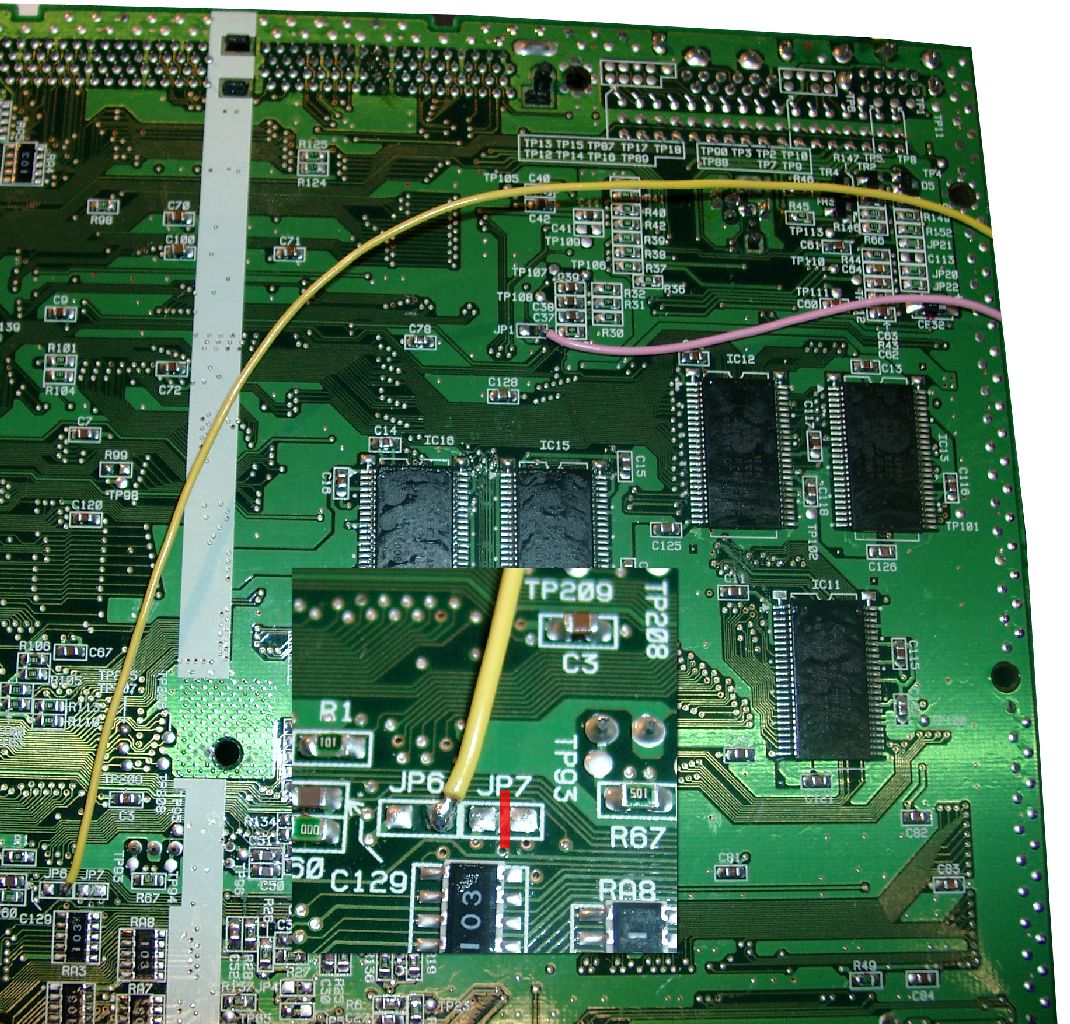
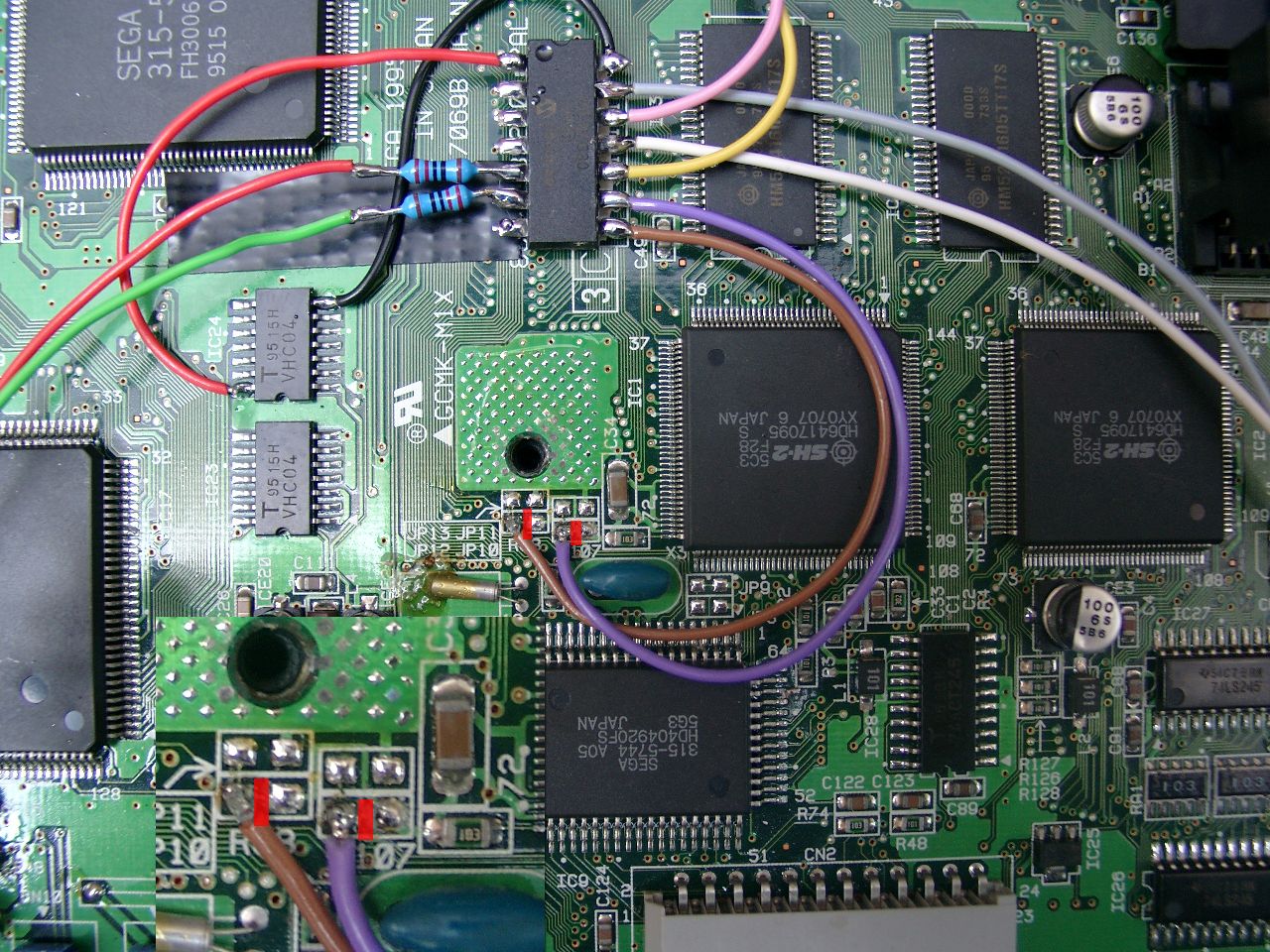
Backsite Mainboard.You need to cut the jumper at JP7 (remove the circuit)
Frontsite of the Mainboard (LED Resistors 220Ohm) PIC 16F630 cut the two red marked circuit pathes between JP12 and JP 10
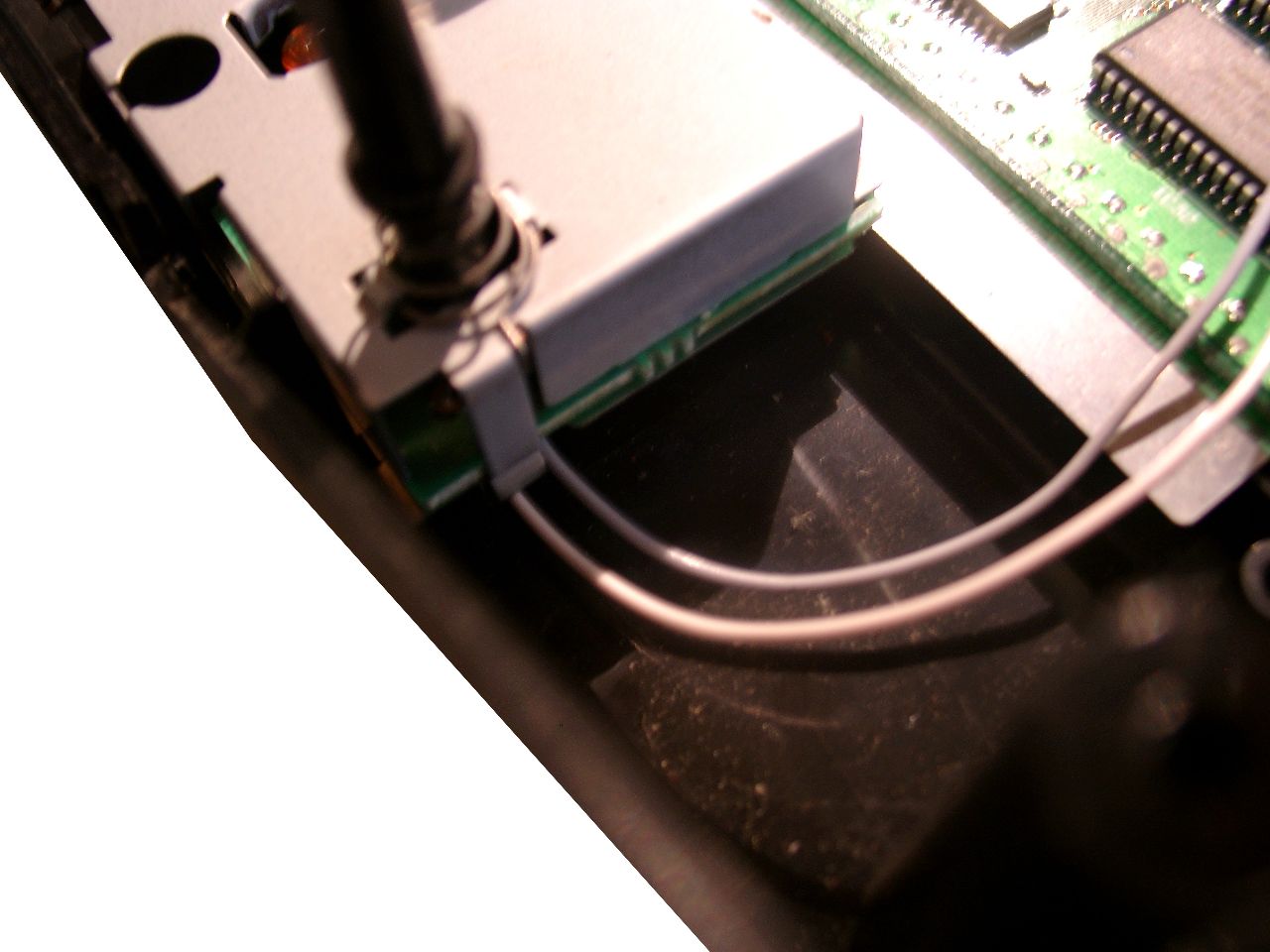
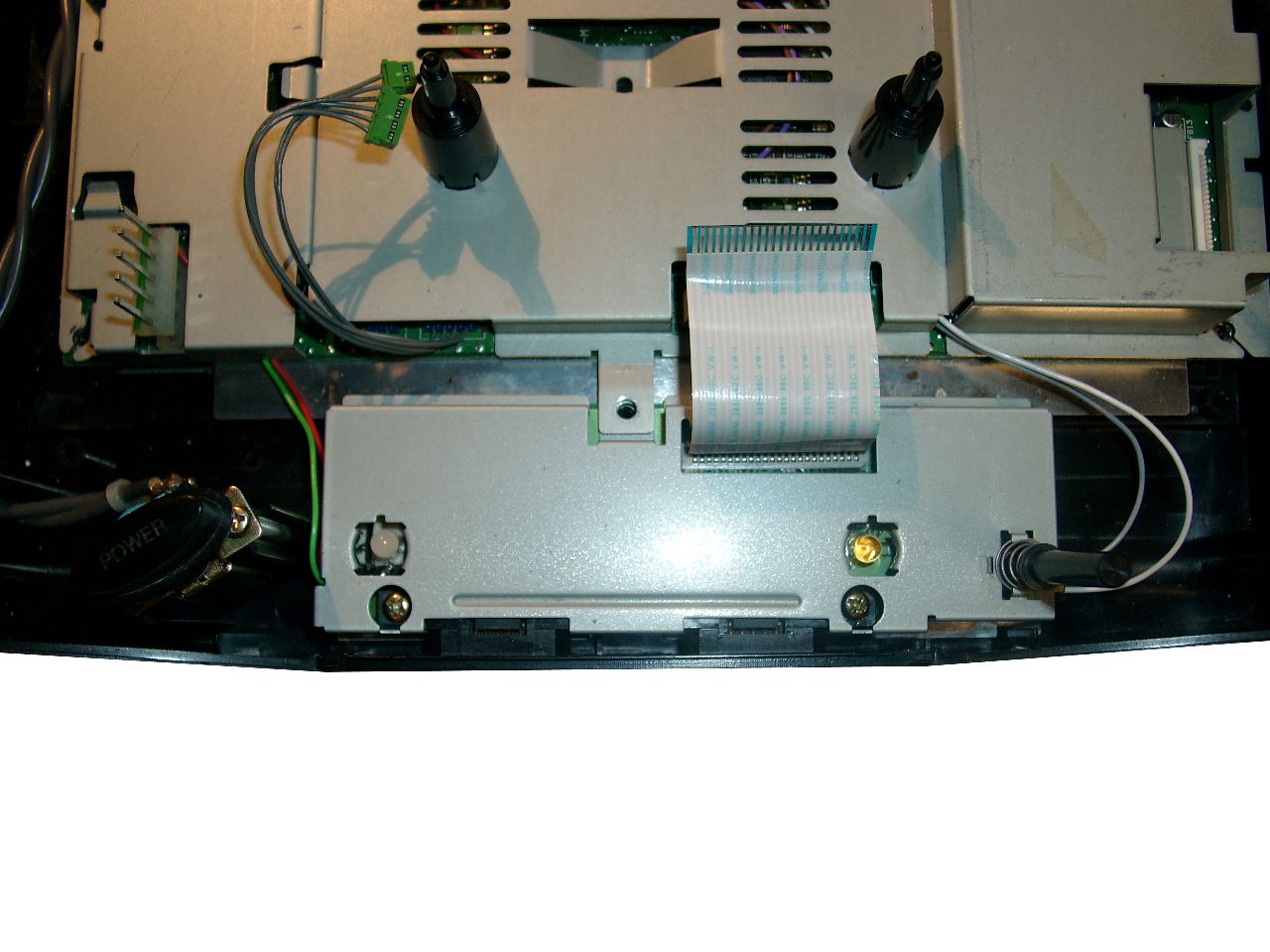
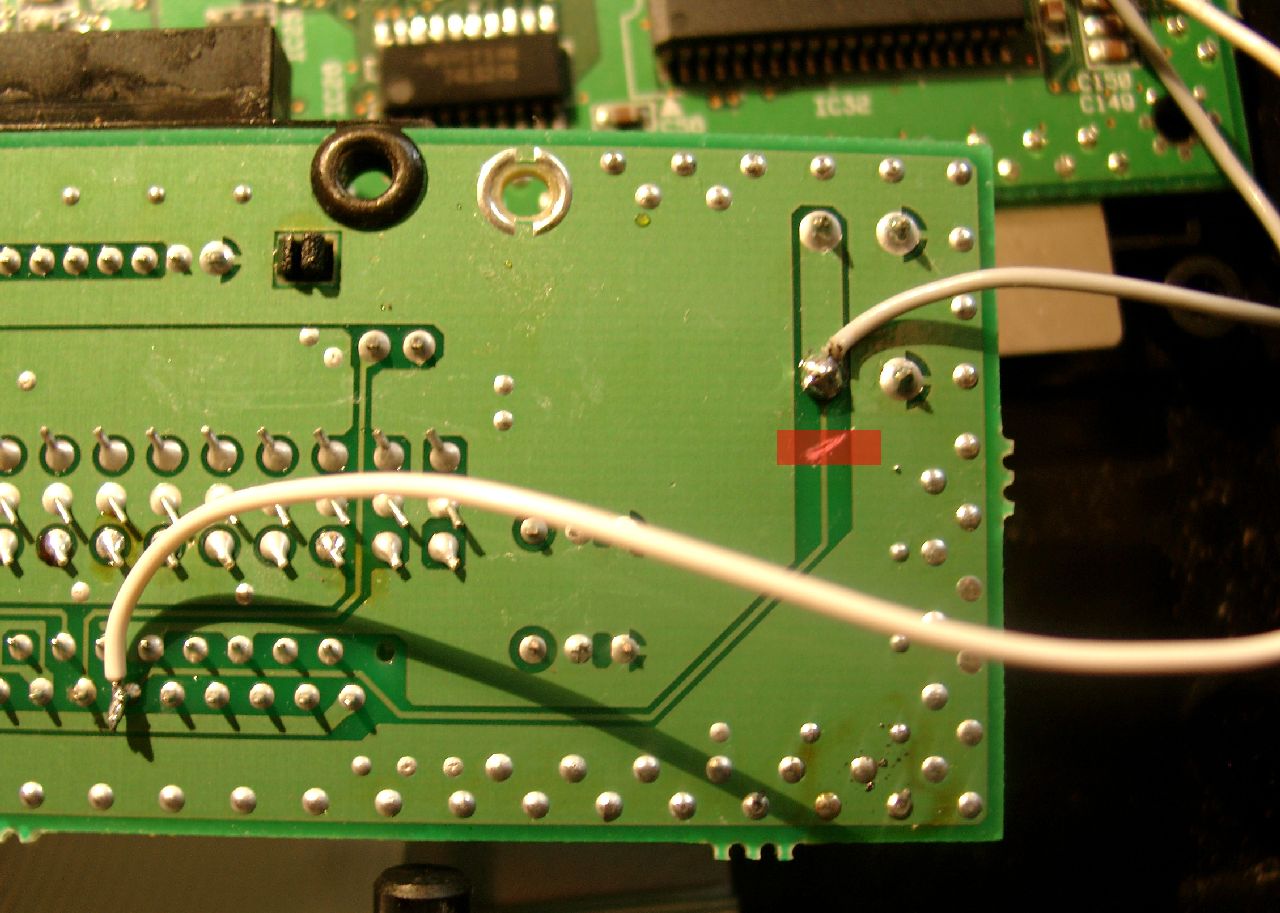
Separate Controller PCB (cut the red marked circuit)
wire colors (upper site grey at the RESET Button, downsite white)
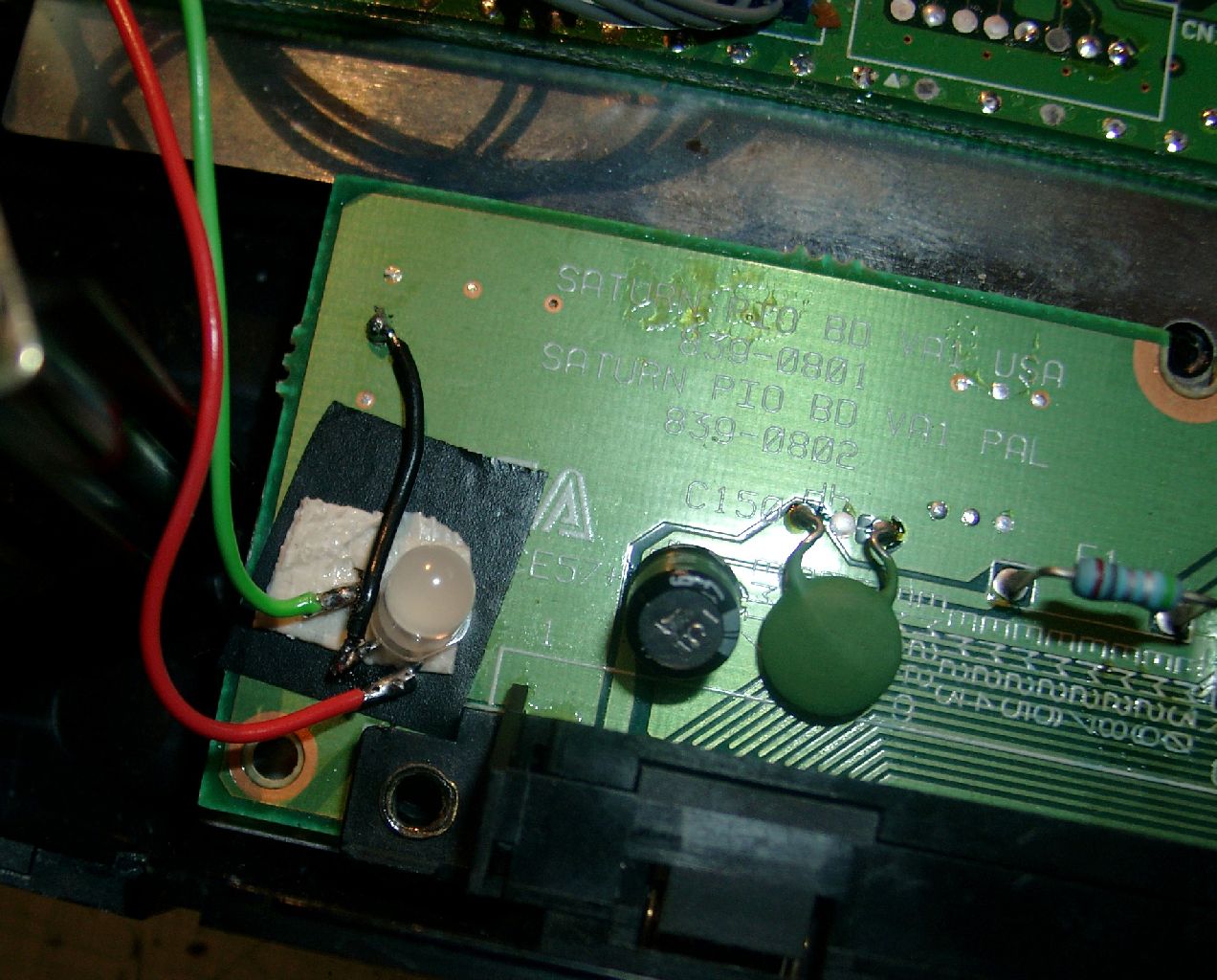
DUO-LED soldering an position at the separate Controller PCB
Some more pictures